Setup SoftActivity Monitor with Norton Antivirus
Norton Antivirus will report presence and delete SoftActivity Monitor software and Activity Monitor Agent . You can still install Activity Monitor on your company’s computers to monitor employees if you are authorized to do so. You will to add a few excludes in Norton Antivirus.
1. Open Norton Antivirus main window and click Settings in Computer panel:
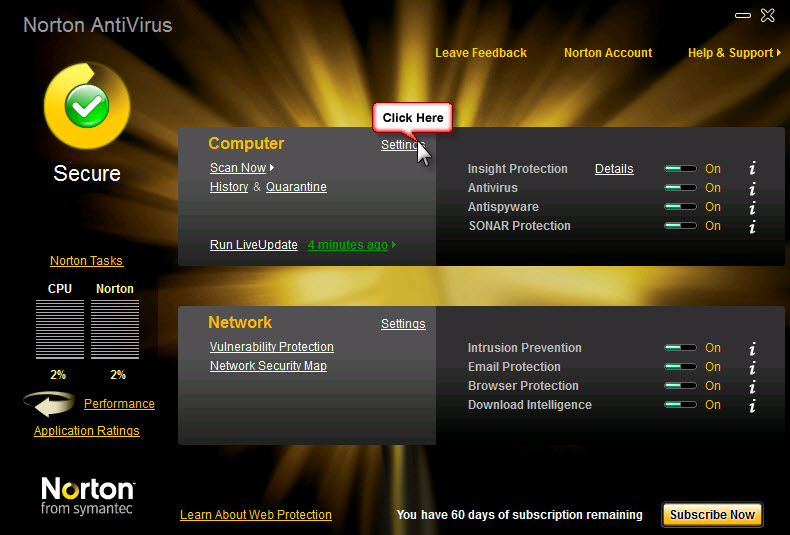
Norton Antivirus – click Settings for Computer
2. In Settings window click Configure next to Signature Excludes:
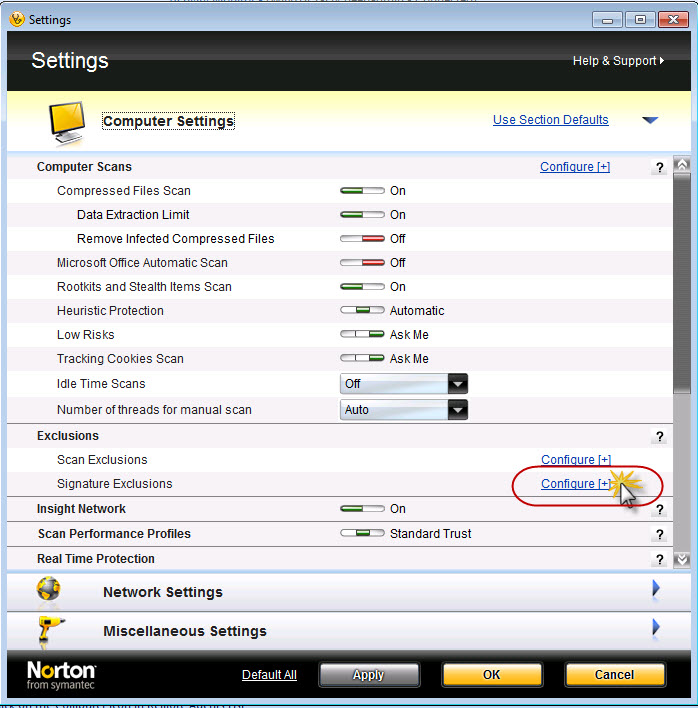
Norton Antivirus Settings Window
3. In Signature Exclusions windows click Add button. Select Spyware from the dropdown on top then select Spyware.ActivMonAgent in the list, and click Add:
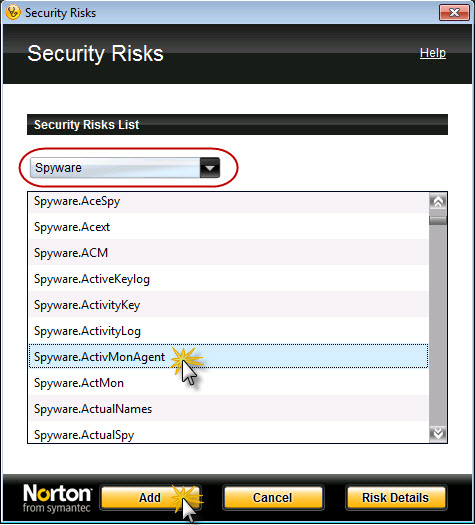
Spyware Exclusions in Norton
4. Now Click Add once again in Signature Exclusions window to add one more exclude. Then select Spyware.ActMon and click Add:
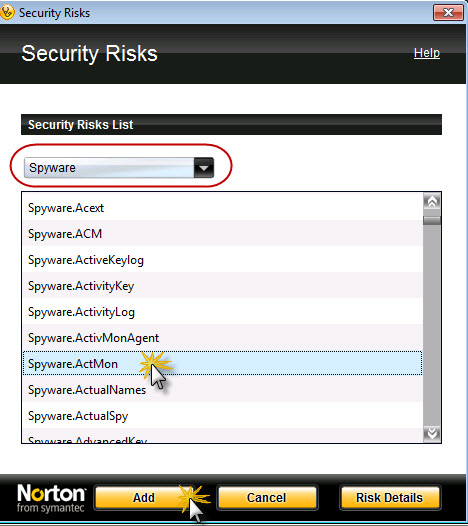
Spyware exclusions in Norton
5. After this click OK, OK and you may close Norton Antivirus window.
6. In addition, exclude this folder in Notron on the monitored computers: C:\Windows\sysnchrb
7. Then you can download or copy Activity Monitor or Agent files to this computer and install them. Norton will ignore presence of Activity Monitor and will not delete it or notify users