SoftActivity Monitor and SoftActivity TS Monitor version 15.4 are now available. This release brings performance improvements, more reliable activity recording, and fixes for the on-premise Webapp.
What’s new in version 15.4:
SoftActivity Monitor Agent: Now runs natively as a 64-bit application for improved performance and lower CPU usage.
For manual installation on 32-bit Windows 8.1 and Windows 10, use the amagent-x86.exe package supplied in the Agent folder.
Installers and uninstallers for Monitor, Agent, and TS Monitor now run as native 64-bit applications.
Webapp: Fixed Two-Factor Authentication failures when the browser time zone was ahead of the server time zone.
Webapp: Fixed broken screenshot images displayed in the browser on some computers.
Monitor: Fixed issues downloading large volumes of logs and screenshots.
Other fixes, improvements, and security patches.
In addition, in TS Monitor:
Activity times now remain consistent when Remote Desktop users connect from different time zones.
Fixed an issue where file activity was not recorded on Windows Server 2016.
SoftActivity Monitor and SoftActivity TS Monitor version 15.3 are now available. This release includes security improvements, new administration features, and several bug fixes.
What’s new in version 15.3:
Webapp: Major improvements to login and account management security.
We recommend enabling Two-Factor Authentication and requiring it for all accounts in Admin – Settings.
Webapp: Added an option to accept both IPv4 and IPv6 connections. Configure it in Options – Webapp.
Webapp: Email Delivery setup now supports SMTP relay servers that do not require authentication by allowing blank user name and password.
Monitor: Added Status and Last Connected columns, along with status filtering in the Agents list. View the status of all computers without opening each Agent.
Fixed an incorrect “No user is logged on” message when a user was actually logged on.
Other fixes, improvements, and security patches.
In addition, in TS Monitor:
Improved support for multiple sessions per user on the same RDS server. When this Windows option is enabled, TS Monitor now tracks and records each session separately.
Version 15.1 is now available for SoftActivity Monitor and SoftActivity TS Monitor. This update focuses on reliability improvements and fixes.
Changes in version 15.1
Improved display of the logon screen when no user is logged in to a remote computer. The Monitor app now shows the logon screen more consistently instead of “no image available”.
External Agent mode issue resolved for Entra ID joined computers. It can now be enabled in Options as expected.
Numerous minor improvements and stability fixes across both products.
SoftActivity TS Monitor version 15.0 is now available.
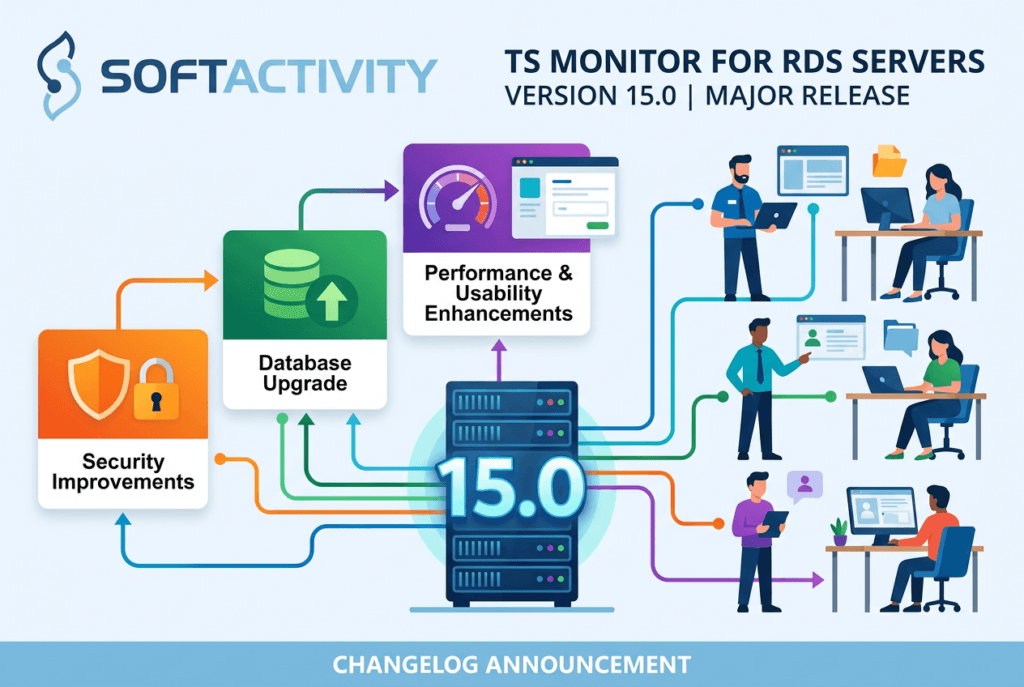
Version 15.0 is a major release with important security improvements, database upgrade, and multiple performance and usability enhancements. If you are using an earlier version, we recommend upgrading to get the latest updates.
Changes in TS Monitor 15.0
Major security hardening:
Improved security for permissions, services, privileged operations, and password policies.
Upgraded PostgreSQL database engine from 15 to 18:
Better performance and reliability, with faster web app loading.
Automatic upgrade during update, with no manual action required from IT administrators.
Web app:
Multiple UI and report improvements, new features, and security updates.
Screenshots now load up to 50x faster in the web browser. Other pages also load faster.
Additional quality, stability, and usability updates and multiple bug fixes.
SoftActivity Monitor version 15.0 is now available.
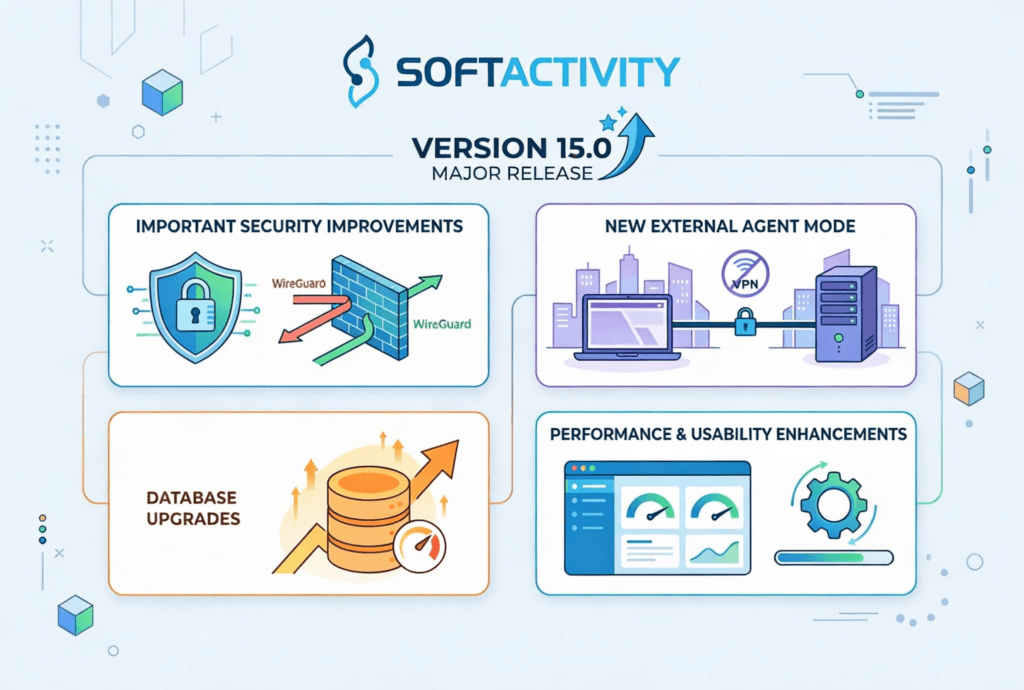
Version 15.0 is a major release with important security improvements, a new External Agent mode for remote monitoring without a VPN, database upgrades, and multiple performance and usability enhancements. If you are using an earlier version, we recommend upgrading to get the latest updates.
Changes in version 15.0
Major security hardening:
Improved security for Monitor and Agent communications, permissions, agent services, privileged operations, and password policies.
New External Agent mode (Preview) for monitoring remote company computers without requiring a VPN:
Built on the widely trusted WireGuard technology.
Remote agents connect to your Monitor endpoint over a secure, encrypted tunnel.
Monitor company computers used from home, while traveling, or in branch offices, not just devices on the local network.
Works well in Microsoft 365 environments and does not require the Monitor server to resolve remote client DNS names, or connect to them.
No firewall or NAT changes are needed on the remote user’s network.
The Monitor endpoint can be hosted on your network or in the cloud.
External Agent mode is supported only on company-owned, IT-managed Windows devices that are joined to the organization’s AD domain or Entra tenant.
Personal devices (BYOD) are not supported by External mode.
Turn it on in Options – External Agents tab. Try it and send us your feedback.
then click Add External Agent
when installing Agent on a remote computer copy its enrollment token from Monitor
Upgraded PostgreSQL database engine from 15 to 18:
Better performance and reliability, with faster web app loading.
Automatic upgrade during update, with no manual action required from IT administrators.
Web app:
Multiple UI and report improvements, new features, and security updates.
Screenshots now load up to 50x faster in the web browser. Other pages also load faster.
Additional quality, stability, and usability updates and multiple bug fixes.
Now detects missing files and repeated startup failures, displays affected computers in the web console in Admin panel – Computers, and emails a company admin when attention is needed.
Show last connected time for computers in Admin – Computers, to help with troubleshooting.
Summer 2026
New: Secure REST API access
Administrators can now create secure, read-only integrations for external reporting, analytics, compliance, and AI tools. Each integration can access reports for all monitored users or only selected users and groups.
To get started, open Administration, select API Access, click Create Integration, and choose whether it can access reports for all monitored users or only selected users and groups. Save the generated credential when it appears. It is shown only once and should be stored securely. Administrators can rotate, revoke, or suspend access when needed.
Click API Documentation on the API Access tab to view the base URL, available endpoints, request parameters, examples, and connection instructions. Detailed authorization information is available only inside the protected documentation.
Other:
Major improvements to login and account management security. See My Account – Security, and Admin – Settings pages.
Improved smaller-screen layouts
other numerous ongoing improvements and fixes
Spring 2026
improvements and fixes in Attendance report – sessions and idle time tracking. More accurate Attendance reports for complex Windows sessions scenarios.
Stronger web security for the SaaS app.
More reliable cloud routing and agent/log ingestion infrastructure.
numerous other continuous improvements and patches
Winter 2026
fix: Idle time calculation fixed. In some cases, idle was recorded earlier than configured. Idle is now triggered only after the full 5-minute threshold is reached, which may increase reported idle periods by up to 5 minutes to reflect accurate inactivity duration.
Improved PDF reports for attendance (user sessions and idle periods)
Ongoing platform enhancements, fixes, performance optimizations, and security updates.
All updates are installed automatically, with no action required from your IT administrators.
We use cookies for website functionality and security (necessary cookies). They are always enabled. We also use cookies for website analytics and personalized ads. By clicking ‘Accept’, you consent to the use of cookies on this website. To get more information or withdraw consent please check our Privacy Policy.