SoftActivity Work, 2026 Changelog. Cloud based productivity software
Fall 2026
Client App health monitoring
- Now detects missing files and repeated startup failures, displays affected computers in the web console in Admin panel – Computers, and emails a company admin when attention is needed.
- Show last connected time for computers in Admin – Computers, to help with troubleshooting.
Summer 2026
New: Secure REST API access
Administrators can now create secure, read-only integrations for external reporting, analytics, compliance, and AI tools. Each integration can access reports for all monitored users or only selected users and groups.
To get started, open Administration, select API Access, click Create Integration, and choose whether it can access reports for all monitored users or only selected users and groups. Save the generated credential when it appears. It is shown only once and should be stored securely. Administrators can rotate, revoke, or suspend access when needed.
Click API Documentation on the API Access tab to view the base URL, available endpoints, request parameters, examples, and connection instructions. Detailed authorization information is available only inside the protected documentation.
Other:
- Major improvements to login and account management security. See My Account – Security, and Admin – Settings pages.
- Improved smaller-screen layouts
- other numerous ongoing improvements and fixes
Spring 2026
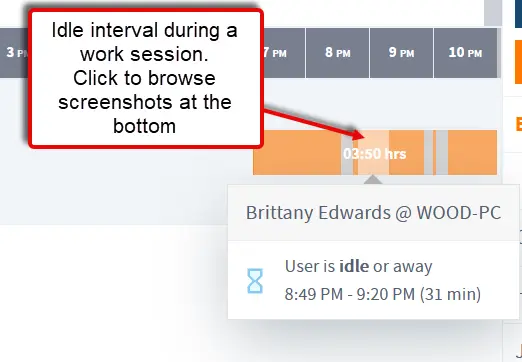
- improvements and fixes in Attendance report – sessions and idle time tracking. More accurate Attendance reports for complex Windows sessions scenarios.
- Stronger web security for the SaaS app.
- More reliable cloud routing and agent/log ingestion infrastructure.
- numerous other continuous improvements and patches
Winter 2026
- fix: Idle time calculation fixed. In some cases, idle was recorded earlier than configured. Idle is now triggered only after the full 5-minute threshold is reached, which may increase reported idle periods by up to 5 minutes to reflect accurate inactivity duration.
- Improved PDF reports for attendance (user sessions and idle periods)
- Ongoing platform enhancements, fixes, performance optimizations, and security updates.
All updates are installed automatically, with no action required from your IT administrators.