SoftActivity
  • Products
    • SoftActivity Monitor – for workstations, on-prem
    • TS Monitor – for RDS servers, on-prem
    • SoftActivity Work – cloud SaaS
    • Compare Products
  • Buy
    • SoftActivity Monitor
    • TS Monitor
    • SoftActivity Work – cloud SaaS
  • Try
    • Download Now
    • Get Started in the Cloud
  • Blog
  • Company
    • About Us
    • Contact Us
    • Support Center
    • FAQ
    • Case Studies
    • Reviews
    • Resellers in your country
    • Updates & Support Plan
    • Update Now
  • EN
    • EnglishEN
    • EspañolES
Free trial
SoftActivity Monitor

Employee monitoring software with screenshots, live screens and activity reports

Free 7-day trialBuy now
  • Features
  • Benefits
  • Screenshots
  • System Requirements
  • What’s New
  • Documentation
  • More details
    • Demo Videos
    • Testimonials
    • EULA
Free 7-day trialFree trial

SoftActivity Monitor is screenshot monitoring software for Windows workstations and laptops. Its IntelliSnap screen capture records the screen of each computer, so every website and application in a report comes with what was on screen. You can also view screens live, one computer or many at once.

The captures below show the full product with fictional example activity. Click any screenshot to enlarge it, then use the arrows to step through the gallery. Prefer video? Watch the demo videos.

View screens live

The SoftActivity Monitor console on your computer shows the screens of the computers you choose, one at a time or many on one dashboard.
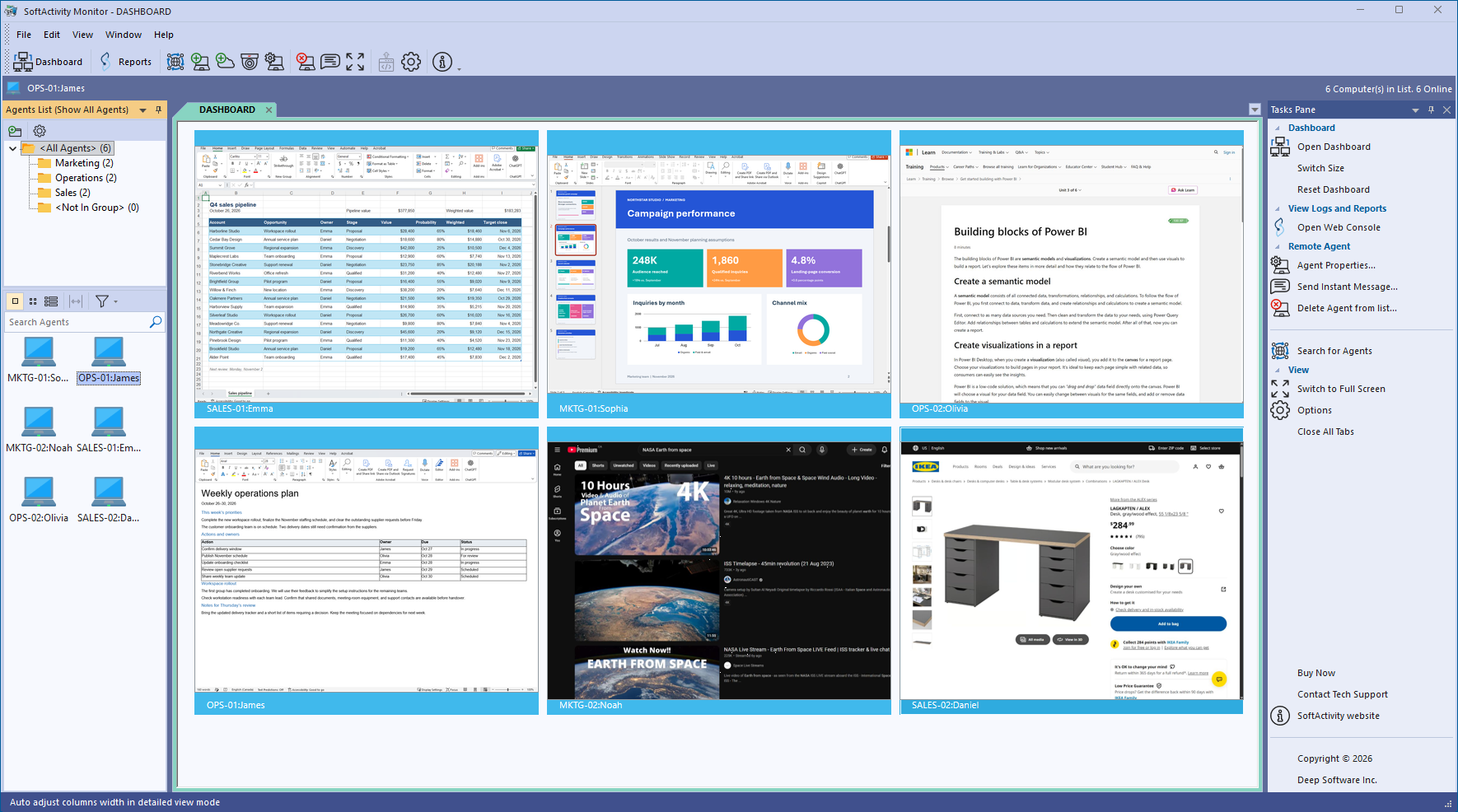
SoftActivity Monitor desktop dashboard showing six fictional employee screens.Click to enlarge
See multiple employee screens at a glance.
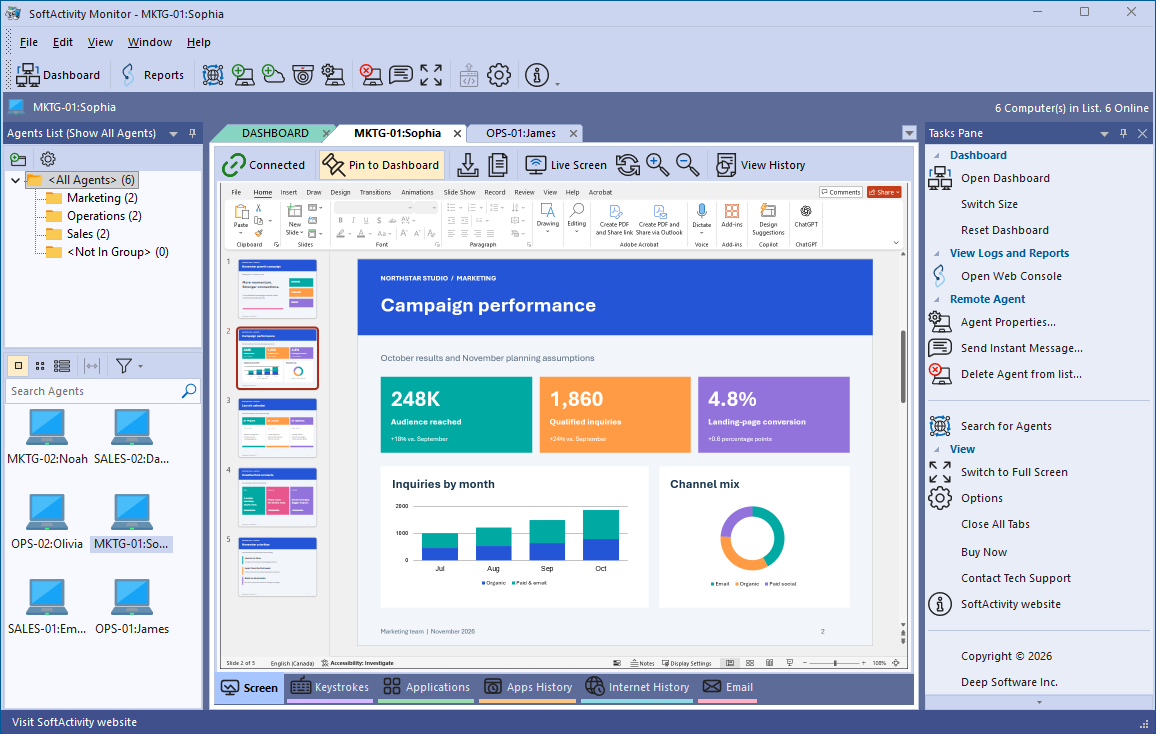
Monitor live remote screen view with a PowerPoint presentation and Tasks Pane.Click to enlarge
View a selected computer’s full application screen in Monitor.
Monitor dashboard and selected PowerPoint screen in side-by-side tab groups.Click to enlarge
Keep a selected screen alongside the multi-computer dashboard.
Monitor native dark mode showing live browsing history.Click to enlarge
Review live browsing activity in Monitor’s dark mode.
Monitor list of applications and processes on a remote computer in light mode.Click to enlarge
See the applications running on a selected computer.

Employee monitoring with screenshots

In the Web Console, reports on websites, applications and work time come with the screenshots taken at that moment.
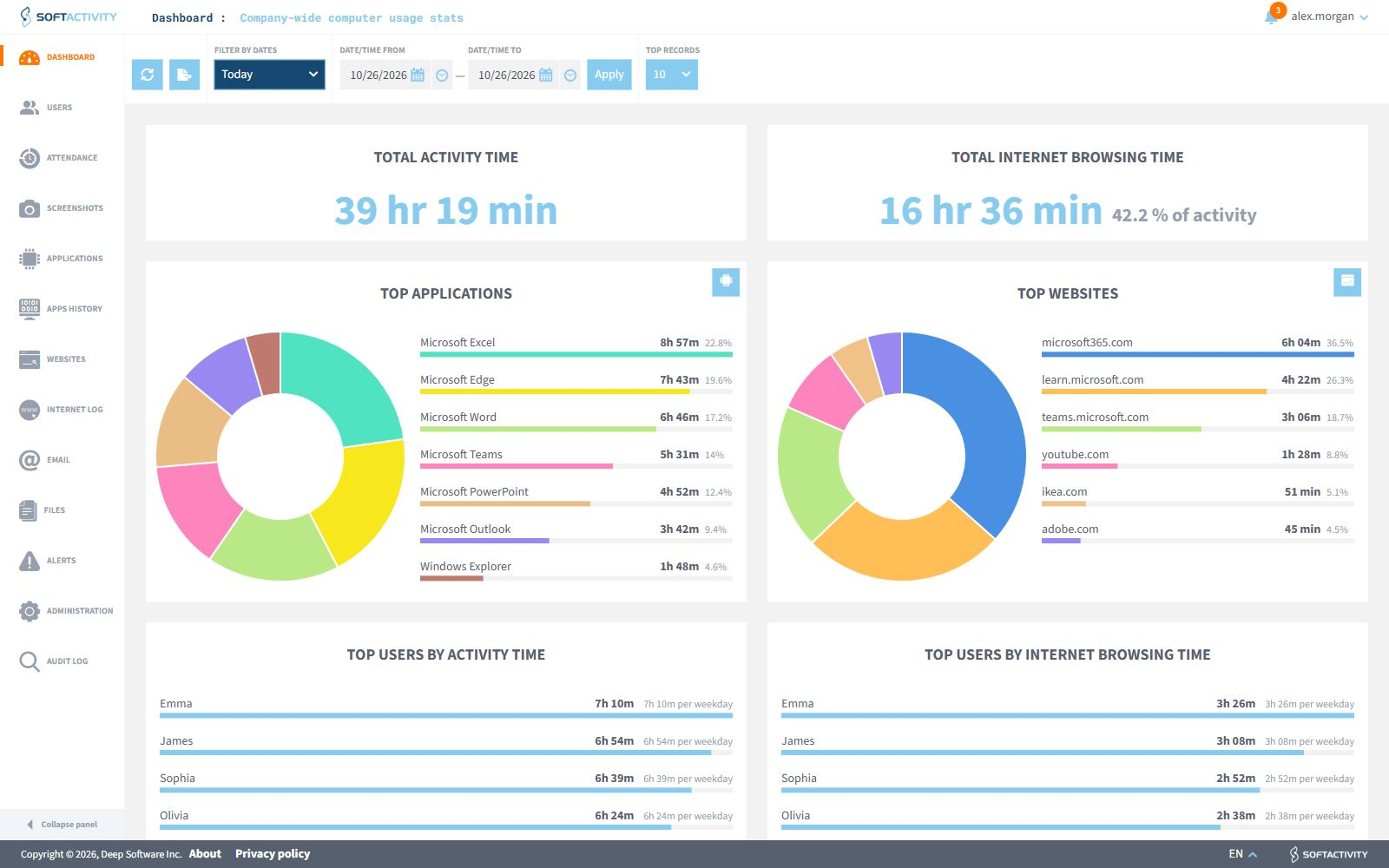
Web Console dashboard with company-wide application and website usage charts.Click to enlarge
Start with a company-wide overview of application and website usage.
Web Console recent activity cards for six fictional team members, with recent screens and applications.Click to enlarge
Check each team member’s recent screen and application.
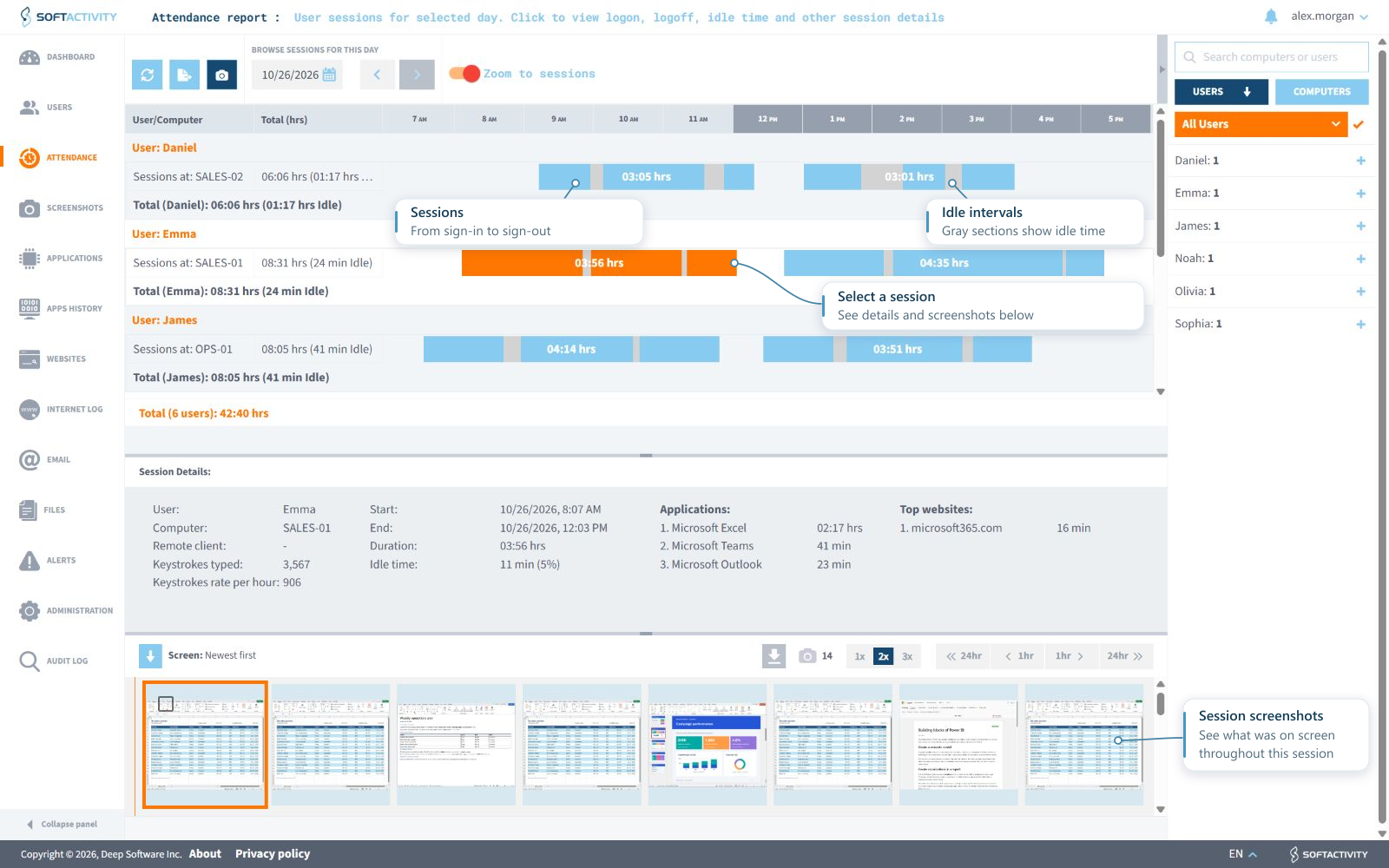
Web Console attendance report with session bars, idle time, session details, and a full row of screenshots.Click to enlarge
Compare sessions and idle time, then review details and screenshots for a selected session.
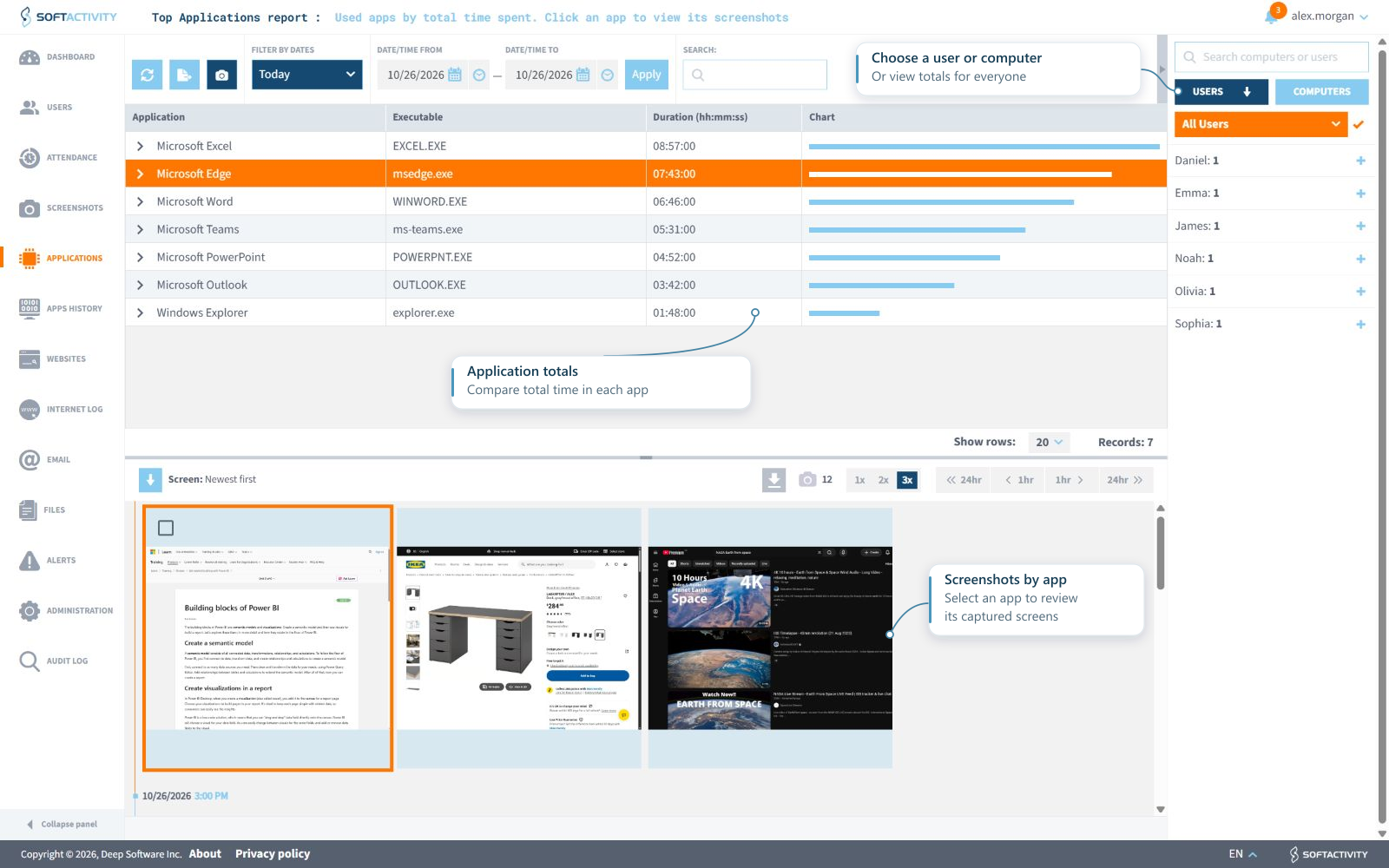
Web Console application usage report with user filters, total application time, and related screenshots.Click to enlarge
See which applications account for your team’s computer time.
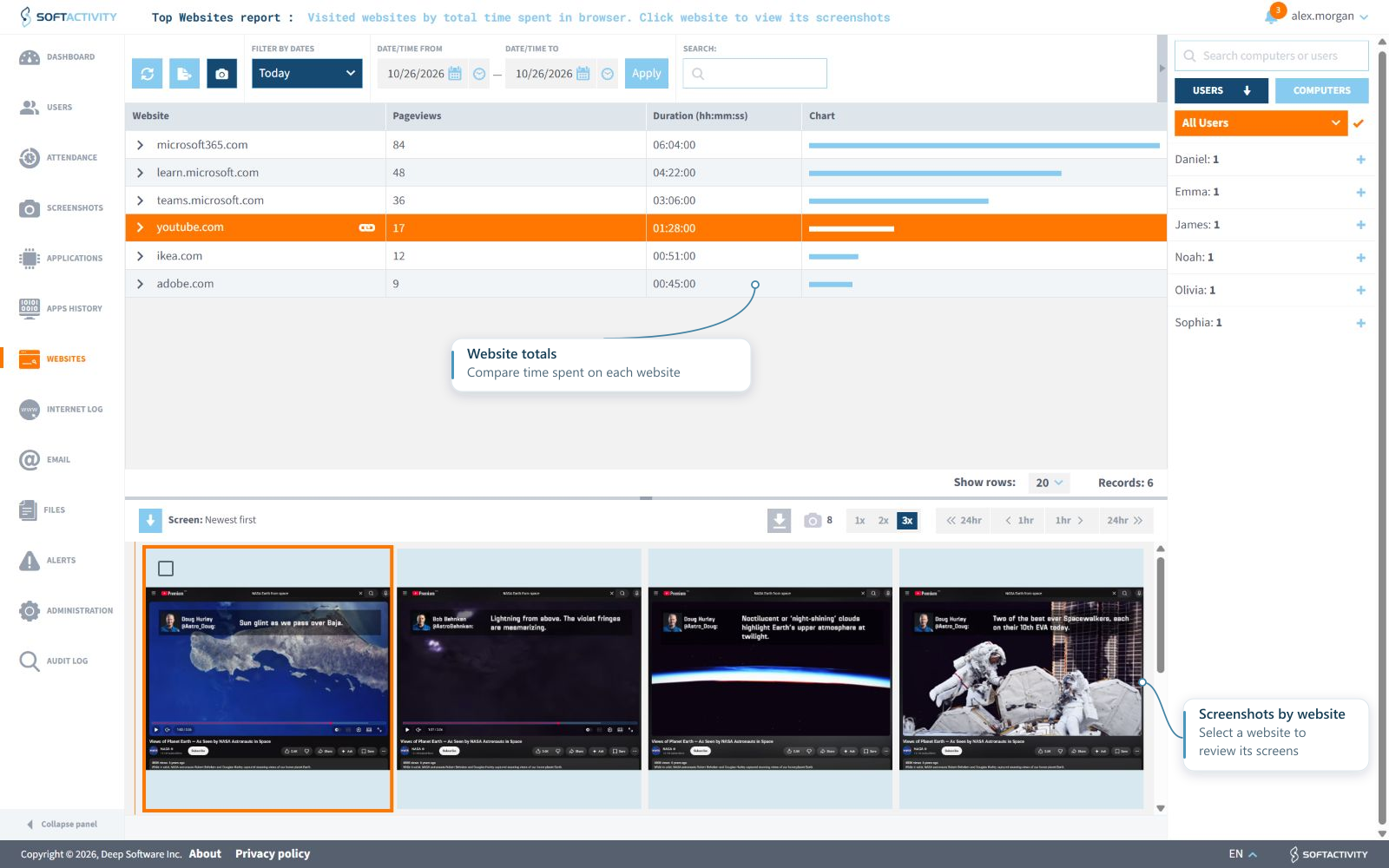
Web Console website usage with youtube.com selected and four large NASA video screenshots at 3x size.Click to enlarge
Compare time spent on websites and inspect related screens.
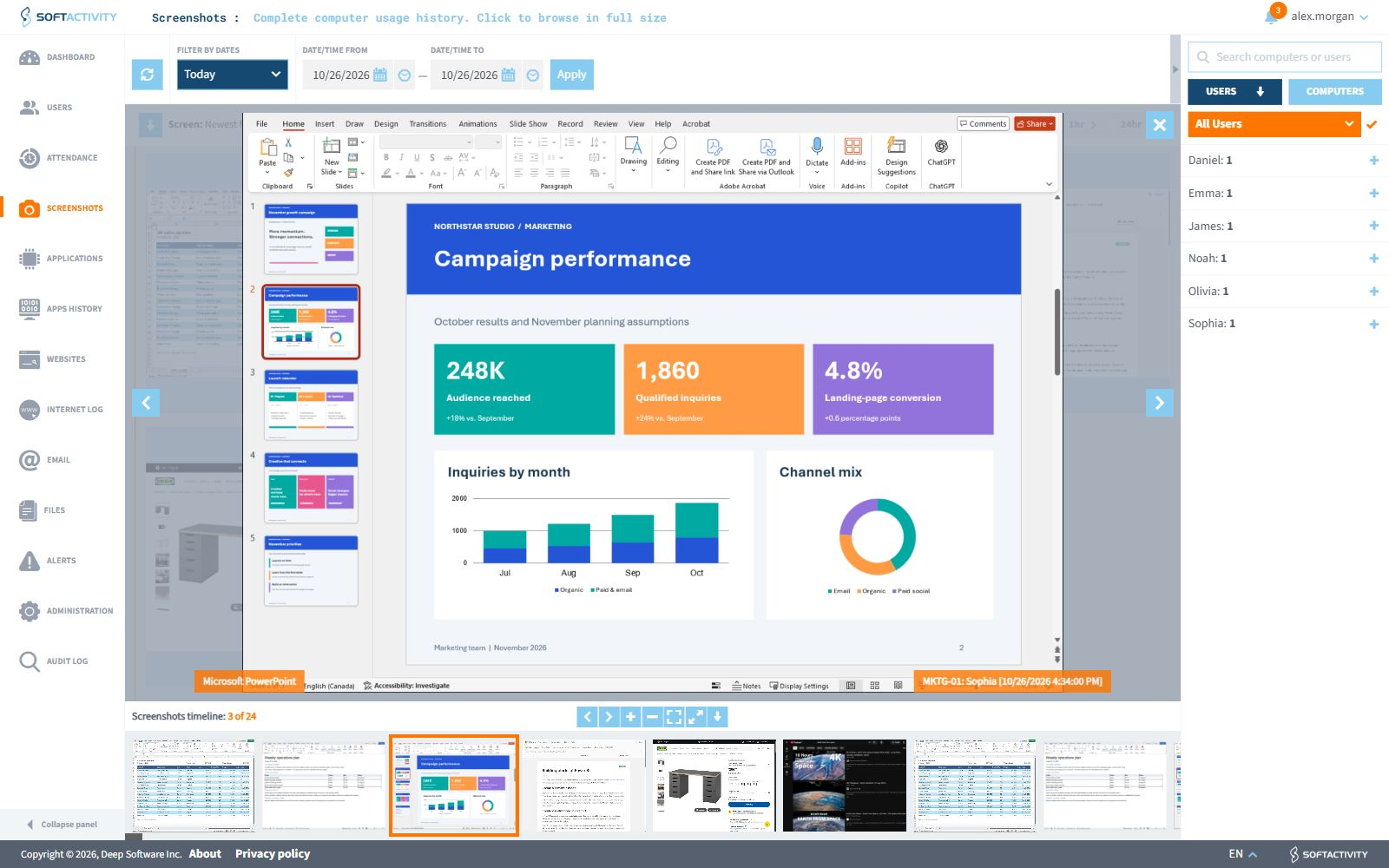
Web Console full-size screenshot viewer with a captured PowerPoint screen and surrounding timeline.Click to enlarge
Open a captured screen and browse the surrounding timeline.
Web Console browsing history with page titles, URLs, durations, and related screenshots.Click to enlarge
Review visited URLs, page titles, durations, and matching screenshots.
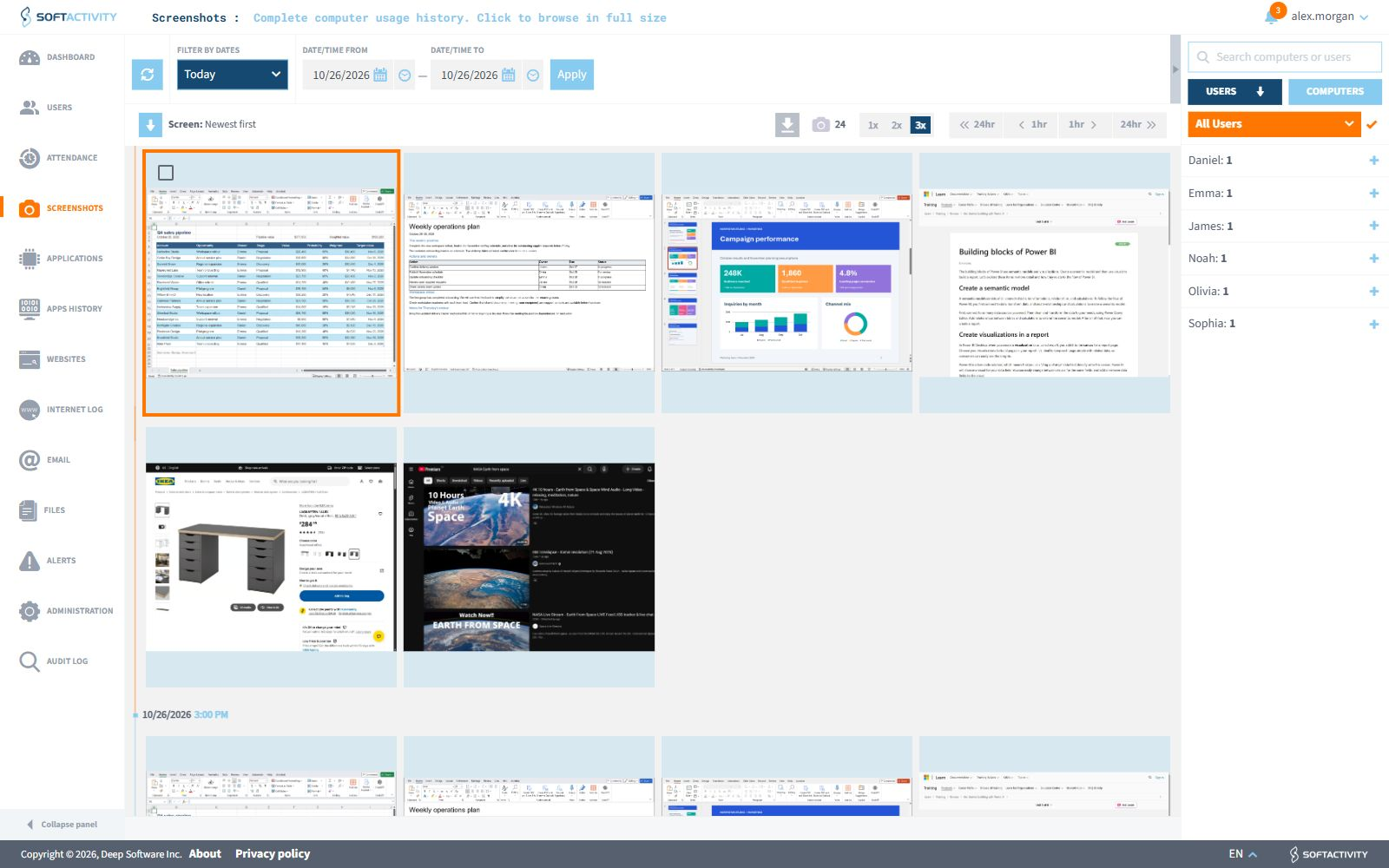
Web Console screenshot archive showing captured screens with date and user filters.Click to enlarge
Browse captured screens across computers and times.

Alerts and email reports

Get an email when someone visits a site on your list, give managers access to their own teams, and receive activity summaries daily, weekly or monthly.
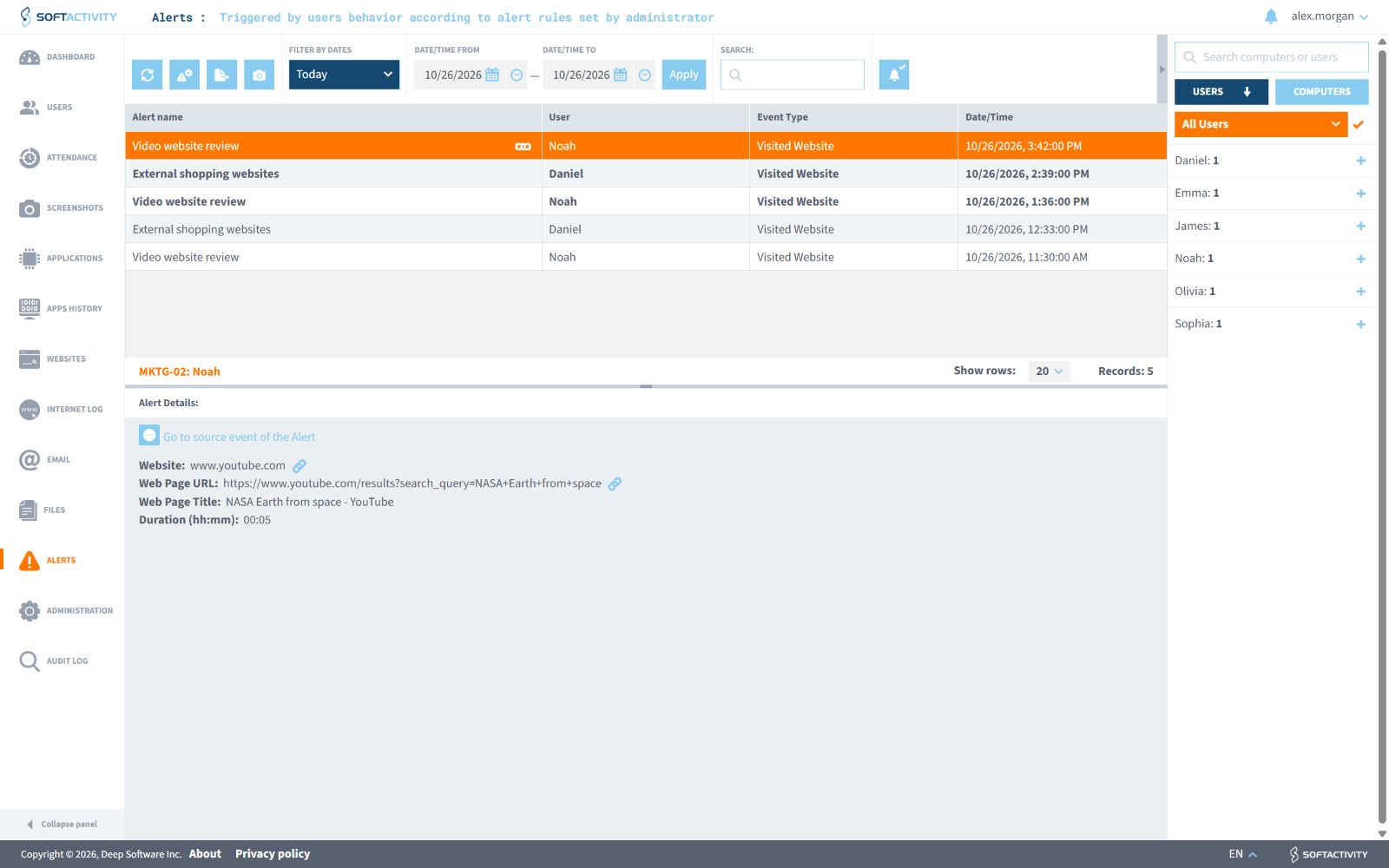
Web Console website alert detail with source activity and duration in hours and minutes.Click to enlarge
Review a website alert and open its source activity record.
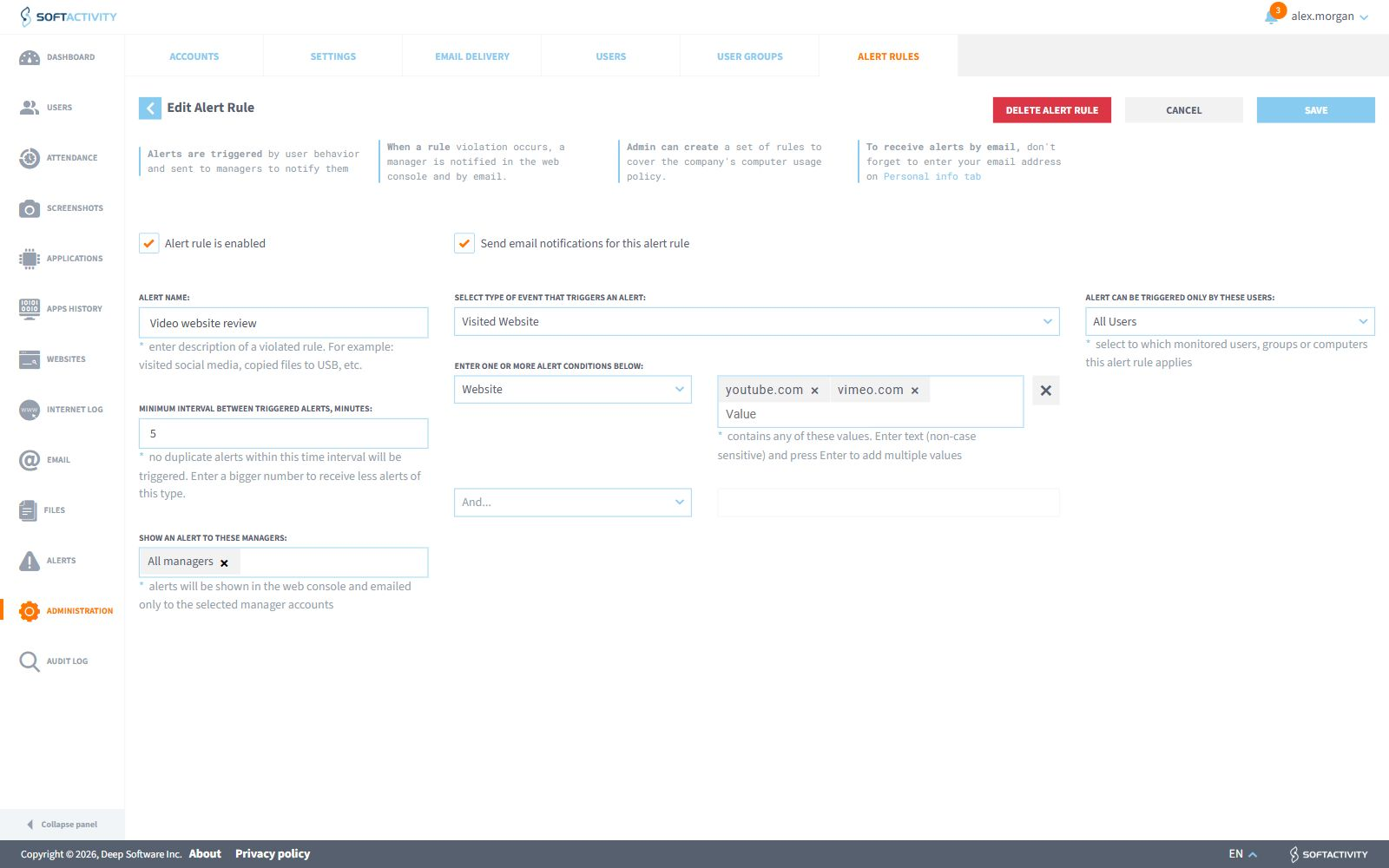
Web Console settings for a website-triggered alert and email notification.Click to enlarge
Choose websites that trigger an alert and email notification.
Web Console manager account with access to view activity logs for the Sales group.Click to enlarge
Give managers access to view their team’s activity logs.
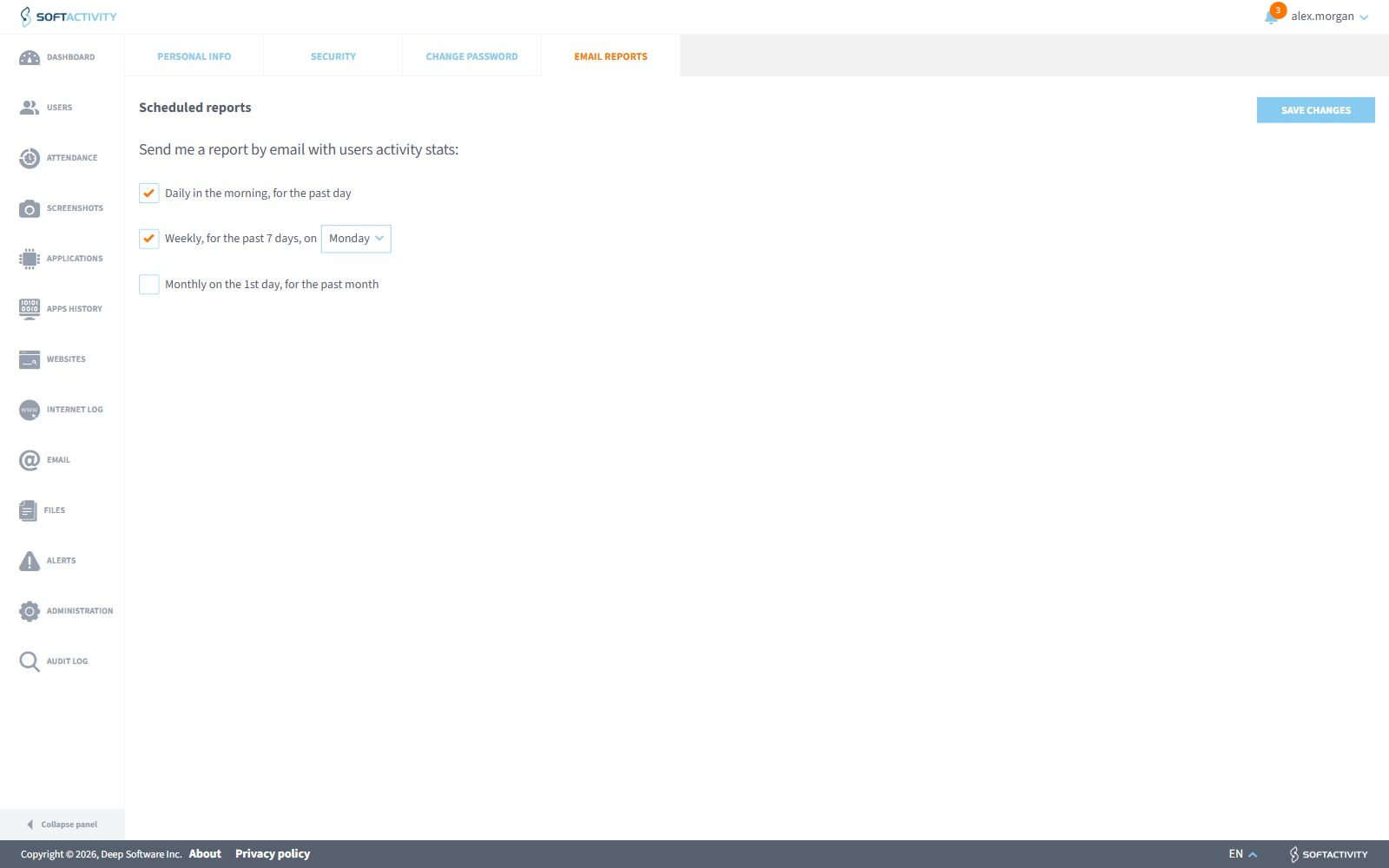
Web Console email report settings with daily, weekly, and monthly summary options.Click to enlarge
Receive activity summaries daily, weekly, or monthly.

More activity records

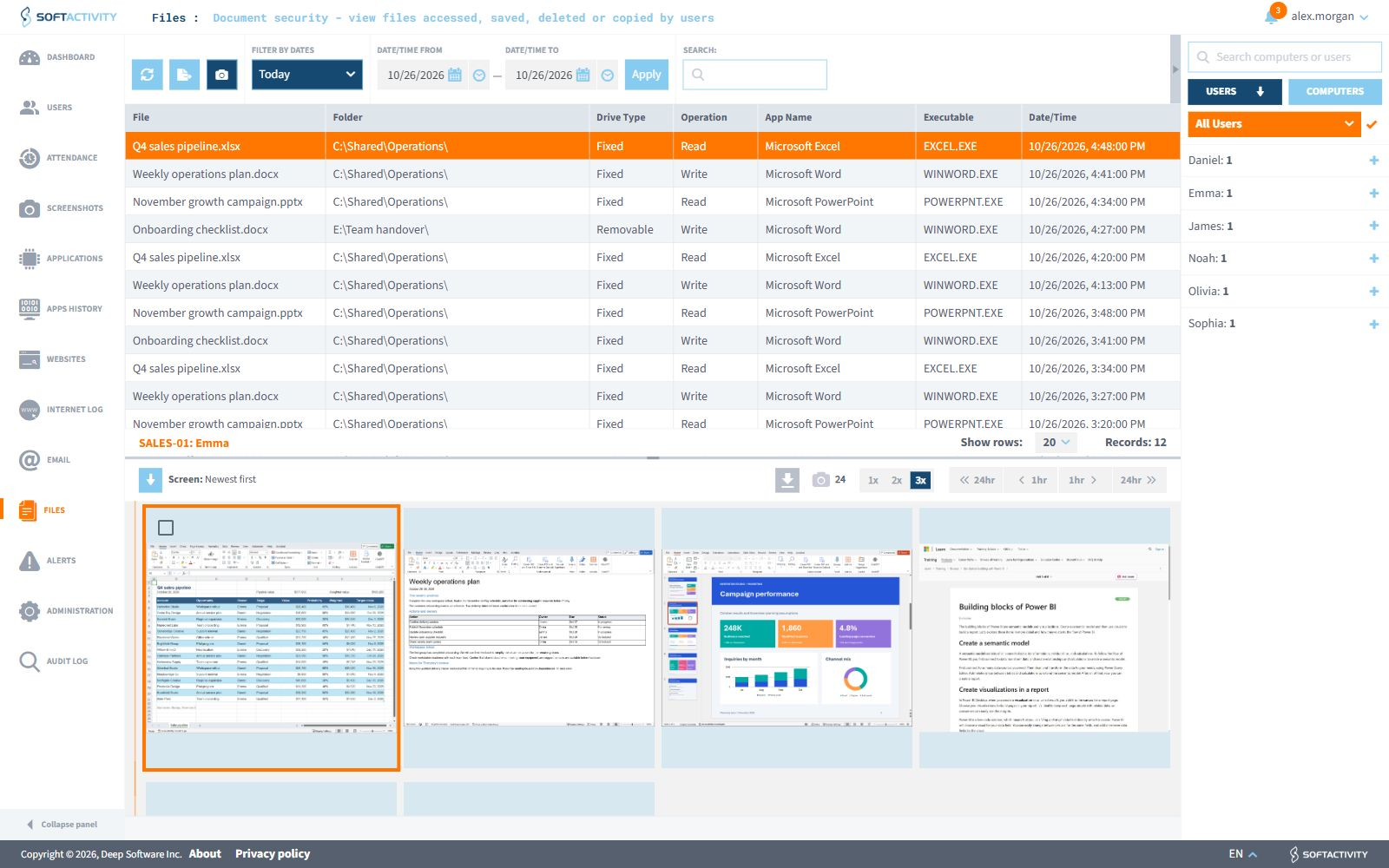
Application history, file activity and Outlook email. Keystroke logging is optional and off by default.
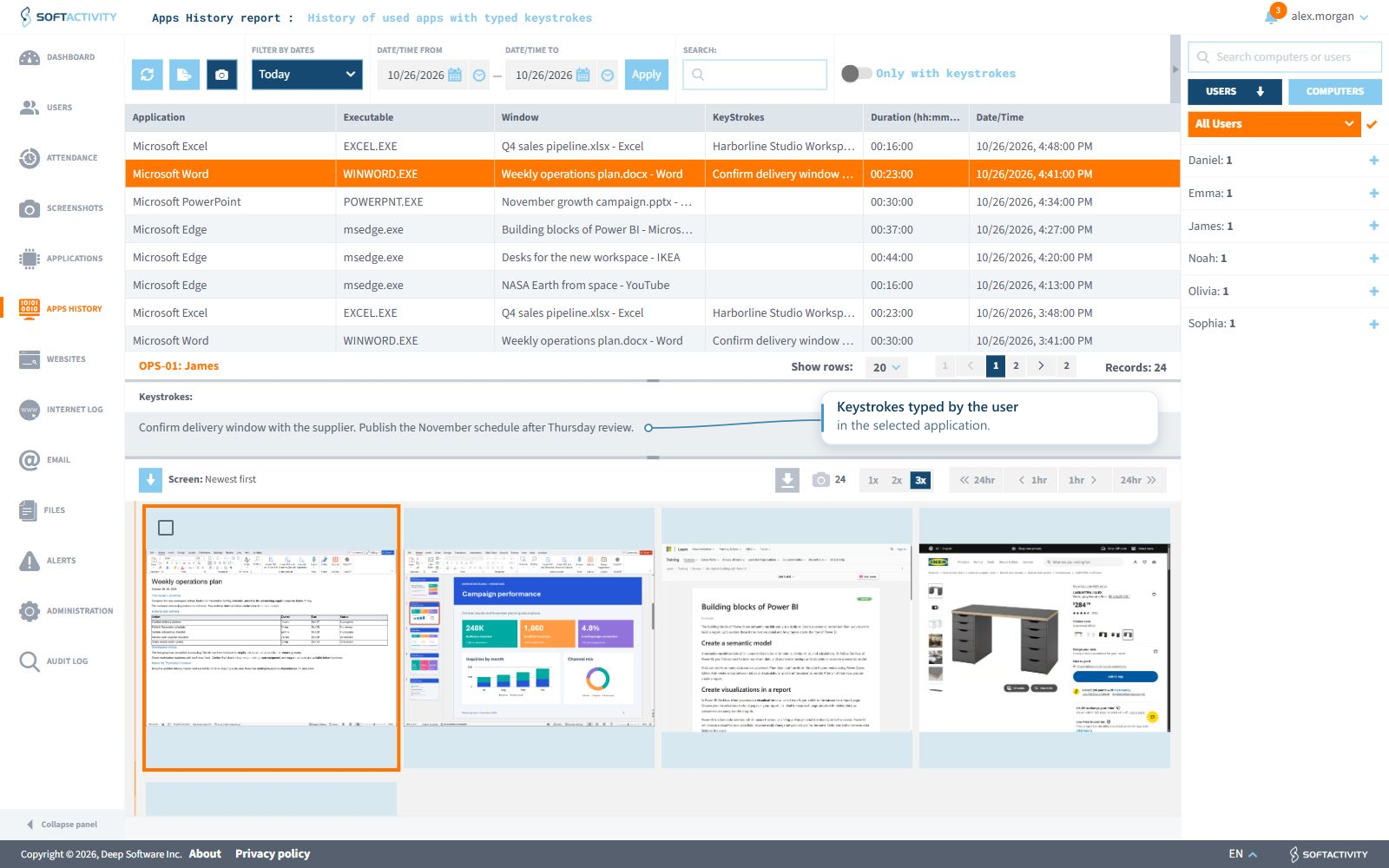
Web Console application history with keystrokes typed by the user in the selected application.Click to enlarge
Review application history with screenshots and optional keystrokes. Keystroke logging is off by default.
Web Console file activity log showing recorded file operations and screenshots.Click to enlarge
Review recorded file operations.
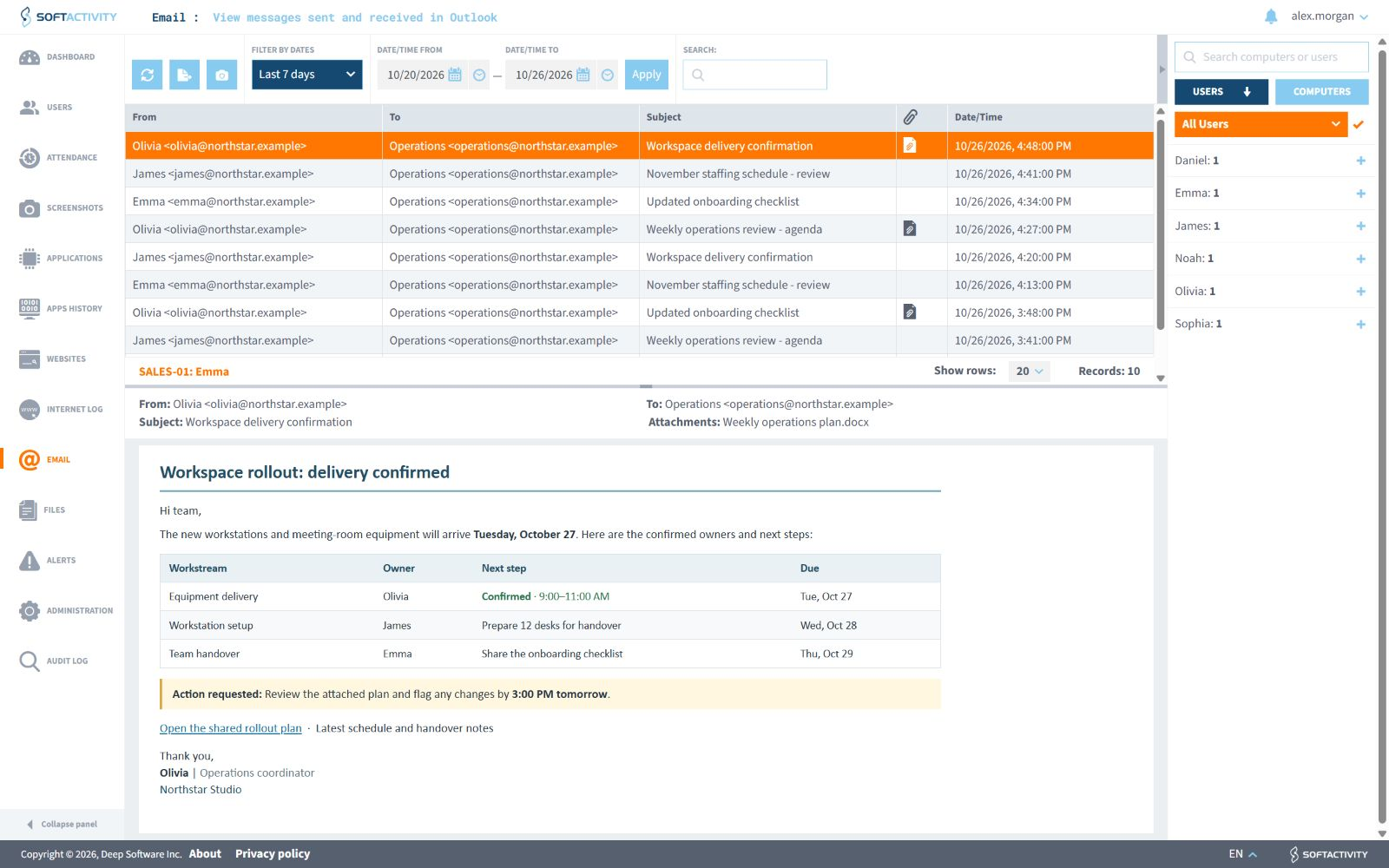
Web Console Outlook email log displaying a fictional HTML message and attachment details.Click to enlarge
Review logged Outlook messages with formatted HTML content and attachment details.
Monitor optional live keystrokes view as a fictional Teams message is typed.Click to enlarge
View live keystrokes when optional logging is enabled. Off by default.

Try SoftActivity Monitor free for 7 days

The trial is a demo version for up to 2 monitored computers, in visible mode, with blurred screenshots. The captures on this page show the full product.

Download free trialBuy now

On-premise trial: no credit card.

SoftActivity

Deep Software Inc.
202-252 Esplanade West
North Vancouver, BC, Canada

Products

  • SoftActivity Monitor - for workstations, on-prem
  • TS Monitor - for RDS servers, on-prem
  • SoftActivity Work - cloud SaaS
  • Compare Products

COMPANY

  • About Us
  • Blog
  • What’s new
  • Our Resellers
  • Reviews
  • IT Security Guides

SUPPORT

  • Contact Us
  • Support Center
  • FAQ
  • Documentation

RESOURCES

  • Employee Monitoring
  • Internet Monitoring Software
  • User Behavior Analytics (UBA)
  • Insider Threats
  • Productivity Tracking Software
  • Keylogger Software
  • Insider Threat Detection
  • Employee Time Tracking
  • User Activity Monitoring

© 2026 Deep Software Inc.

Privacy PolicyTerms of Service

Your Privacy

We use cookies for website functionality and security (necessary cookies). They are always enabled. We also use cookies for website analytics and personalized ads. By clicking ‘Accept’, you consent to the use of cookies on this website. To get more information or withdraw consent please check our Privacy Policy.