SoftActivity

SoftActivity™ TS Monitor. Monitoring RDS Server Users
TS monitor config main tab

You’re a responsible boss running a lean organization. You use a Terminal Server to cut IT costs. Your people log in remotely so they can work from anywhere, anytime. But are you really saving money – or are you paying your people not to work? What about insider security threats? You know there are problem employees – but manually investigating them and sifting through the data is inefficient!

Stop reacting. Be proactive. Get the proven server monitoring solution used by small businesses, large international corporations, educational, non-profit and government organizations around the world for monitoring remote employees.

Monitor RDS server Users. Record RDP sessions. On-premise software

Increase productivity. Prevent IP theft by insiders. Run SoftActivity TS Monitor invisibly (optional), without slowing down the server. When people know they’re being watched (although, by default it is invisible to users), they behave better. SoftActivity TS Monitor lets you:

  • Monitor remote workers on your Remote Desktop Services servers. They won’t even know you’re there. Audit Windows Remote Desktop (RDS) sessions and Citrix Virtual Apps, or XenApp applications.
  • Log websites they visit. Sure, they need to go off your company site to do their work. They don’t need to be on social media or shopping sites on work time, though. Show HR the report and take action.
  • Get an instant alert when users break your company’s computer use policy.
  • Record e-mails, chats and other workplace communications, even if they work from home. If they’re saying the wrong thing to the wrong people, you take action right now.
  • Generate reports that show user activity. Get the proof you need to take action. Get weekly activity reports by email.

Get total control over your corporate network. Install SoftActivity™ TS Monitor on your Windows RDS or Citrix servers.
Current version: 15.0 (new!) (changes) |

Pricing

| Free trial 7 days

OS: Windows Server 2025 to 2012, Citrix. System Requirements

Deployment: on-premise, or on customer-managed cloud infrastructure

Database: PostgreSQL 18, supplied with the software

Log every user action in RDS Server sessions

Capture screenshots of user activity using our proprietary IntelliSnap™ technology. It captures screenshots based on user actions.

Capture screenshots for each mouse click, visited web page, opened program, sent or received IM message.

Log used applications and work duration in every program with this terminal server monitoring software.

Log Internet surfing history with exact visited URLs and time spent on each page.

Know which websites are most frequently visited by users.

Web console for viewing recorded activity

Administrators and Supervisors/Managers can view activity reports in SoftActivity web console using a web browser.

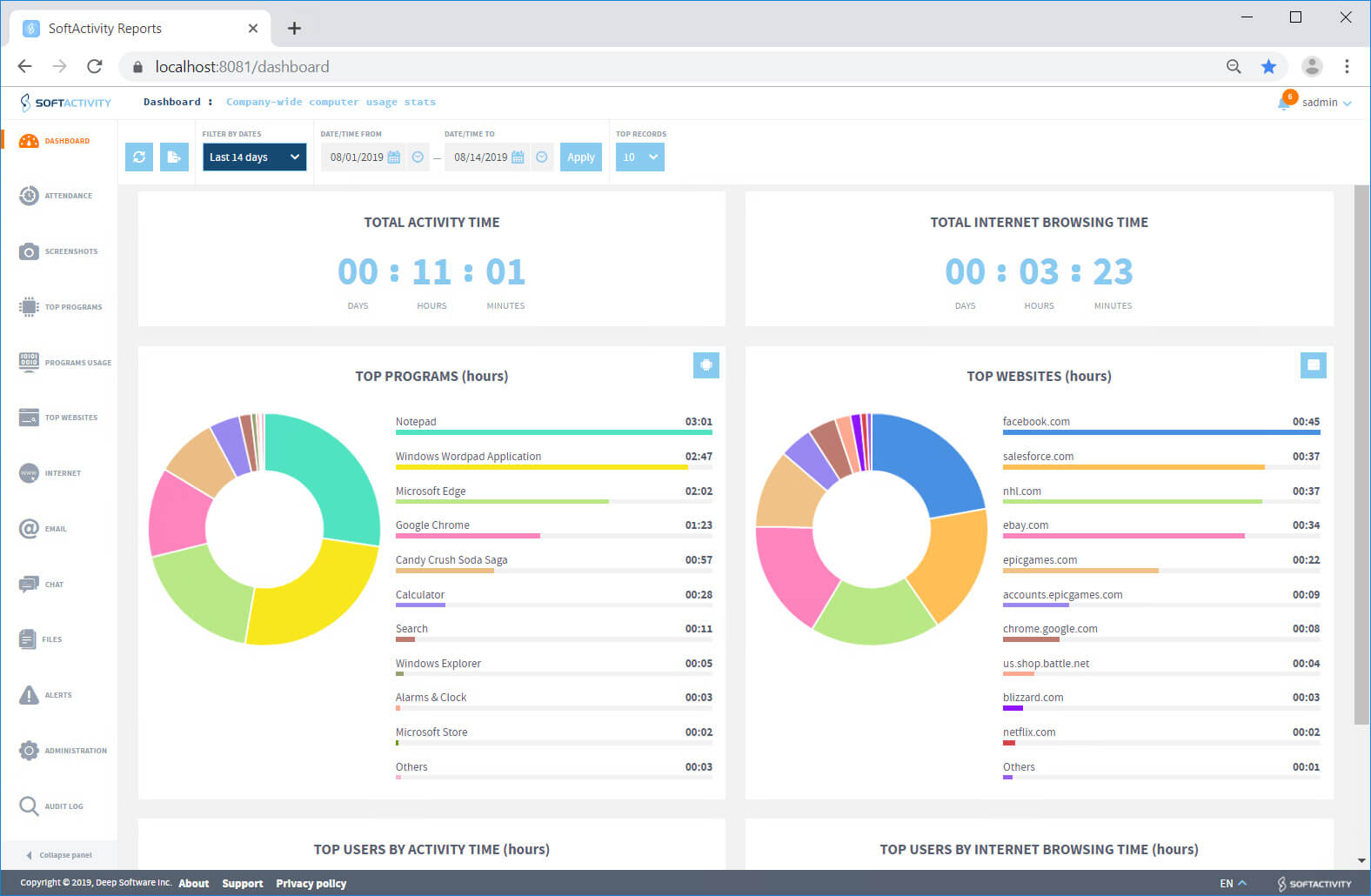
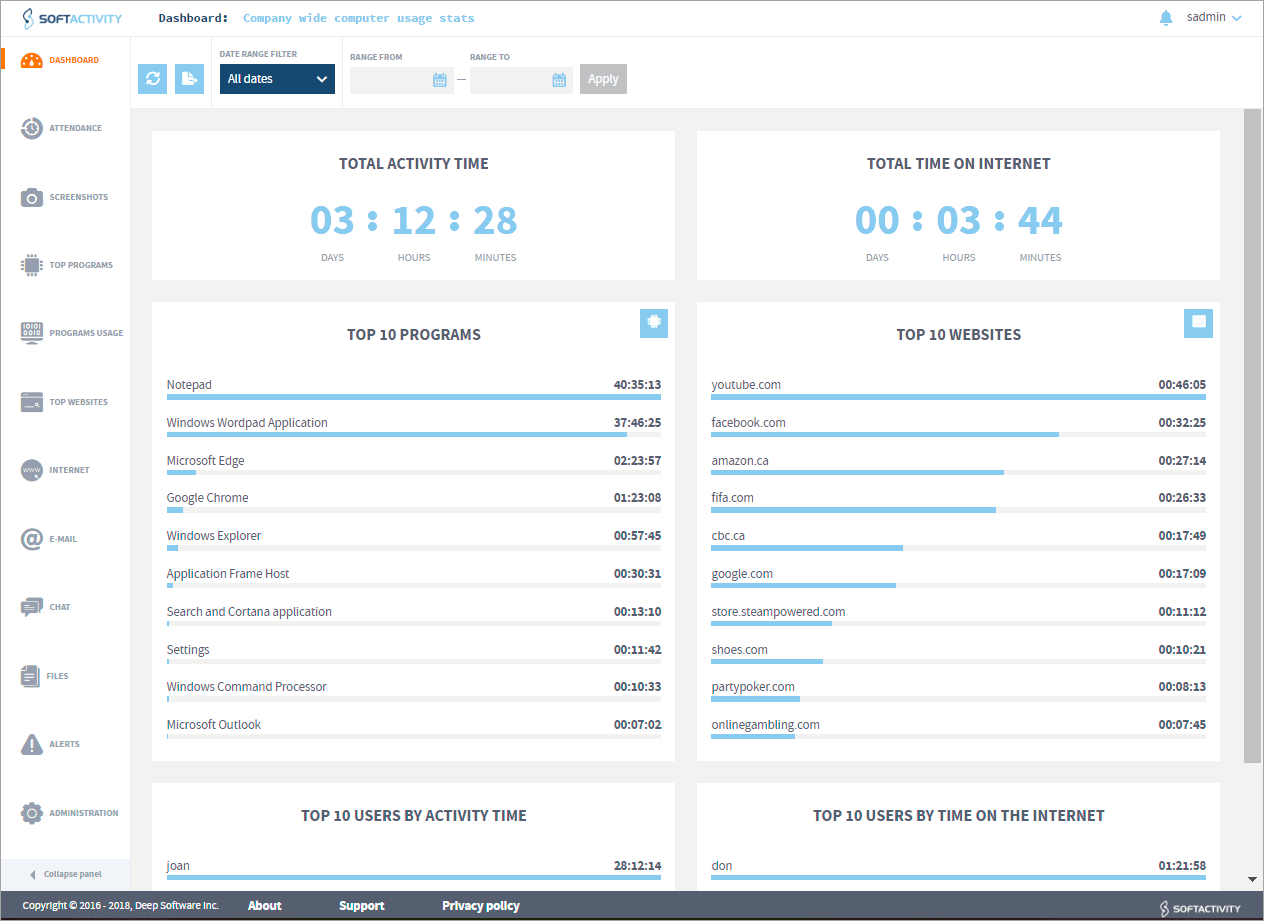
Dashboard shows company-wide user activity stats.

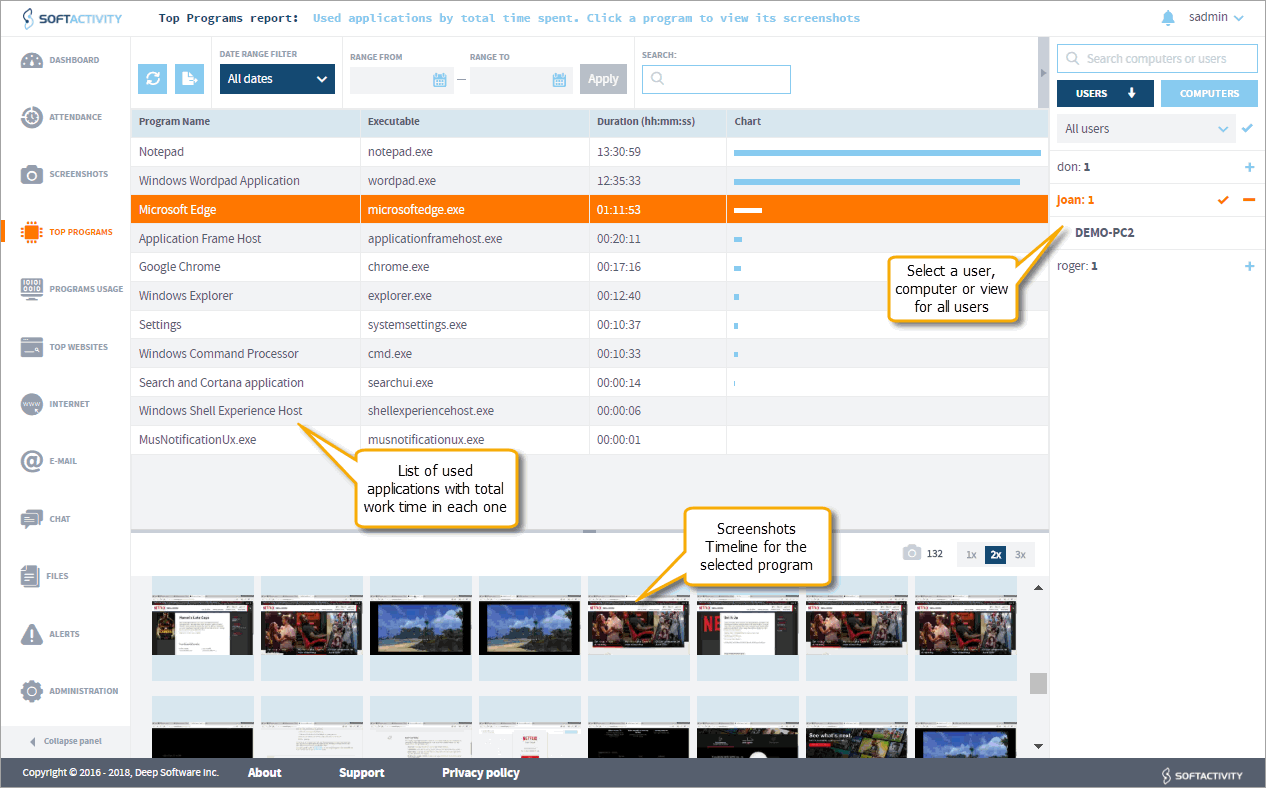
Top Programs report shows the most used applications for each user by time spent.

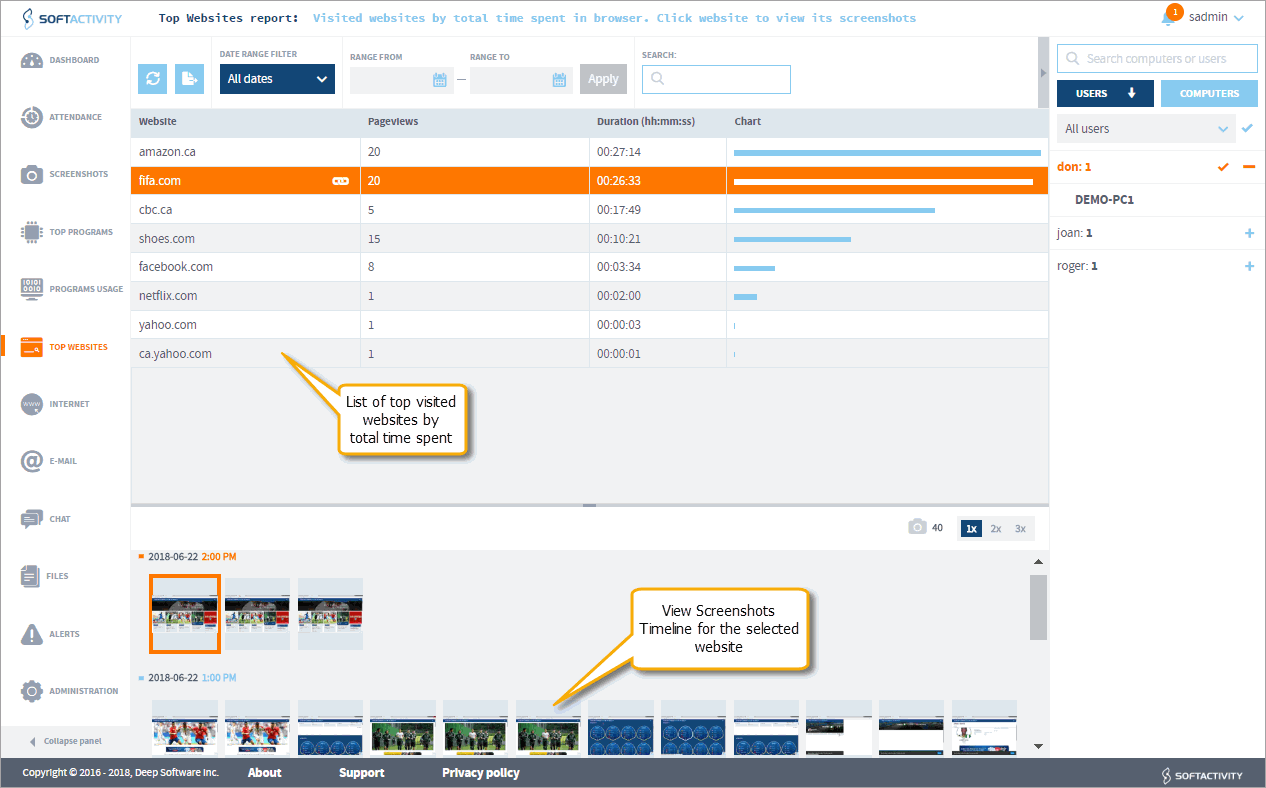
Top Websites report shows most visited websites and total time spent by users on each website.

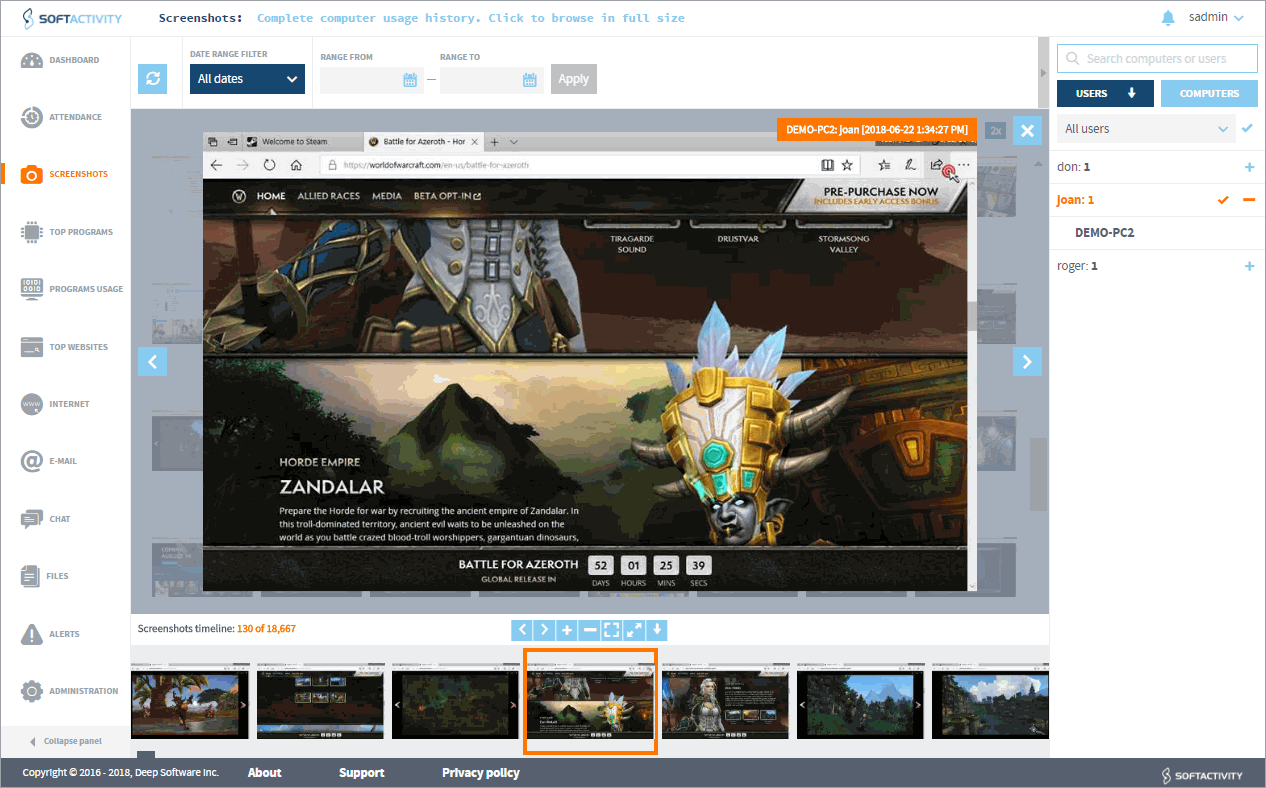
View a screenshots timeline for each website. Screenshots Timeline allows to quickly scroll through and view a series of screenshots for a selected website, application or any action.

View recorded series of screenshots as a slide show, like a recording on a security camera.

Administrator can create limited accounts for Supervisors to view recorded logs and reports. Supervisors can be assigned access only to certain groups of monitored users (i.e. departments).

Track User RDP Sessions and Idle time

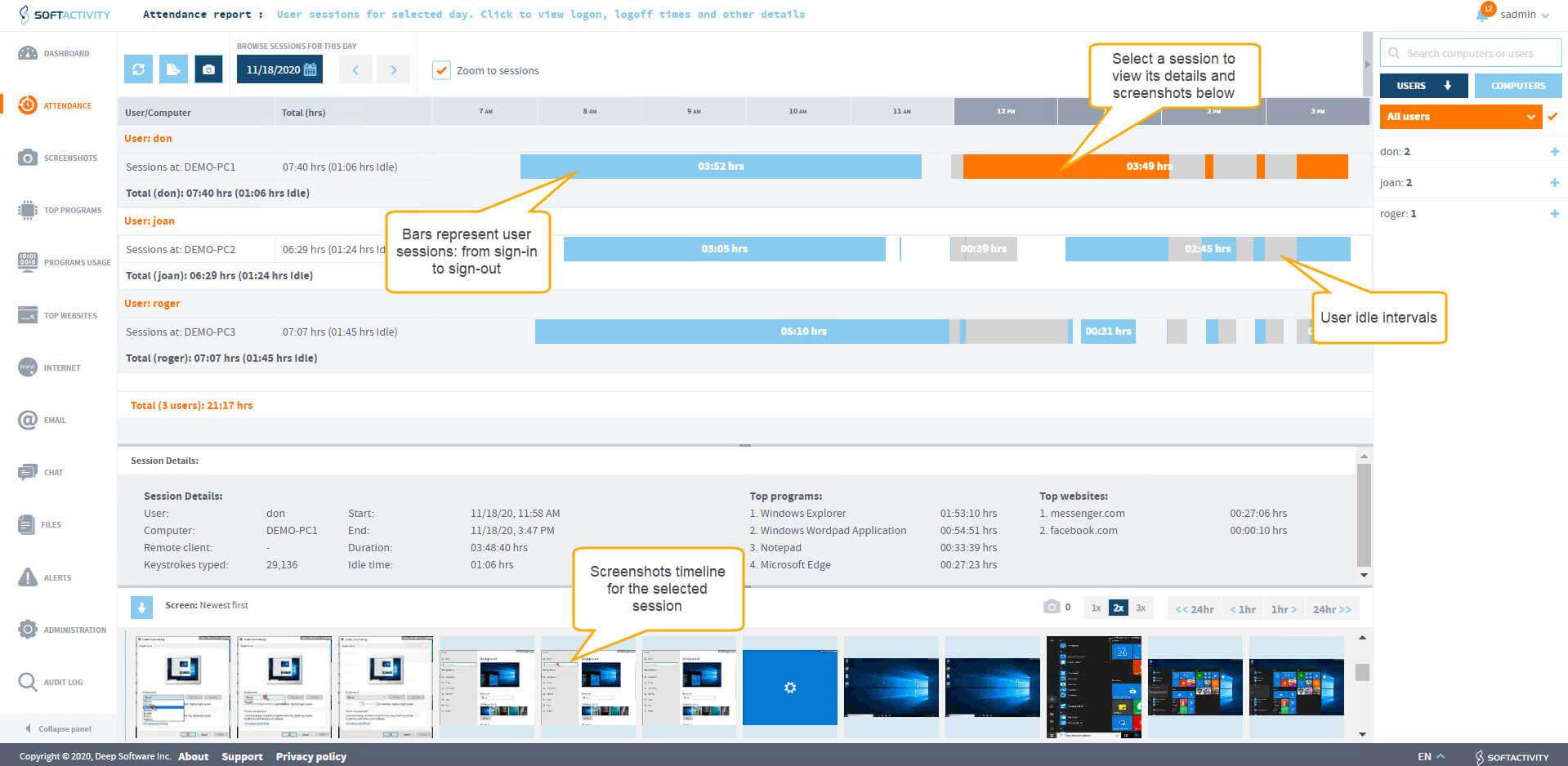
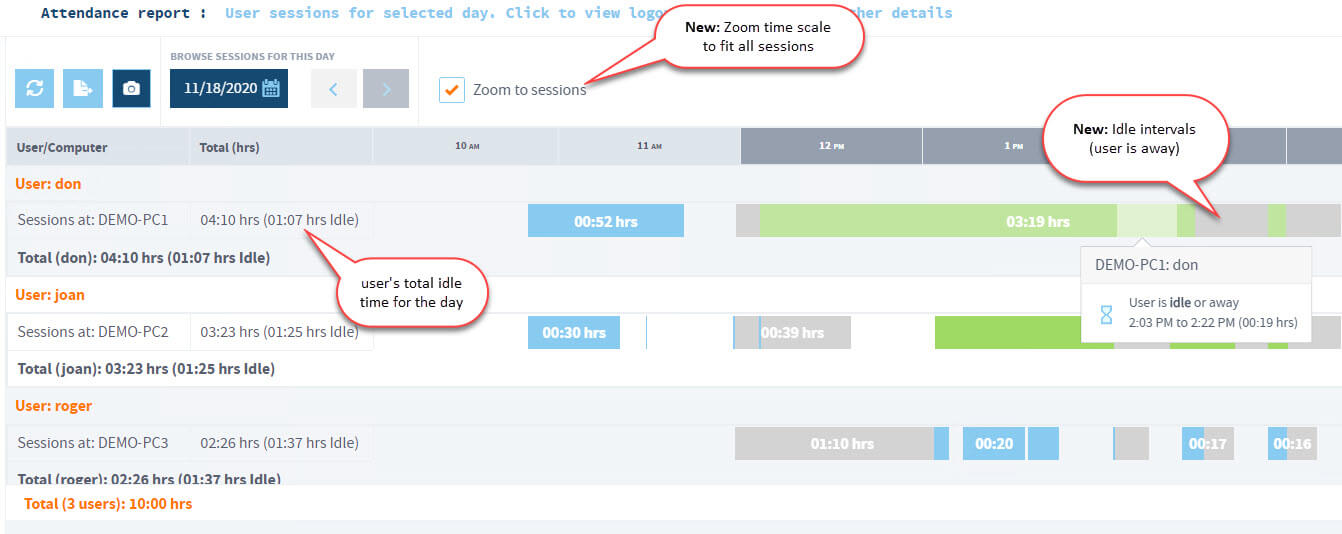
Administrators and Supervisors can see users’ sessions represented as series of bars.

View in the Web console on Attendance page:

  • Log-in, Log-off time and Duration for each RDP and local console session;
  • Remote client name and IP address;
  • Top apps and websites for each session, as well as number of keystrokes typed.

Filter sessions by date and time interval.

Screenshots timeline for each session.

Idle time tracking lets you see for how long and when exactly a user was away from their computer during the day. Screenshot

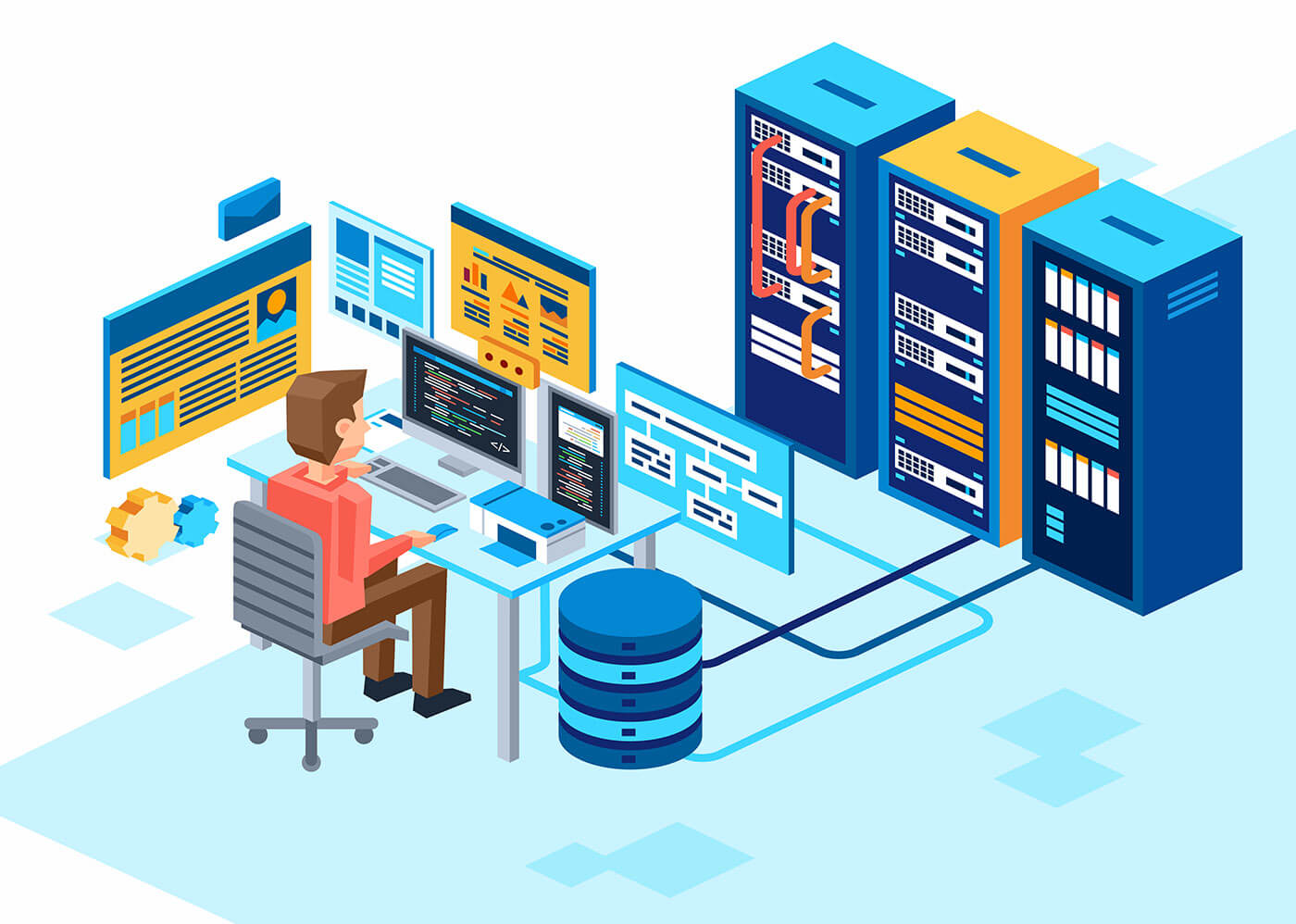
Monitor an enterprise server farm or a single server

Scalability from one terminal server to an enterprise farm of terminal servers.

Combines session logs from all servers into one central database powered by an enterprise-class PostgreSQL database server.

Install SoftActivity Webapp on a dedicated on-premise server, customer-managed cloud server, or shared with the terminal server machine.

Supports Citrix Virtual Apps/XenApp farms.

Supports Remote Desktop Services (RDS) farms.

View TS Monitor Deployment Architecture in documentation

Email reports

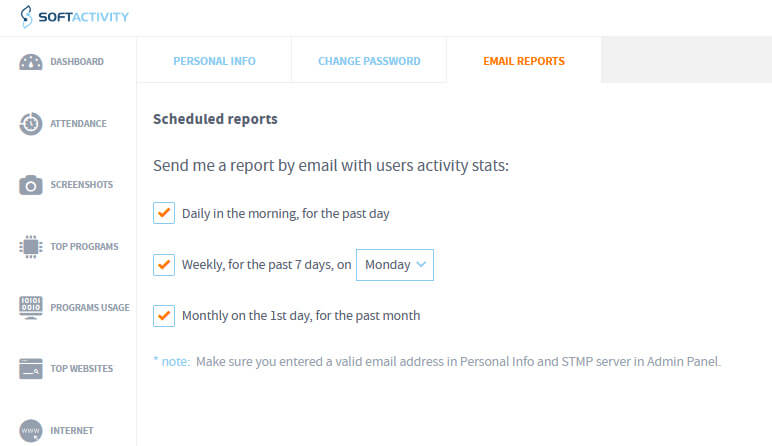
Get daily, weekly and monthly reports by email. View reports on the go. No need to sign in to the on-premise web console.

The reports show user productivity for the past period and their attendance stats.

Each manager receives reports about users in their department they have access to, as assigned by the admin.

Emails are securely sent via your company’s SMTP server.

Record terminal server RDP sessions now!

Get SoftActivity TS Monitor for your RDS Servers

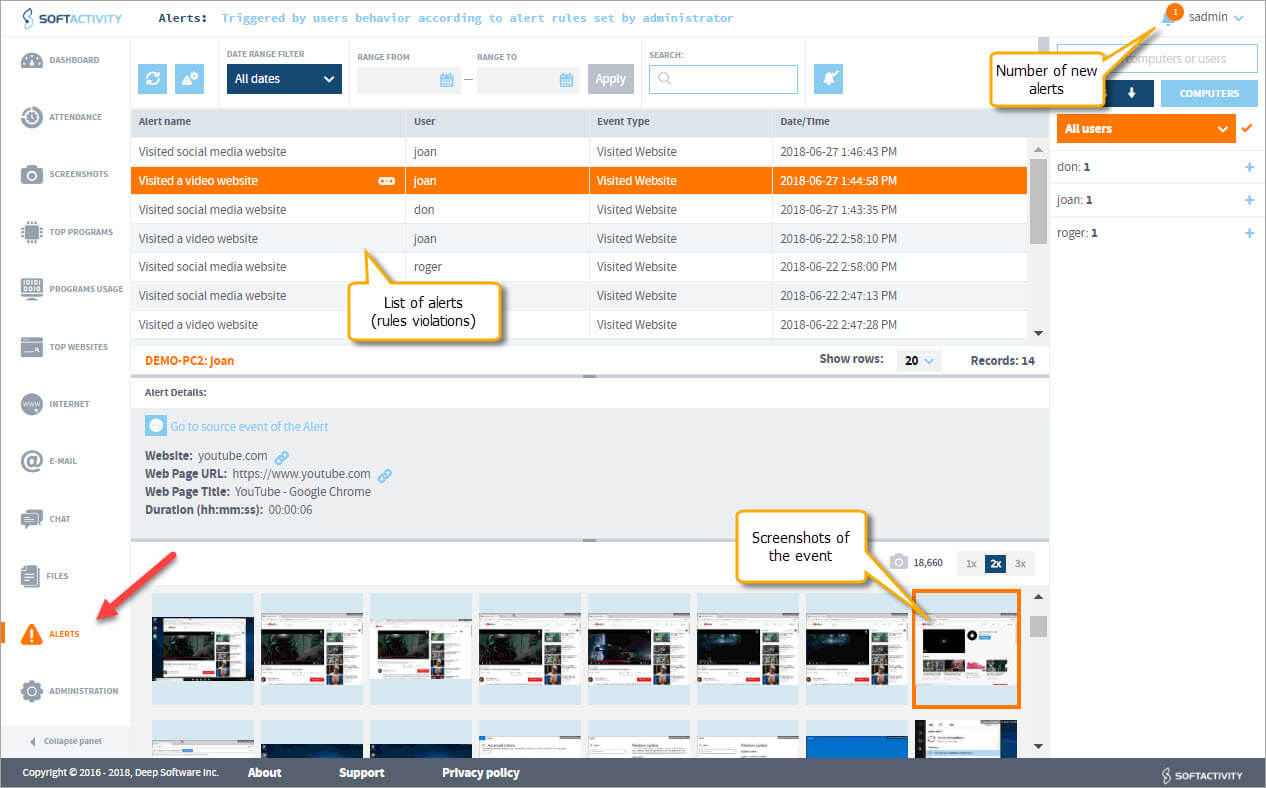
Alerts based on user activity

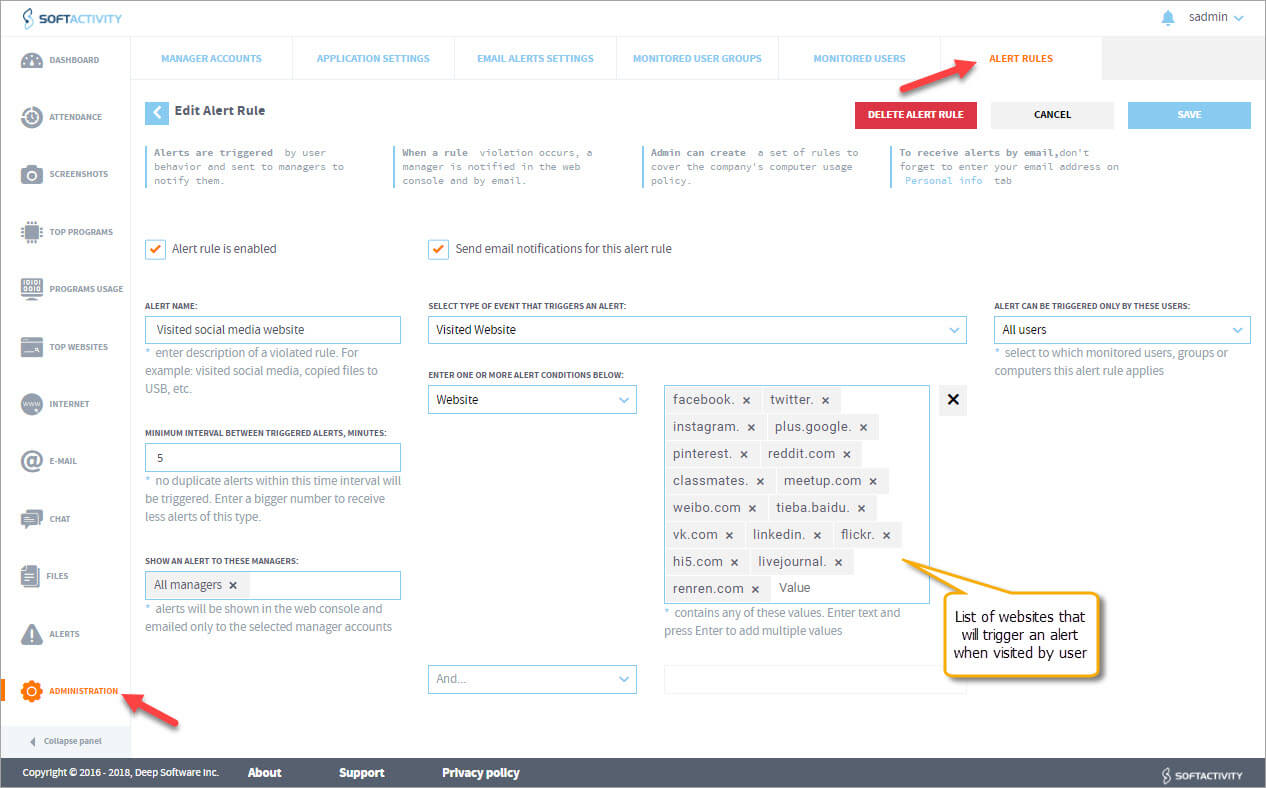
If a user breaks company’s computer use policy, their supervisor or the admin gets an instant alert notification.

Admin can create alert rules based on visited websites, used applications, files or typed keystrokes. Screenshot

A set of pre-defined rules is supplied for popular social media, video streaming sites and other unproductive categories, copying of files to USB etc.

Get alerts by email and view policy violations in the web console.

Spend less time monitoring users and take action at the right time when it matters.

Secure on-premise solution

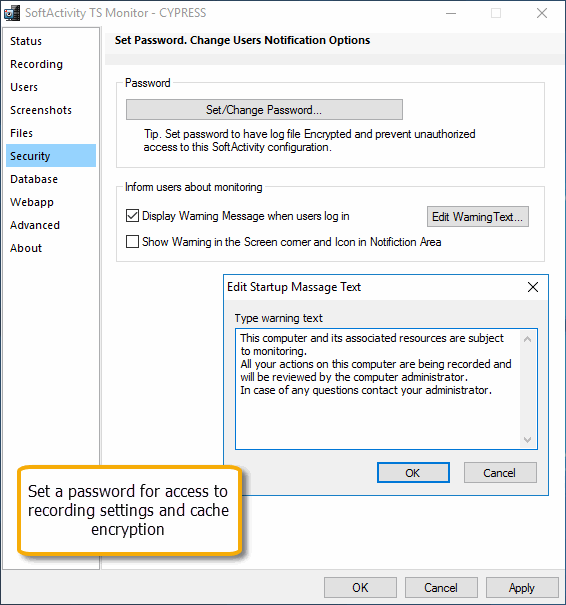
Access to the program settings and logs is password protected. Strong passwords must be set by the customer for better data protection.

Non-Administrator users on the monitored servers do not have permissions to see or access any files with recordings.

All data is stored on-premise on the customer’s server and is never transferred outside of your organization, or to the cloud.

Create limited accounts for Supervisors in the web console.

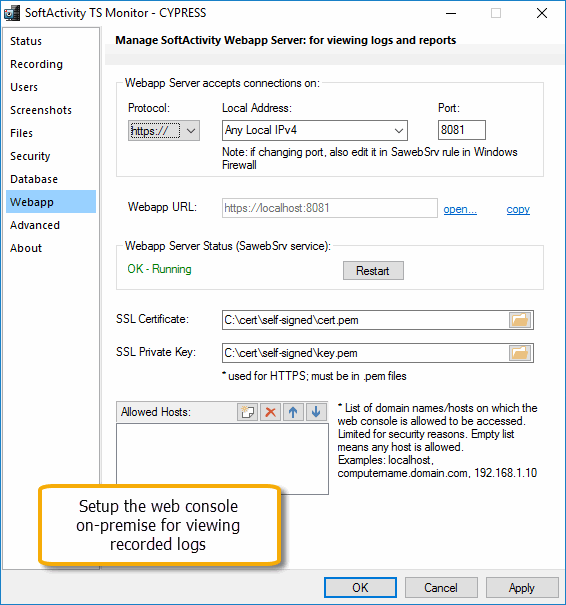
Web console supports HTTPS. Administrator can set up the webapp server to only accept HTTPS connections and use company’s TLS certificate. [Screenshot]

No processes appear in Task Manager on the monitored server. The client program cannot be closed/terminated by monitored users.

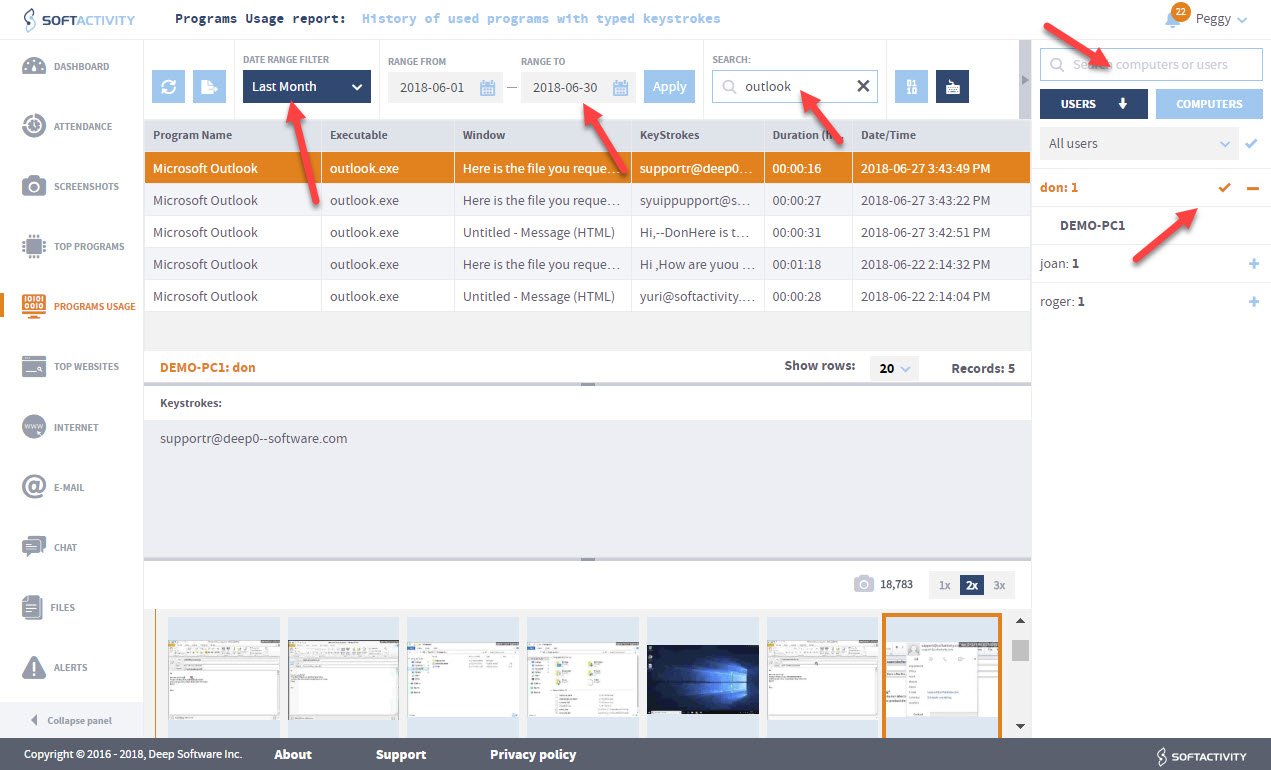
Powerful search, filters and export

Filter logs and screenshots by User account, Server name, and date range.

Search all logs by a keyword.

Export reports to PDF or Excel (in CSV format).

Navigate to any time of the day by quickly scrolling the screenshots timeline.

Easy deployment

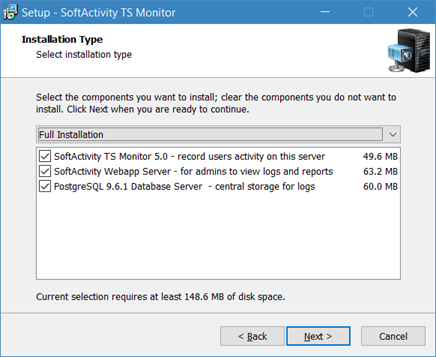
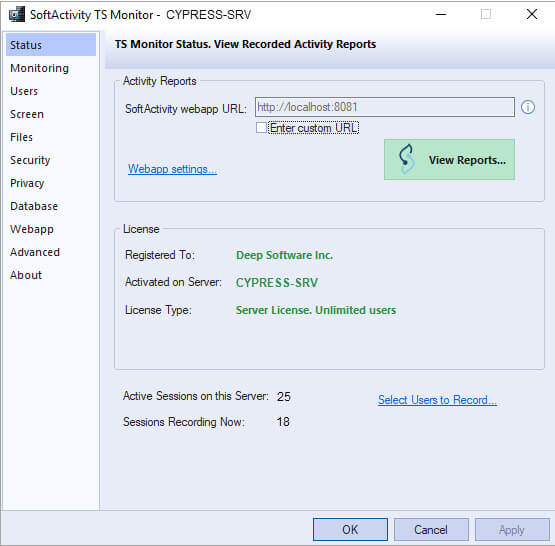
Can be installed by an administrator on Windows Remote Desktop Services (RDS) server or Citrix [screenshot] like a regular desktop application, but works invisibly (optional).

Webapp can be easily installed on a dedicated Application server.

The installation package includes PostgreSQL for quick setup.

No changes are required on client computers or thin clients. Supports any thin client device that is compatible with your terminal server.

Requires Administrator-level user rights on the server to install, uninstall, update or change any settings. Read the Installation Guide for Administrators

Monitor File Access

Track and prevent information theft and intellectual property theft by employees or unauthorized users.

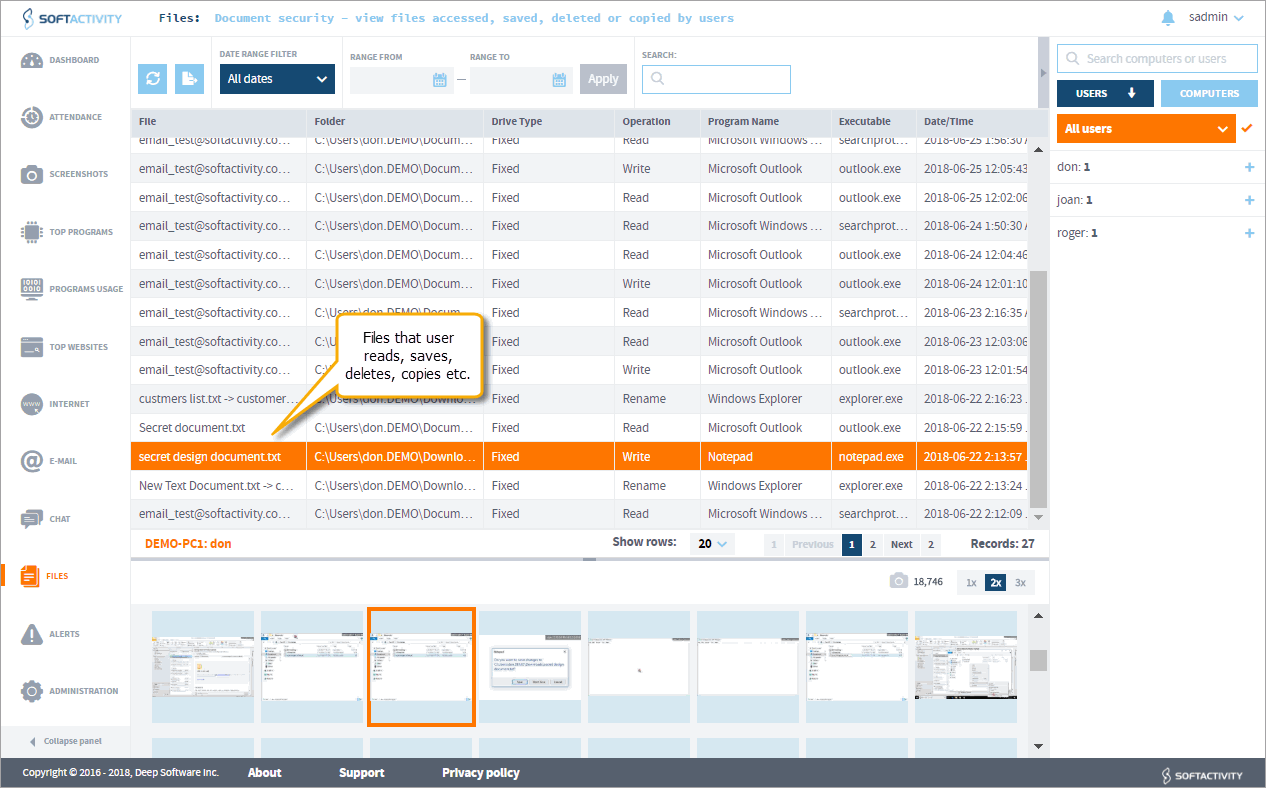
View what documents they open and save.

Track files they download from the Internet, upload or attach to emails.

Monitor all types of drives: local, network, flash/thumb drives, USB-connected drives.

Monitor selected folders that contain sensitive files.

View file operations, such as Read, Write, Delete, Rename, Move.

Increase Your Employees Productivity

Know the time spent on non-work related websites or entertainment apps

Log their communications: Email and chat

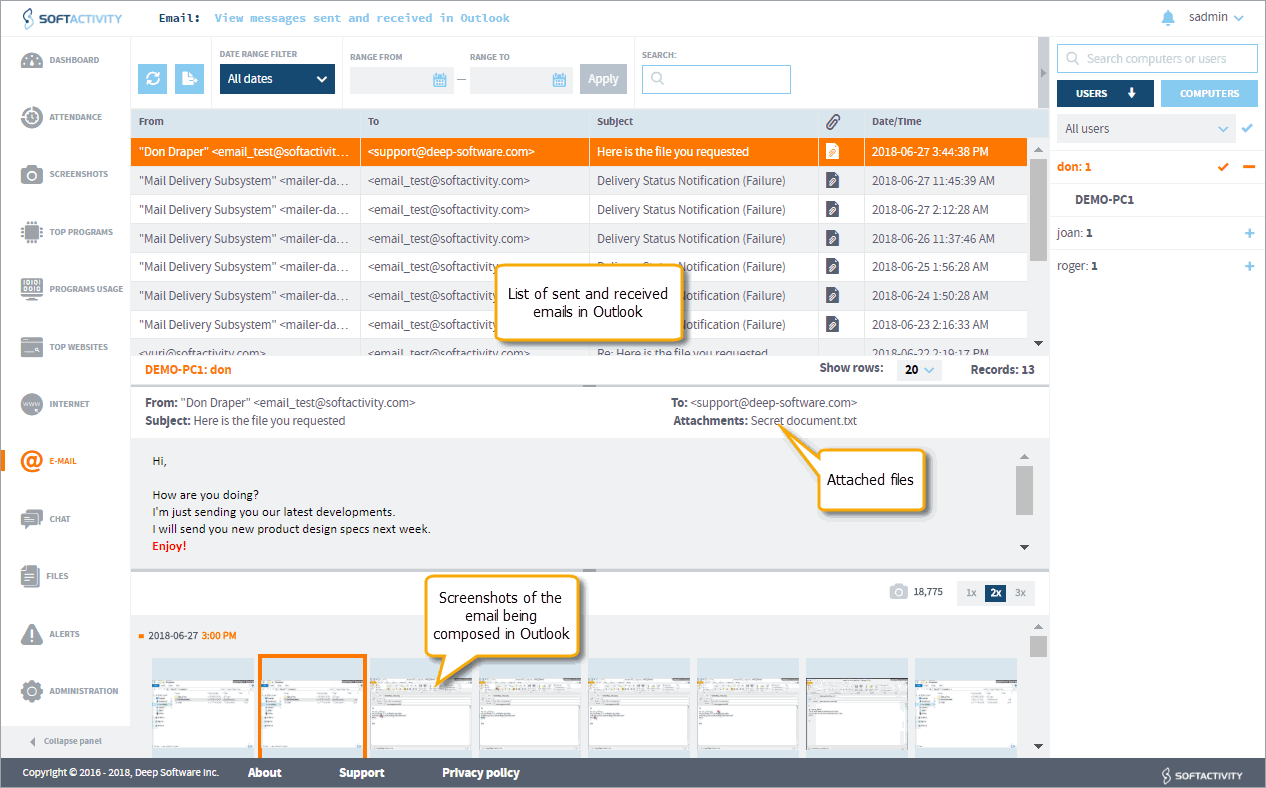
Records Emails sent and received by employees on the monitored servers. Supported types of email:

  • Microsoft Outlook with Microsoft ExchangeÂŽ accounts;
  • Microsoft Outlook with POP3/SMTP/IMAP accounts via SSL/TLS or unencrypted connections;

Web-based email messages, IM chat, and other communications can be viewed in a series of screenshots and in a keystrokes log. Select an app or website on Applications or Websites tab in the web console to view screenshots.

Includes Powerful Keylogger (optional)

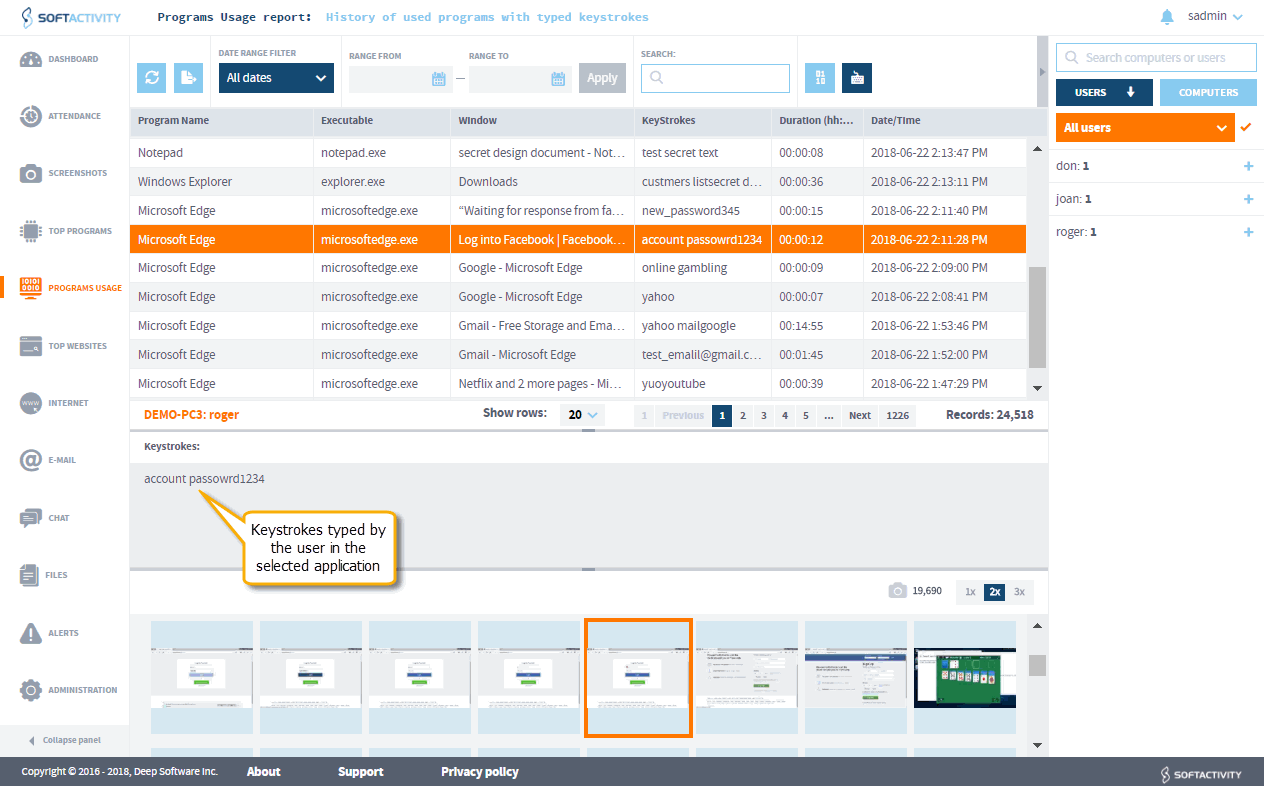
Logs all keystrokes typed by users in any application (optional).

Keylogger feature is optional and OFF by default. Admin can turn it ON if required for your company’s business case.

Text typed in all documents, web forums, chats, social networking or email sites can be seen in keystrokes log.

Keylogger technology from SoftActivity supports all languages.

Record secretly or notify users

TS Monitor can run invisibly for monitored users. It does not show any windows, there is no process in Task Manager, no files on the disk nor Desktop or Start menu icons.

Warning! To use invisible mode you have to notify employees about monitoring and obtain their consent by other means, such as a computer use policy, or signed contracts.

Optionally, it can be set to show a warning message about monitoring to users at the time of logon.

Show a custom message to monitored employees with a reminder about company’s Acceptable Computer Use Policy. This will keep a warning badge on their screens and a tray icon reminding users about monitoring to prevent inappropriate computer use.

Try on your Windows Server or Citrix

This monitoring software for RDS supports all versions of Windows Server and Citrix

Record multiple user accounts

Records activity of multiple user accounts in terminal and local console sessions on the servers.

Records multiple simultaneous sessions on the server.

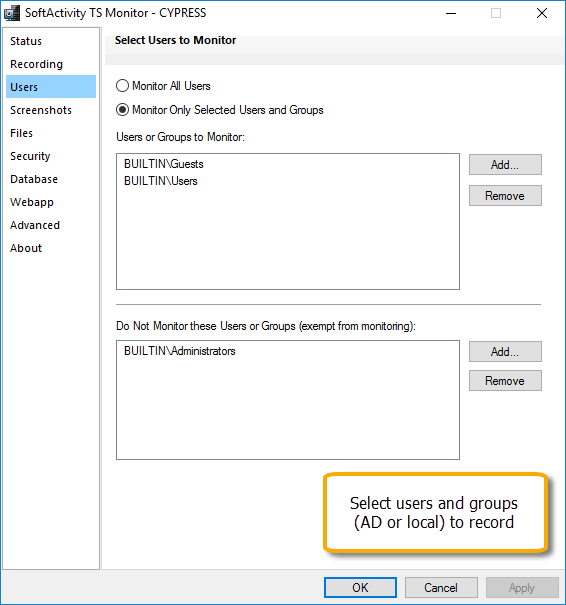
Select user accounts/security groups to record or set it to All Users. Exclude particular users/security groups from terminal server monitoring.

Supports servers in Entra ID, Active Directory or a workgroup environment.

Support for Windows Server and Citrix Virtual Apps/XenApp

Supports Windows Server 2025 to 2012.

64-bit versions only.

TS Monitor is officially certified as Citrix Ready and supports Citrix Virtual Apps/XenApp. Records activity in remote desktops or published applications running on your Citrix servers. Screenshot
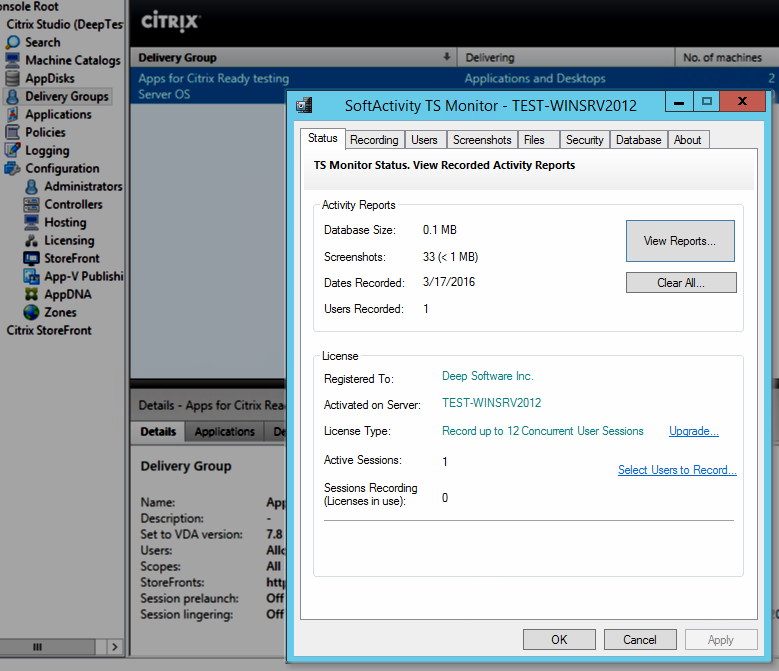
Records Remote Desktop sessions on Windows Server.

Records RemoteApps hosted on Windows Server. RemoteApp is a feature of Windows Remote Desktop Services (RDS).

Supports physical and virtual servers.

International and multilingual support

Can record and display email, chat, reports, and keystrokes in any language. TS Monitor fully supports Unicode.

Records keystrokes typed in any language, including Japanese, Spanish, English, Arabic, Chinese etc.

The user interface is offered in English, Polish, Japanese, and Spanish languages.

Monitor your terminal server farm now!

Get Started Free with TS Monitor for Citrix or Windows RDS server farm