SoftActivity Monitor and SoftActivity TS Monitor version 15.4 are now available. This release brings performance improvements, more reliable activity recording, and fixes for the on-premise Webapp.
What’s new in version 15.4:
SoftActivity Monitor Agent: Now runs natively as a 64-bit application for improved performance and lower CPU usage.
For manual installation on 32-bit Windows 8.1 and Windows 10, use the amagent-x86.exe package supplied in the Agent folder.
Installers and uninstallers for Monitor, Agent, and TS Monitor now run as native 64-bit applications.
Webapp: Fixed Two-Factor Authentication failures when the browser time zone was ahead of the server time zone.
Webapp: Fixed broken screenshot images displayed in the browser on some computers.
Monitor: Fixed issues downloading large volumes of logs and screenshots.
Other fixes, improvements, and security patches.
In addition, in TS Monitor:
Activity times now remain consistent when Remote Desktop users connect from different time zones.
Fixed an issue where file activity was not recorded on Windows Server 2016.
SoftActivity Monitor and SoftActivity TS Monitor version 15.3 are now available. This release includes security improvements, new administration features, and several bug fixes.
What’s new in version 15.3:
Webapp: Major improvements to login and account management security.
We recommend enabling Two-Factor Authentication and requiring it for all accounts in Admin – Settings.
Webapp: Added an option to accept both IPv4 and IPv6 connections. Configure it in Options – Webapp.
Webapp: Email Delivery setup now supports SMTP relay servers that do not require authentication by allowing blank user name and password.
Monitor: Added Status and Last Connected columns, along with status filtering in the Agents list. View the status of all computers without opening each Agent.
Fixed an incorrect “No user is logged on” message when a user was actually logged on.
Other fixes, improvements, and security patches.
In addition, in TS Monitor:
Improved support for multiple sessions per user on the same RDS server. When this Windows option is enabled, TS Monitor now tracks and records each session separately.
Version 15.1 is now available for SoftActivity Monitor and SoftActivity TS Monitor. This update focuses on reliability improvements and fixes.
Changes in version 15.1
Improved display of the logon screen when no user is logged in to a remote computer. The Monitor app now shows the logon screen more consistently instead of “no image available”.
External Agent mode issue resolved for Entra ID joined computers. It can now be enabled in Options as expected.
Numerous minor improvements and stability fixes across both products.
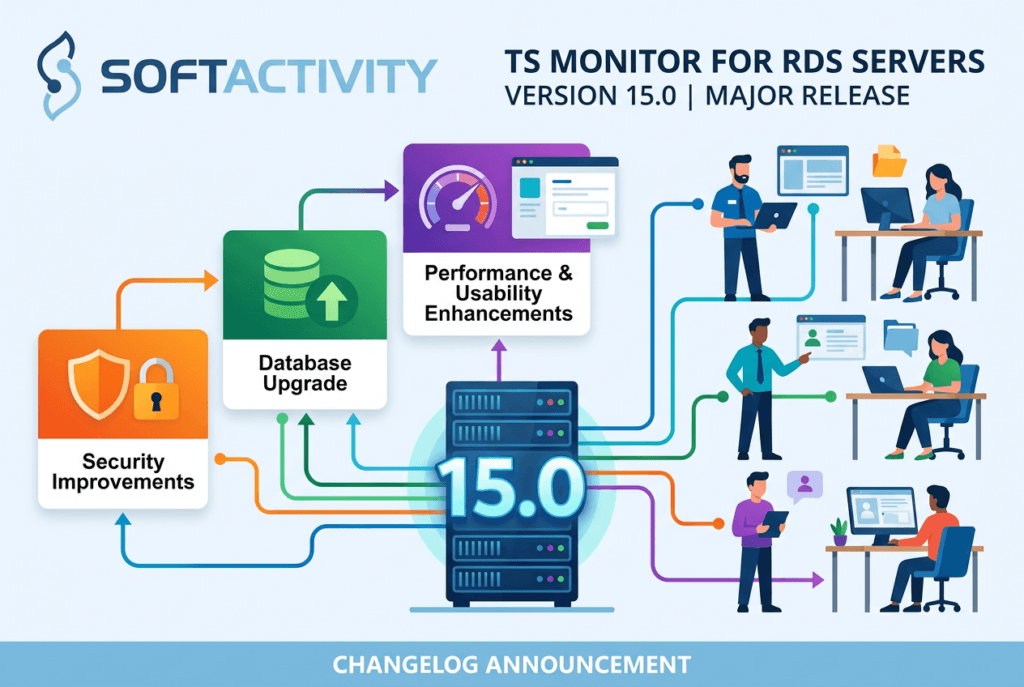
SoftActivity TS Monitor version 15.0 is now available.
Version 15.0 is a major release with important security improvements, database upgrade, and multiple performance and usability enhancements. If you are using an earlier version, we recommend upgrading to get the latest updates.
Changes in TS Monitor 15.0
Major security hardening:
Improved security for permissions, services, privileged operations, and password policies.
Upgraded PostgreSQL database engine from 15 to 18:
Better performance and reliability, with faster web app loading.
Automatic upgrade during update, with no manual action required from IT administrators.
Web app:
Multiple UI and report improvements, new features, and security updates.
Screenshots now load up to 50x faster in the web browser. Other pages also load faster.
Additional quality, stability, and usability updates and multiple bug fixes.
SoftActivity Monitor and TS Monitor version 14.7 is now available.
This is a maintenance release that includes fixes and improvements. If you are using an earlier version, we recommend upgrading to ensure you have the latest updates applied.
Changes in version 14.7
Monitor app: refreshed and improved visual styling
Monitor app: added support for running Update and Repair Agent commands on multiple selected computers
fix: Agent update installation no longer uses the C:\Windows\SystemTemp folder, which caused false positives in some antivirus products. Updates now use its own dedicated folder that should be safely added to antivirus exclusions by IT admin to prevent interruptions.
fixes, stability improvements, and security patches applied
Jan 9, 2026: patch 1 released with security issues fixed in webapp. Users are encouraged to check for updates and upgrade.
We use cookies for website functionality and security (necessary cookies). They are always enabled. We also use cookies for website analytics and personalized ads. By clicking ‘Accept’, you consent to the use of cookies on this website. To get more information or withdraw consent please check our Privacy Policy.