SoftActivity™ TS Monitor 3.2 (new!) - software for Windows Terminal Server monitoring

SUMMARY

Current version: 3.2 (new!) (Changes)
Price: from $99.95
Free Trial: 15 Days
OS: Windows Server
2012/2008/2003
(64- and 32-bit editions)

SoftActivity TS Monitor supports:

Review of SoftActivity TS Monitor by Bright Hub:

"impressed with both the concept and thorough implementation of all the required features..."

USER TESTIMONIALS

"I want to give you my congratulations for this software. Very user friendly, simple to configure and very very efficient. Continue with the good work!"

Filipe Fonseca,
Ãlvaro Covelo & Pinto, Lda.,
Portugal

Monitor what remote users do on your Windows Terminal Server. Audit Windows Remote Desktop sessions, Citrix shared desktop and virtual applications.

SoftActivity™ TS Monitor is a Terminal Server sessions recorder that captures every user action. Monitor your employees who tele-work from home or remote-in to the office during business trips via RDP. Monitor what users do on thin clients in your network without installing any software on their devices. Document server configuration changes by recording remote and local administrative sessions.

Protect your mission-critical corporate data by preventing information theft by insiders. Increase staff productivity and improve security by using this unique terminal server and network monitoring software from SoftActivity. Our software is completely invisible for monitored users.

Get total control over your corporate network. Install SoftActivity™ TS Monitor on your Windows Terminal Server or Citrix. Use in a tandem with our Activity Monitor™ software that records what employees do on their workstations locally outside of remote desktop session window.

New! >> Now supports Windows Server 2012! Upgrade Now


TS Monitor Features:

  • Log every user action in Terminal Server sessions:
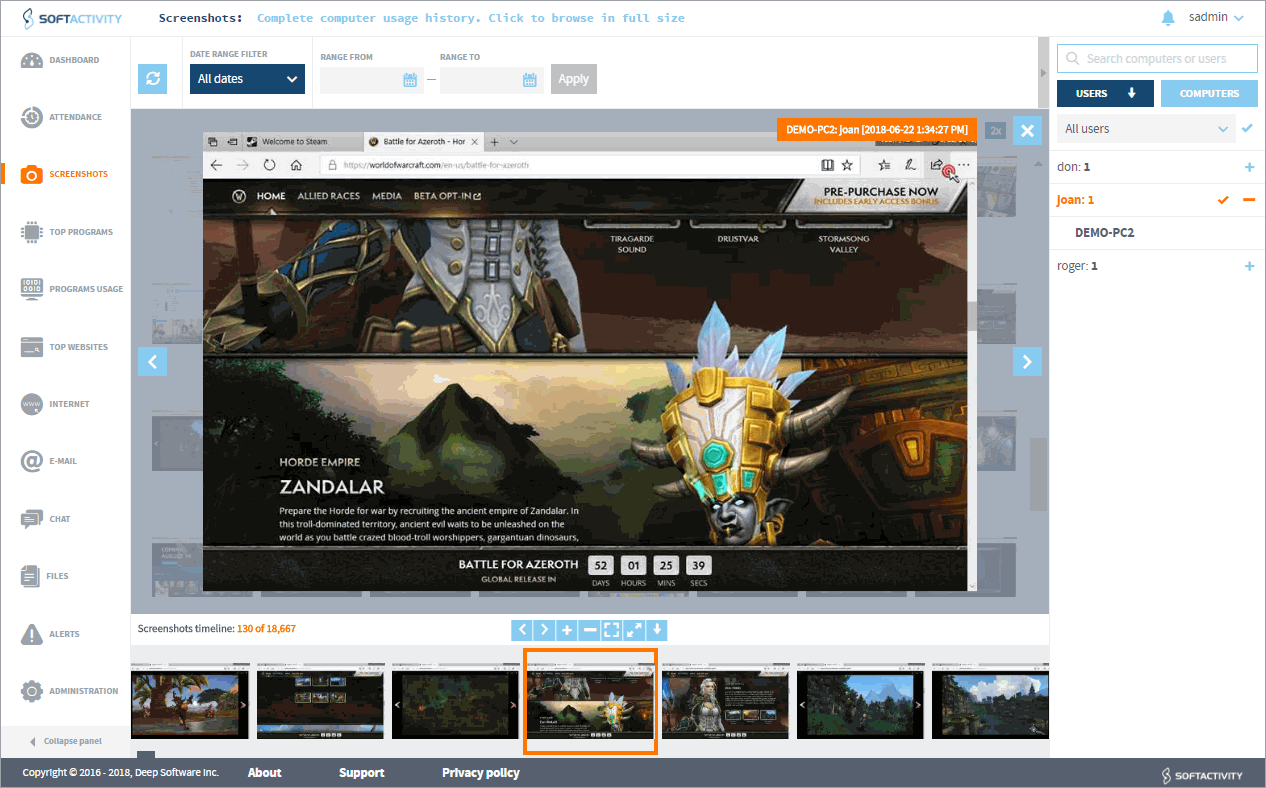
    • Capture screenshots of user activity using proprietary IntelliSnap™ technology. It takes screen copies based on user actions. Get a picture of each
      visited web page, opened program, sent or received IM message, etc. [ Screenshot 1] [Screenshot 2]
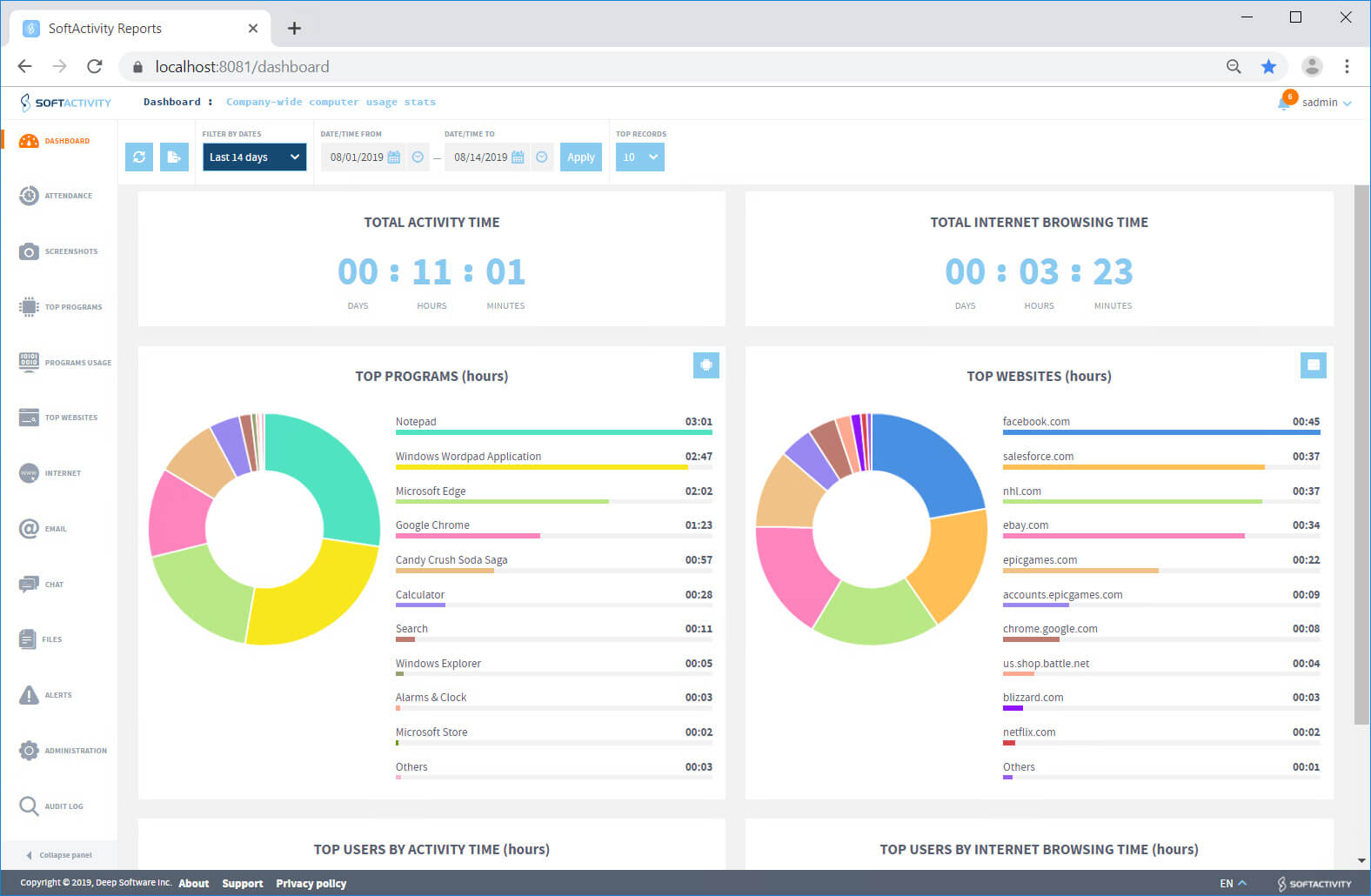
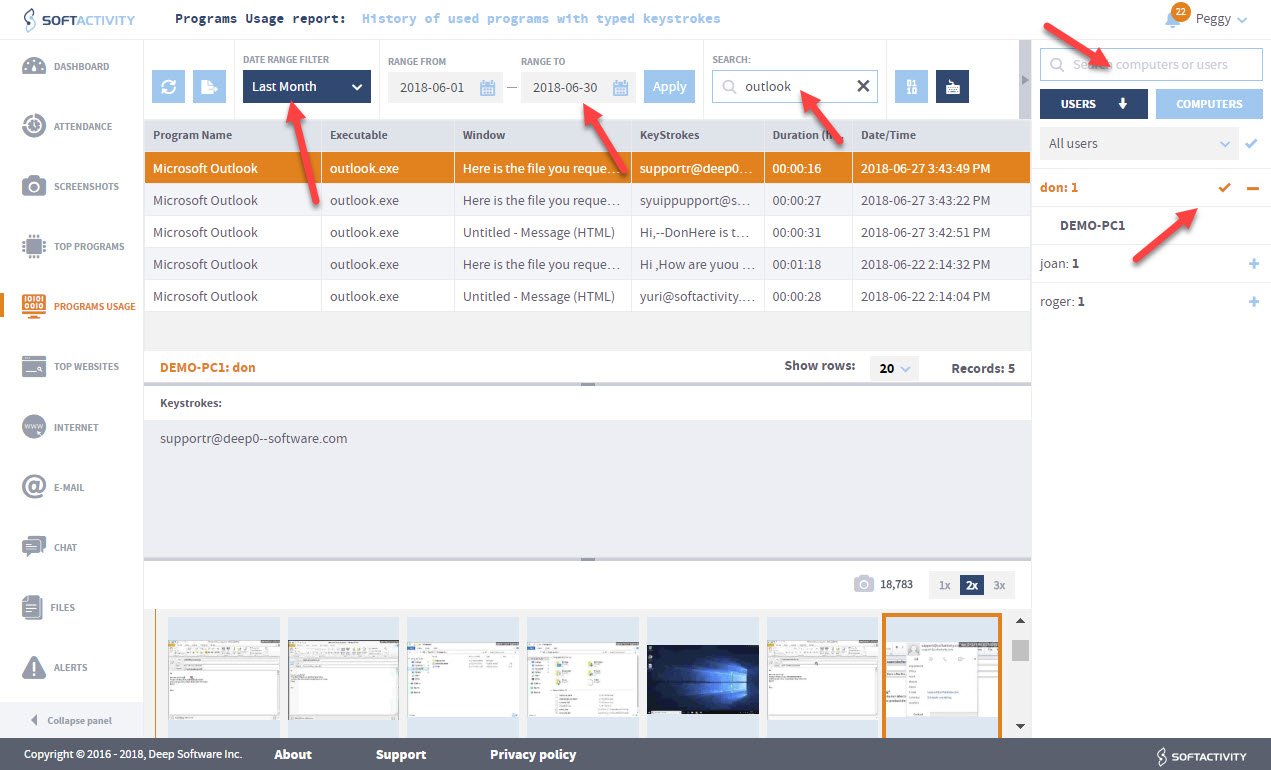
    • Log used applications and work duration in every program [Screenshot]
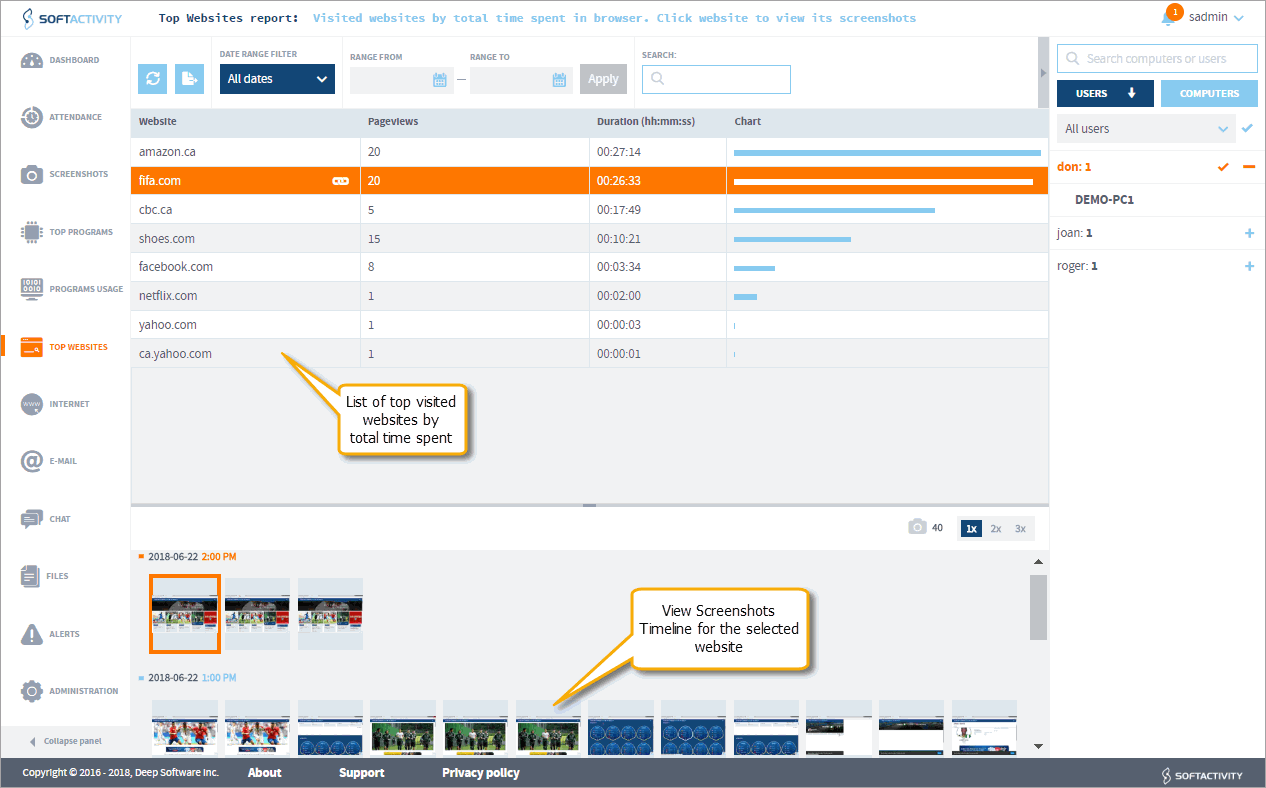
    • Log Internet surfing history with exact visited URLs and duration of stay on every page [Screenshot]. Know which websites are most frequently visited [Screenshot]
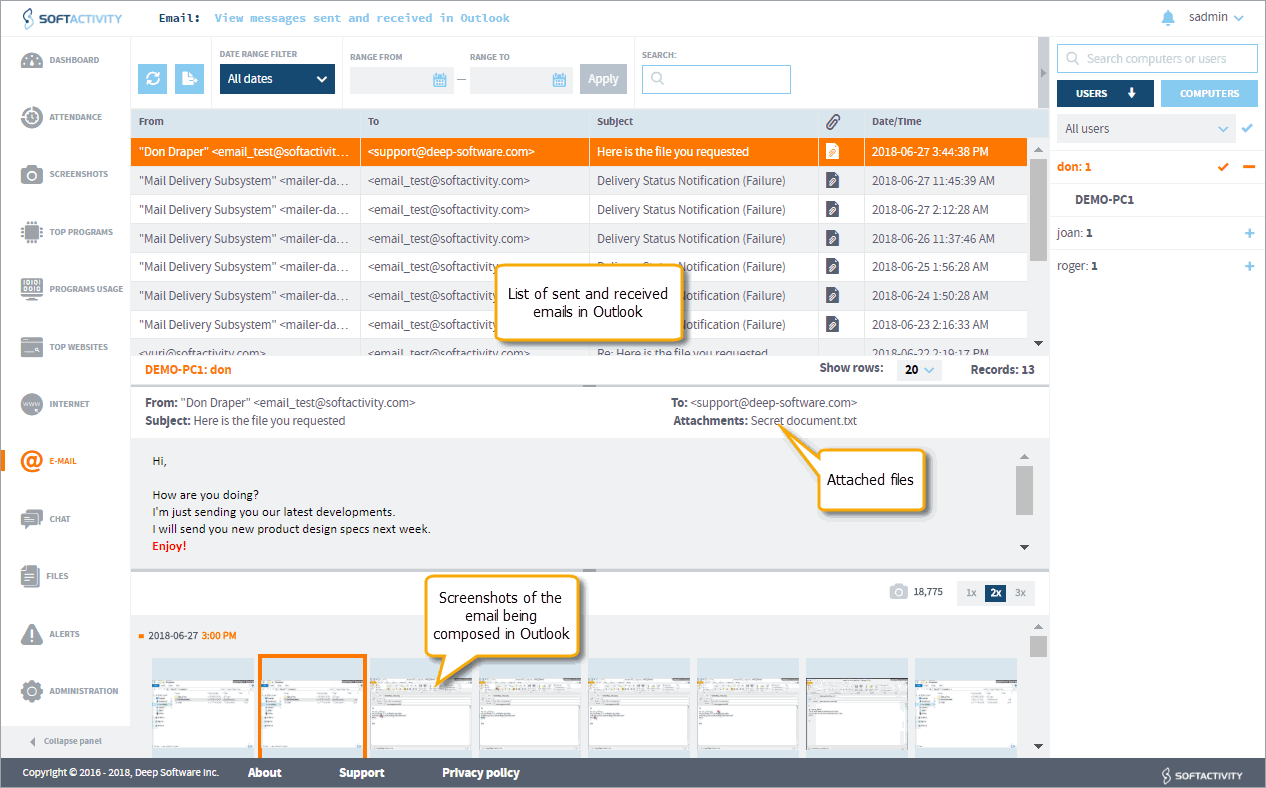
    • Emails sent and received by employees [Screenshot]. Supported:
      • unsecure POP3/SMTP in all email clients. This includes most of sent and received emails in Outlook, Outlook Express, Windows Live Mail, Thunderbird, The Bat and all other email clients
      • Microsoft Exchange® email in Outlook. (MS Exchange server may be installed on other physical server)
      • secured POP3/SMTP email in Outlook
      • IMAP (secure and unsecure connections) email in Outlook
      • Webmail can be seen on series of screenshots and in the keystroke log
    • Record IM chats in popular instant messengers. You can see both sides of all conversations [Screenshot] Instant messenger clients supported:
      • MSN Messenger, Windows Live Messenger
      • Yahoo messenger
      • Skype
      • AIM (AOL Instant Messenger)
      • ICQ
      • IRC
      • (new!) View other chats on screenshots by selecting a chat application in the Top Programs tab
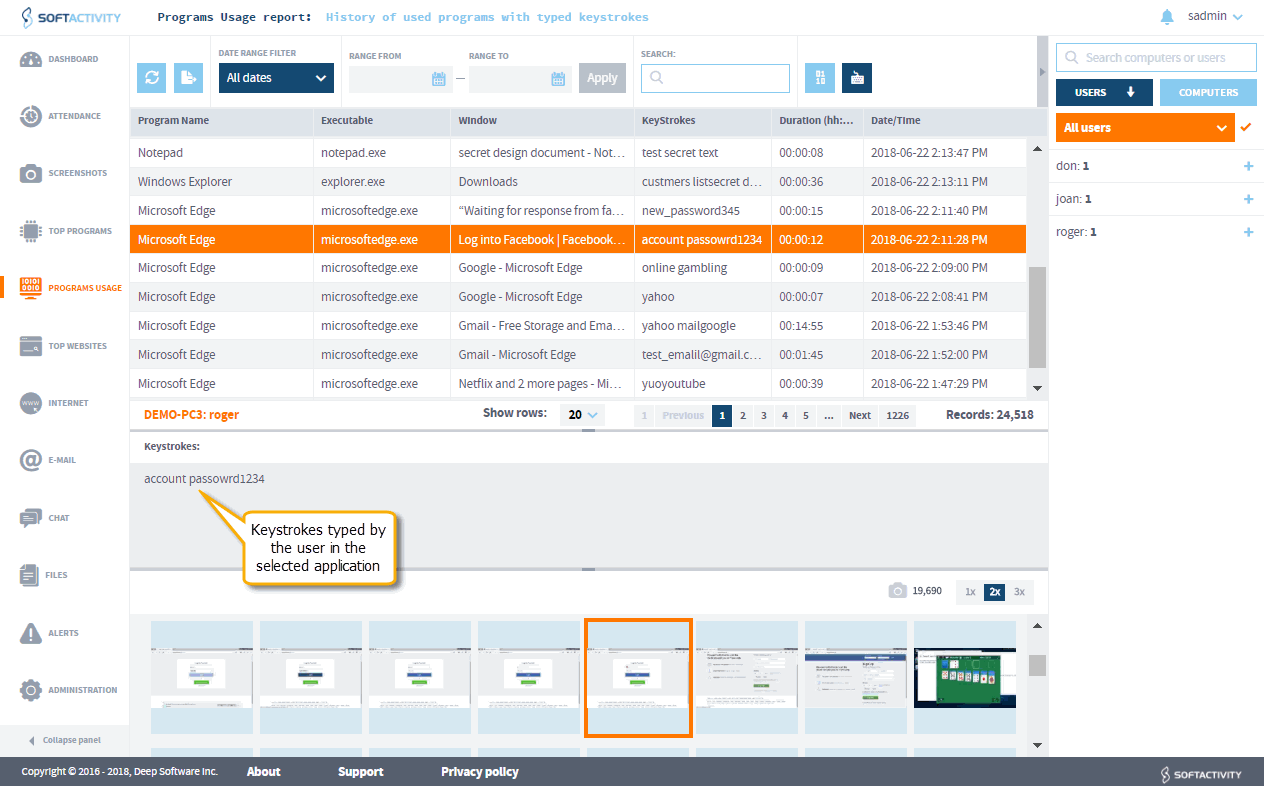
    • Log all keystrokes typed in all applications [Screenshot]
    • Optionally, use preset capturing period for taking screenshots
  • Record activity of multiple user accounts in terminal and local sessions on the server:
    • Software records remote terminal sessions on the Terminal Server. Multiple sessions that may be running simultaneously on the server are
      recorded into a single database.
    • Software can also record local user sessions on the server, such as the administrative console session
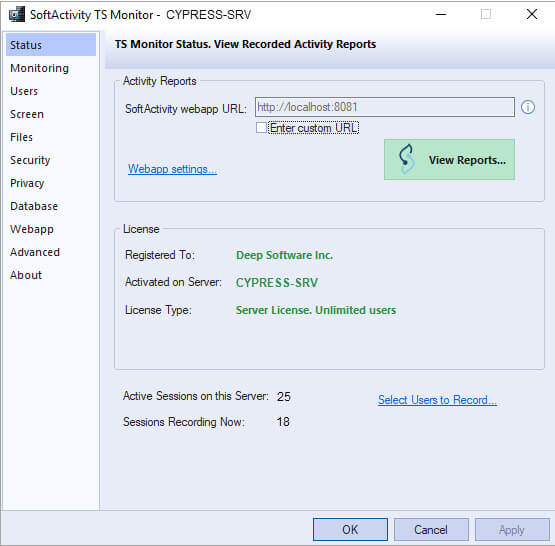
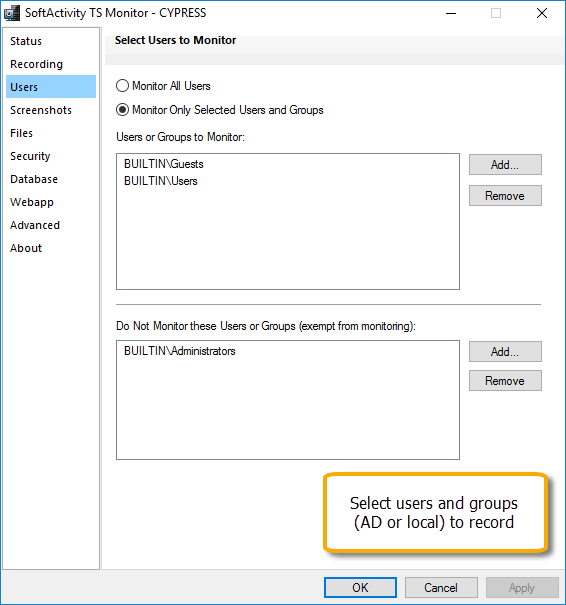
    • (new!)Select user accounts/groups to record or set it to record All Users. Exclude users/groups from terminal server monitoring. [Screenshot]
    • Supports servers in Active Directory or Workgroup
  • View Activity Reports:
    • Managers/Administrators can view activity reports on the server:
      • via remote terminal session from any computer; or
      • via shared folders from any computer; or
      • in the local administrative session on the server
      • (new!) View other chats on screenshots by selecting a chat application in Top Programs tab
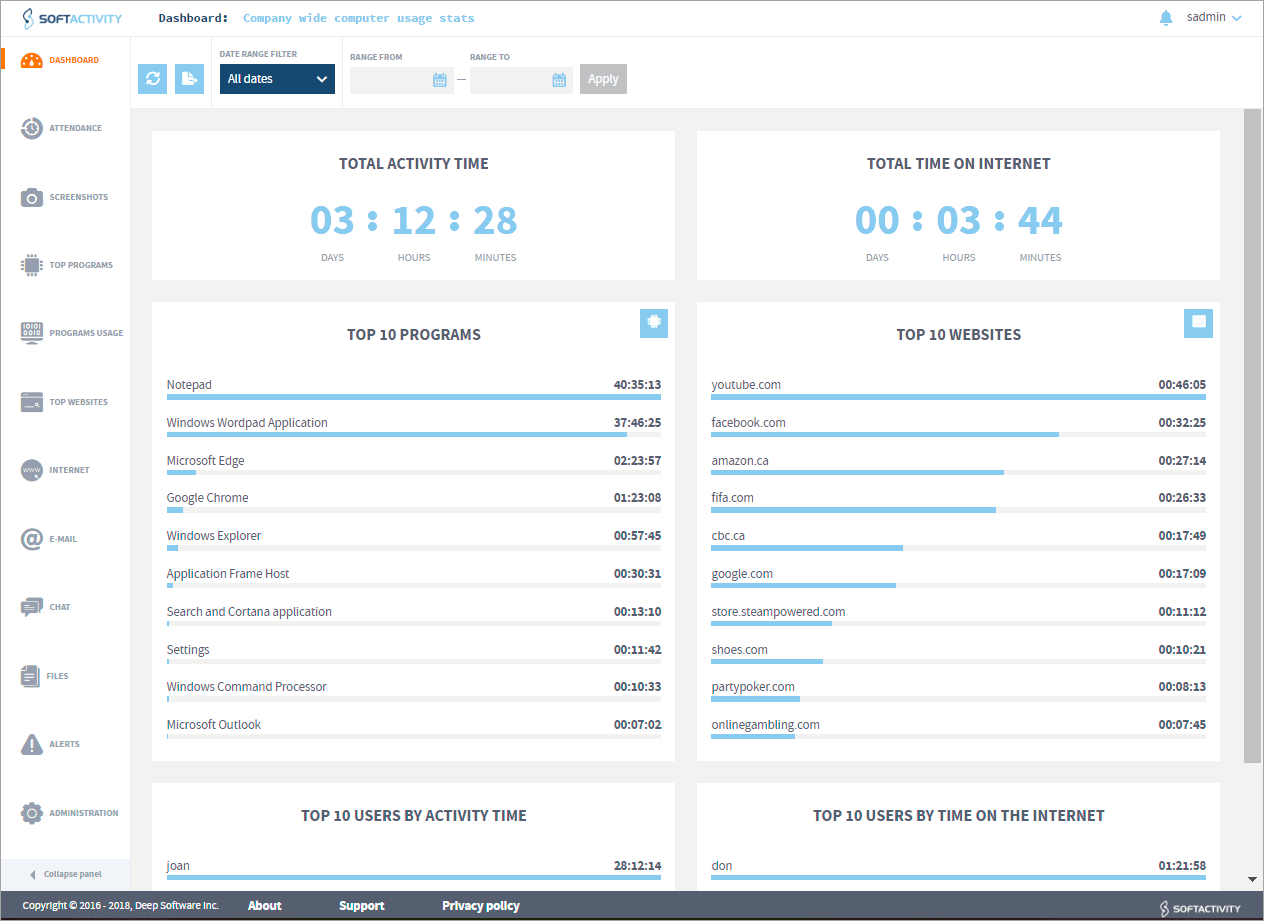
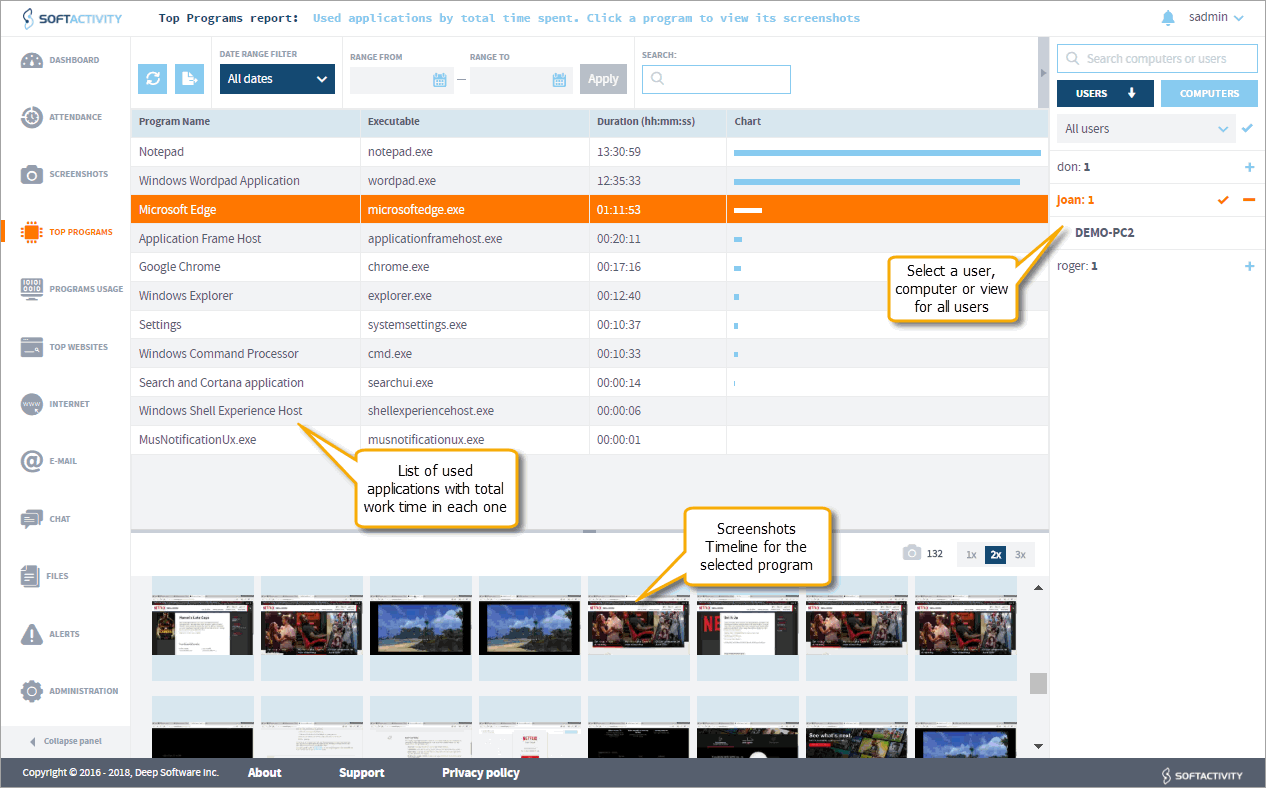
    • Top Programs report shows popular applications for each user [Screenshot]. (new!) View screenshots timeline for each app
    • Top Websites report shows most visited websites and total time spent by users on each website [Screenshot]. (new!) View screenshots timeline for each website
    • (new!) Screenshots Timeline allows to quickly scroll through and view series of snapshot images for a selected website, application or any action
    • View recorded series of screenshots as a slide show, like a recording on a security camera [Screenshot]
    • Text typed in all documents, web forums, chats, social networking or email sites can be seen in the keystrokes log
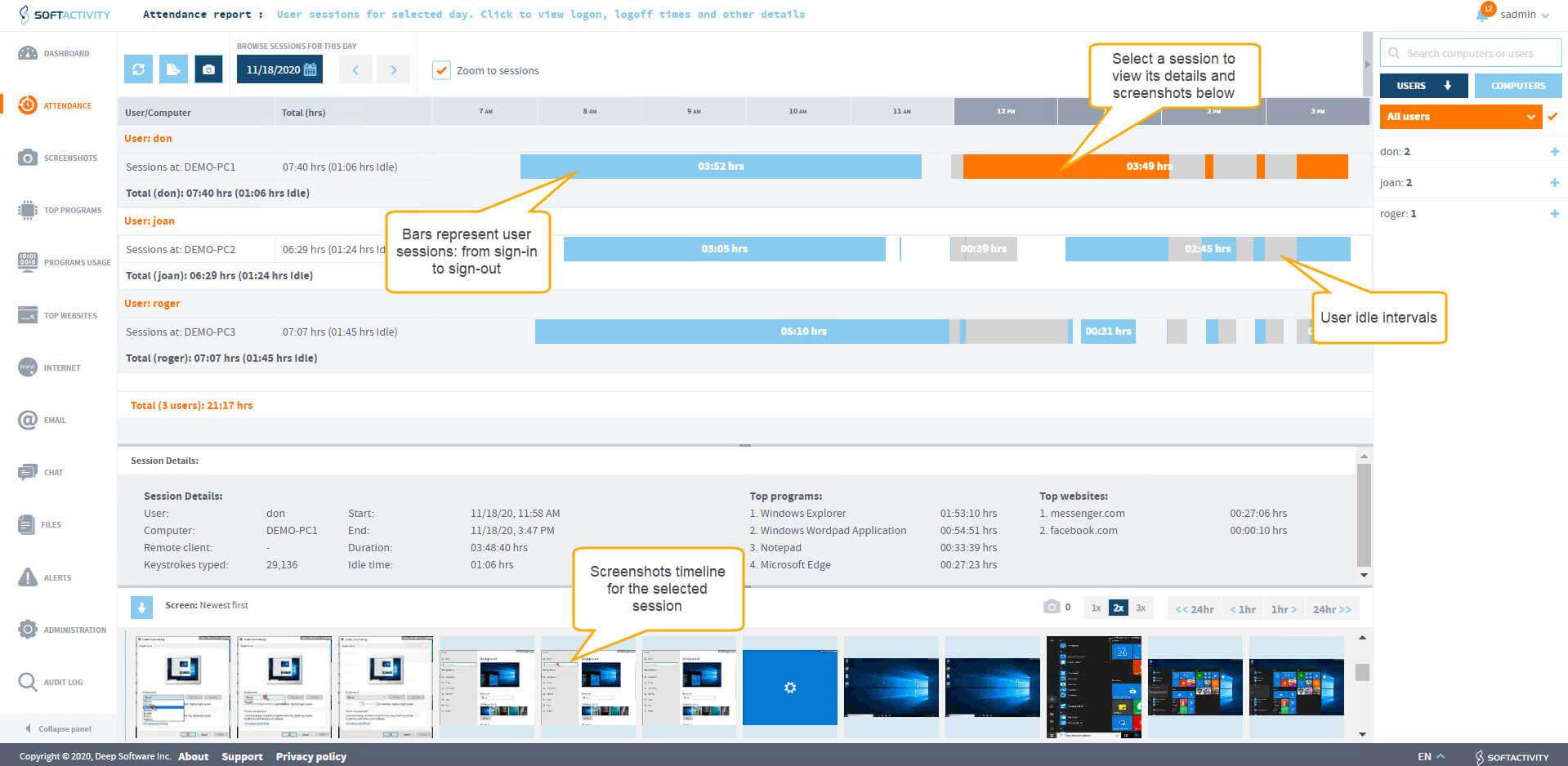
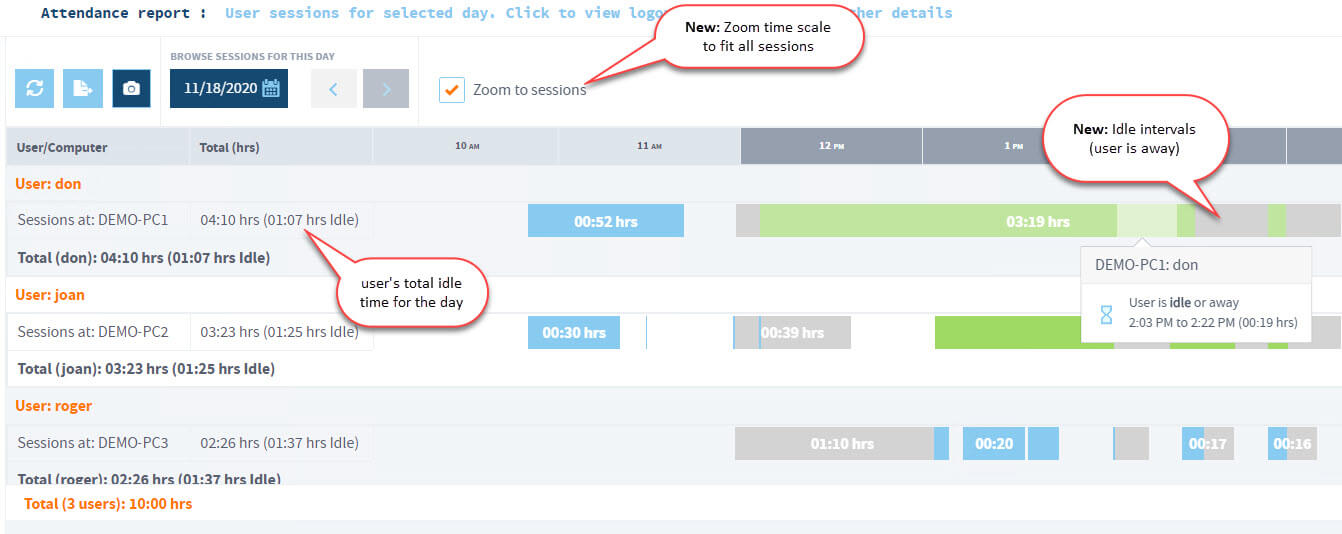
    • See history when users log in and log off from the server, and their remote client [Screenshot]
    • Search reports
  • Completely secure network monitoring software:
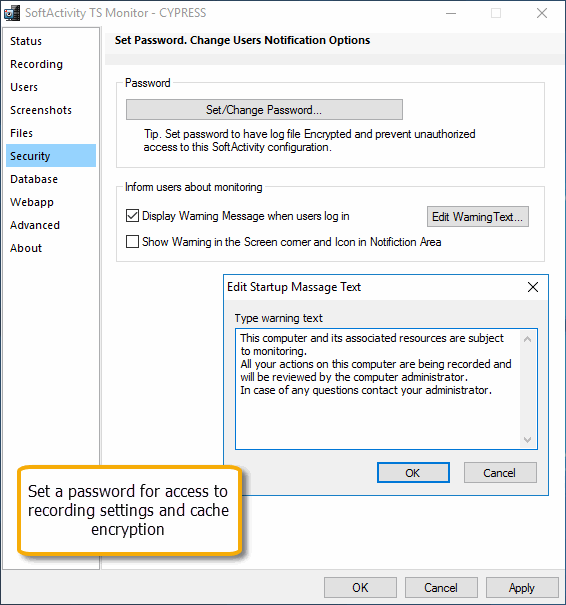
    • Access to the program settings and reports is password protected [Screenshot]
    • Database with recordings is strongly encrypted with 128-bit AES. Strong password is recommended for better data protection
    • Non-Administrator users do not have permissions to see or access any files with recordings
    • Cannot be terminated by users in Task Manager
    • The recording service restarts automatically in case of a crash or any unexpected problems. This guarantees uninterrupted recording of all user actions
  • Document Security: Track and prevent information theft and intellectual property theft by employees or unauthorized users
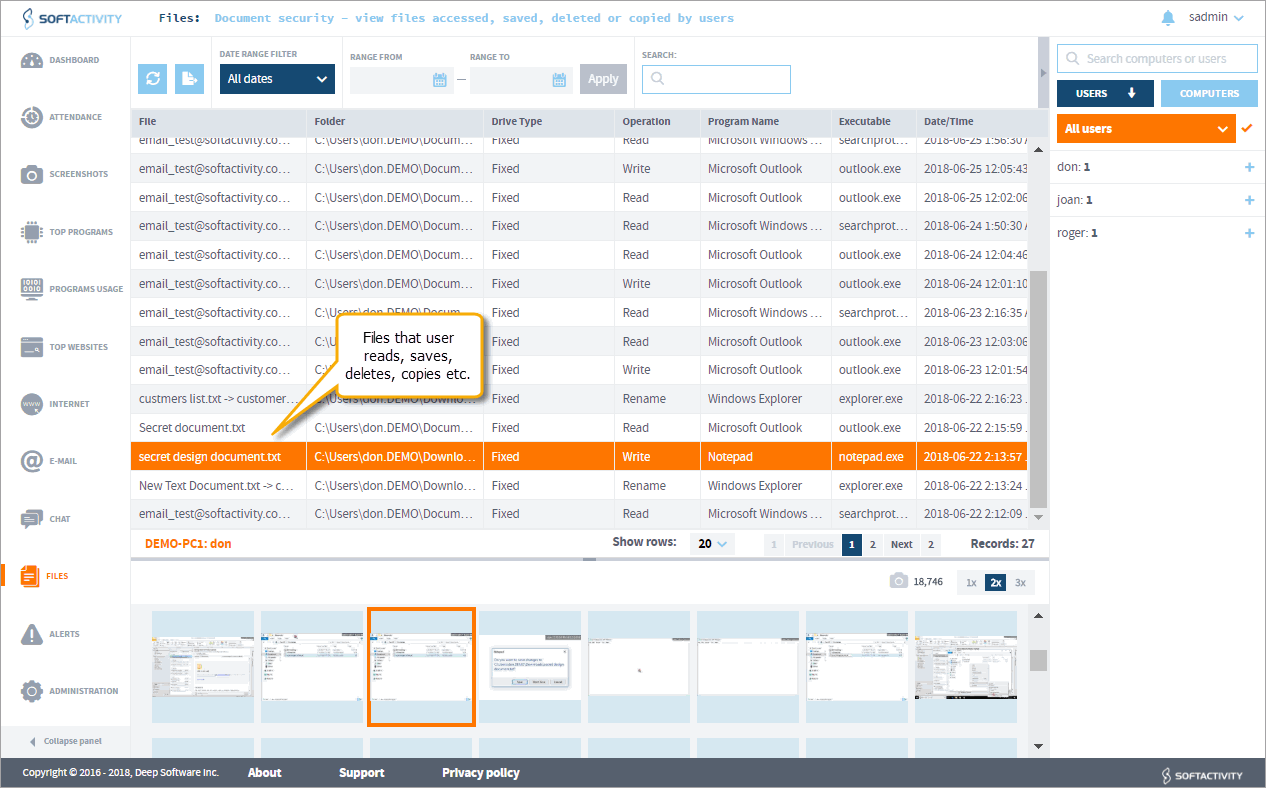
    • (new!) View what documents they open and save [Screenshot]
    • (new!) Track files they download from the Internet, upload or attach to emails
    • (new!) Monitor all types of drives: local, network, flash/thumb drives, hard drives connected to the server by USB or Firewire 1394
    • (new!) Monitor selected folders that contain sensitive files [Screenshot]
    • View all file operations as Read, Write, Delete, Rename
  • Easy deployment
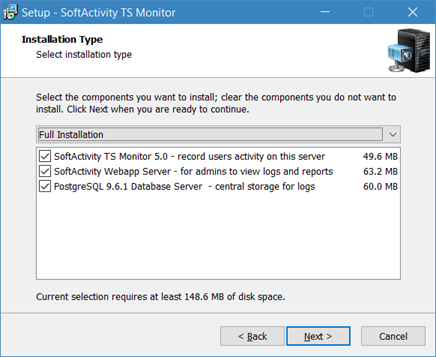
    • Can be installed by the Administrator on Windows Terminal Server or Citrix like a standard desktop application
    • No changes are required on client computers/thin clients
    • Supports any thin client devices that are compatible with your terminal server
    • Application updates only on the server side
    • Requires Administrator-level user rights on the server to install, uninstall, update or change any settings
  • Choose to record secretly or notify users
    • By default, TS Monitor runs invisibly for monitored users. It does not show any windows, there is no process in Task Manager, files on a hard drive, nor Desktop or Start menu icons
    • Optionally, it can be set to show a warning message about monitoring to users at the time of logon
    • Show a custom message to monitored employees with a reminder about company's Acceptable Computer Use Policy
    • Optionally show an icon in system tray reminding employees about monitoring to prevent inappropriate computer use
  • Support of all Windows Servers
    • (new!) Supports Windows Server 2012 all editions
    • Supports Windows Server 2008 (32- and 64-bit versions) all editions
    • Supports Windows Server 2003 (32- and 64-bit versions) all editions
    • Supports Citrix XenApp, MetaFrame and Presentation Server: monitors remote access sessions or remotely published applications running on the server
    • Records Remote Desktop sessions on Windows Server 2003/2008/2012
    • Records RemoteApp's hosted on Windows Server 2008/2012. RemoteApp is the feature of Windows Terminal Services (Remote Desktop Services)
  • Multilingual international features
    • Can record and display email, chat, other reports and record keystrokes in any language. TS Monitor is a Unicode program
    • Records characters typed in any language, including Chinese, Japanese, Spanish, Russian, English, Arabic etc.
    • User interface language for the administrator: English

SoftActivity™ TS Monitor - System Requirements:

  • Intel® Xeon, Pentium, AMD or any CPU that can run Windows Server specified below
  • Microsoft® Windows Server® 2012 x64
    or Microsoft® Windows Server® 2008 (or R2) 32- and 64-bit editions
    or Windows Server® 2003 SP1+ (or R2) 32-bit and 64-bit editions
  • RAM: 512MB or more. TS Monitor uses minimal RAM
  • Hard Drive Space:
    • 10 Mb for installing the software
    • Recommended: 10Gb of free space for recordings (depending on the number of users)

  • Windows Terminal Services (Remote Desktop Services in Server 2008 R2) is required for users to connect remotely but not required for Windows Terminal Server monitoring with SoftActivity™ TS Monitor. It can record local and terminal sessions on the server.
  • Citrix XenApp, MetaFrame and Presentation Server are supported but not required

SoftActivity TS Monitor Reviews

- Bright Hub review:"I was impressed with both the concept and thorough implementation of all the required features for effective terminal services monitoring"
Buy TS Monitor Now
SSL