new: support of Windows 8.1. We recommend to install this version of Activity Monitor and Agents before upgrading your computers to Windows 8.1
fix: crashes when downloading logs
(build 2003, October 3, 2013) important fix: version 8.4 build 1981 contained a critical bug: after uninstalling Agent on a monitored computer repair of Windows could be required. Do not uninstall the previous version 8.4. Download and install this new version on top to apply the fix.
new: Added Clear button to remove filter by program/website on Screenshots tab in SoftActivity Reports Viewer
new: Added Next/Previous buttons on Screenshots tab in SoftActivity Reports Viewer to navigate screenshots easier
new: Polish localization added. Thanks to our Polish reseller SIRTOM
new: Japanese localization added. Thanks to our distributor in Japan NETTOOL
new: Copy to clipboard menu command added on all tabs in SoftActivity Reports viewer. You can copy the report as a table to Word or Excel, for example
new: Go to Screenshots menu command added in Top Programs and Top Websites tabs in SoftActivity Reports
new: Download Logs from All Computers button opens a separate window that shows download progress. It will download logs from all computers in the list, not just connected ones as previously
fix: improved reliability of logs download process
new: support of Windows 8 (except Windows RT on ARM based CPU)
records usage of Windows Store Apps
records visited websites in Internet Explorer store app
both the monitoring console and Agent support Windows 8 and run as a desktop app
monitoring console supports Windows Server 2012
new: Auto cleanup of Central Logs Database. Select a number of days/months you want to keep in Options – Database tab. Older data and screenshots will be deleted automatically to save disk space.
new: support of 64-bit edition of Outlook for email recording. Added support of Outlook 2013
Fixes since version 7.0:
fix: errors with downloading of logs and screenshots. Some screenshots could be missing in central logs DB.
fix: Dates filter panel disappears in SoftActivity Reports sometimes when there is an invalid date found in the database
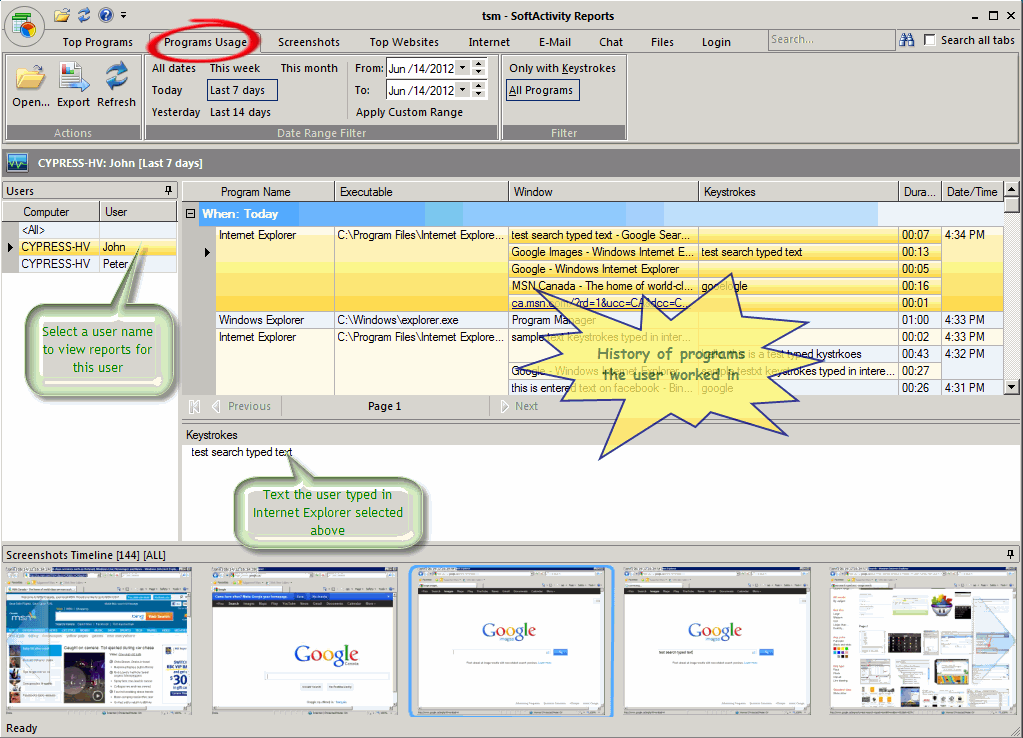
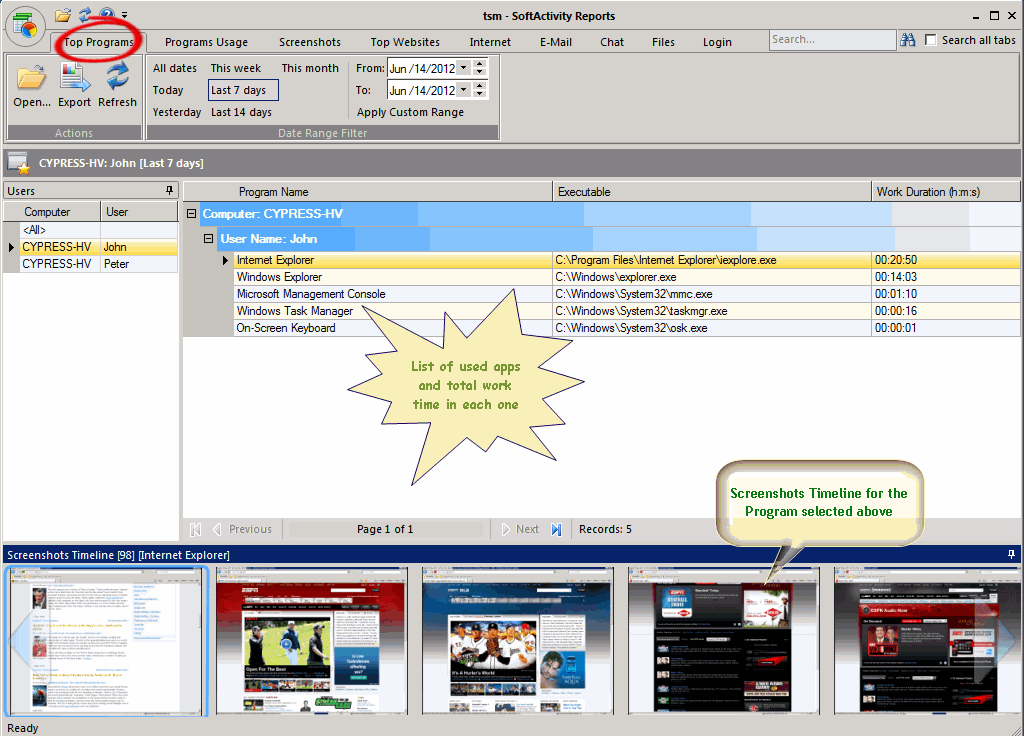
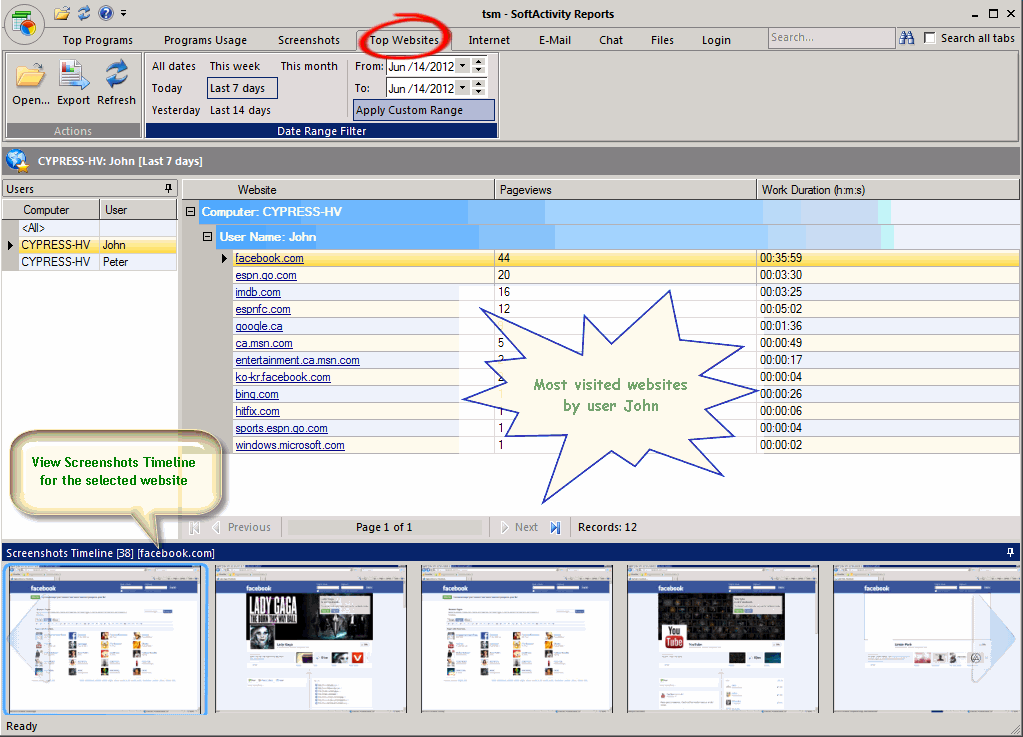
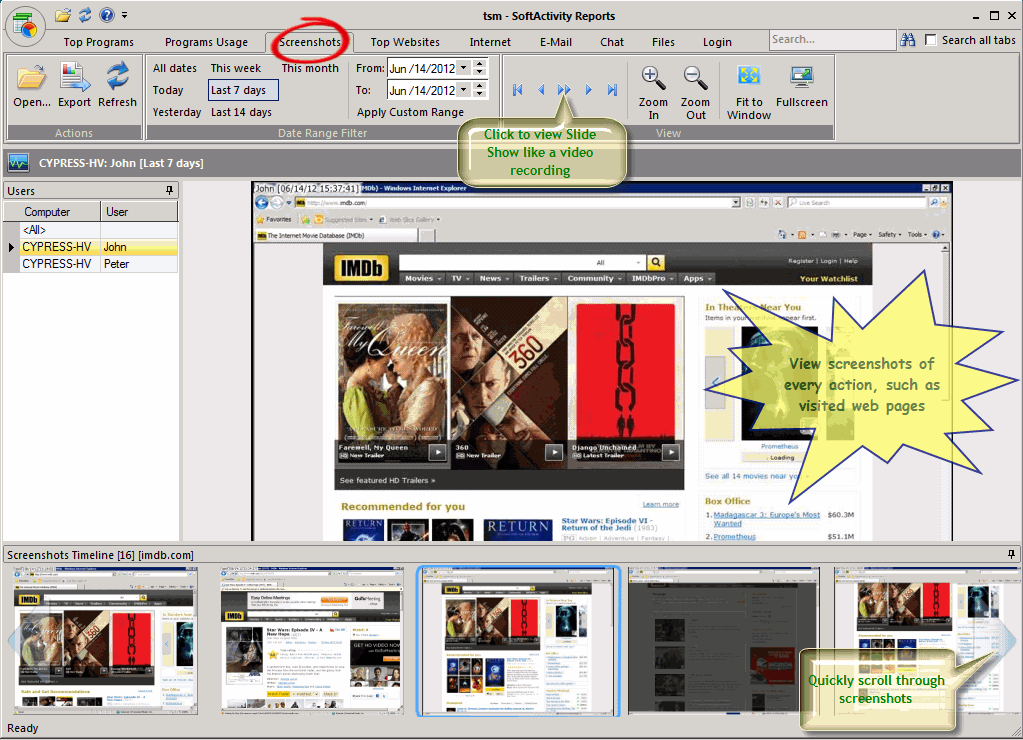
new: View screenshots in sync with reports in Central Logs Database [screenshot]:
select a program and view all screenshots for this program in Top Programs report [screenshot]
select a website and view a history of screenshots taken during visits of this website in Top Websites report [screenshot]
view screenshots at the bottom of the screen as you navigate through history of used programs, emails, chats, etc.
double click a screenshot thumbnail in the bottom panel to view it full size
zoom in/out screenshots, view as slide show [screenshot]
recommended setting now is to take screenshots from active window only instead of full desktop. It is now default
new: View History button added in every tab in the Monitoring window that opens Central Log Database for this computer and user
new: screenshots from remote computers are now downloaded together with logs. Get Agent Screenshots command removed. Click Get Agent Log instead
new: Options – Location tab: removed folders for screenshots and exports. Screenshots are now stored in the Central Log Database folder under SCR subfolder
new: Improved compatibility with antivirus products. Now it’s easy to exclude Agent folder from scans in your antivirus to avoid any positive detection
with future updates of your antivirus product
Fixes since version 6.5:
fix: database conversion error on some computers: “error in statement near s”
fix: Activity Monitor crashed on some computers when monitored PC’s IP address changes
fix: Adobe Reader hanged on some computers with Agent installed resulting in user unable to open PDF files
fix: compatibility issue with Microsoft Security Essentials antivirus caused extremely slow file downloads and copying
fix: rare crashes when displaying some HTML email messages
fix: on some monitored computers Administrator users could find recorded screenshots by searching for jpg files in Windows
improved: support of more than 65K rows for export to Excel 2007 or newer
fix: error message on computers with MS Outlook 2010 64-bit about no default email client
We use cookies for website functionality and security (necessary cookies). They are always enabled. We also use cookies for website analytics and personalized ads. By clicking ‘Accept’, you consent to the use of cookies on this website. To get more information or withdraw consent please check our Privacy Policy.