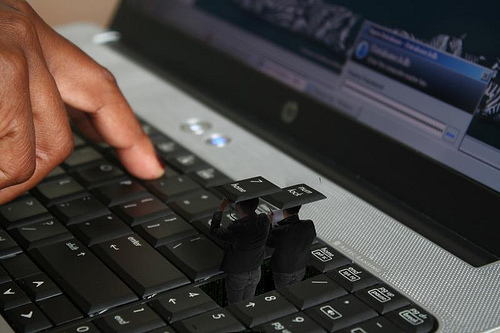
Keylogger software, one of many options businesses can employ in monitoring employees, records every keystroke a user makes on a company-owned computer
Time is money – or so goes the long-established credo of the business world. In today’s fast-paced, ever-evolving, high-tech society, this philosophy is more relevant than ever. Interestingly, all our hi-tech advances have given rise to cutting-edge tools companies can use to monitor basically every aspect of the work environment. It’s not difficult to see why businesses might want to use such tools; modern employees face more non-work-related distractions than ever. From smartphones to social networking to the internet in general, a workday distraction – something that pulls the employee away from the on-the-clock task-at-hand – is always just a click, swipe or even a voice command away. Complicating matters, however, is the fact that the line between personal task and professional can often be blurred by the fact both are routinely performed on the same equipment. Keep in mind, too, that employees don’t lose ALL their privacy rights simply because they’re on company time and equipment. They DO lose a great many of those rights, but Human Resource (HR) Departments are nonetheless best advised to take a thoughtful, disciplined, common-sense approach to employee monitoring, taking into account factors such as the work environment, the industry involved and the employee/employer relationships necessary to succeed in the given business sector. Employer and employee alike should also be aware of what of what’s acceptable and legal in terms of employee monitoring and what’s not.
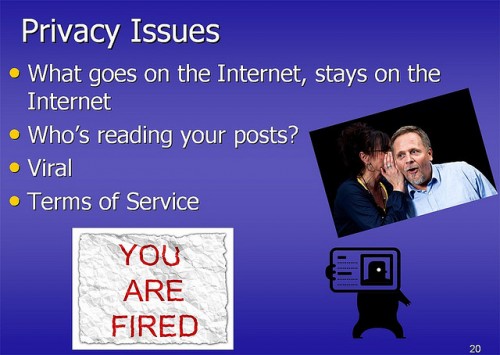
Bloggers and social network users alike are well-advised to be mindful about what they post to the Internet regarding their jobs, companies, or co-workers.
Most of us go about our day-to-day business probably not thinking much about the right to privacy at work. We understand, on some level, that employers are legally entitled to monitor our communications on work-owned equipment. Generally speaking, though, that fact doesn’t have a huge impact on us until some serious, work-related incident arises wherein an employer demonstrates how much latitude they’re legally granted to monitor what employees do at work. This post is designed to help you avoid such incidents – and such unwelcome surprises – by helping you understand your privacy rights at work and exactly how far employers can go in monitoring your activities on the job. What might surprise you most is that in some states, employers can go beyond the monitoring of work-related activities and intrude into the personal lives of workers as well.
Improvements in our proprietary IntelliSnap™ technology of screen recording, such as:
Record screenshots of mouse clicks. View all website links, buttons, menus and commands they click. See it both in real time and in downloaded history in Central Log Database.
Record a screenshot of every typed word
Live view of a remote screen now updates more in real time, almost like a video. Now you will not miss any of their actions.
Restart of remote computers is not required anymore when updating or uninstalling Agent in most cases. Take into account, that this new feature will work only when installing an update on top of version 8.6. When you update to this version, a restart of remote computers might still be needed. Agents may show up as offline until Windows restarts. Later updates should not require a restart.
Monitored users now have an ability to move the optional warning window from a default top right corner of the screen.
fix: on some monitored computers with Windows XP was showing user SYSTEM and not recording any activity
fix: sometimes Skype messages were recorded with duplicates
support of the latest versions of browsers and messengers, such as Google Chrome and Skype
new: improvements of IntelliSnap™ mode for screenshots:
record screenshots of mouse clicks
record a screenshot of every typed word
new: easier update – minimized the chance that restart of the server is needed after updating or uninstalling this software (requires this version to be already installed)
new: monitored users now have an ability to move the optional warning window from a default top right corner of the screen
new: support of Windows 8.1. We recommend to install this version of Activity Monitor and Agents before upgrading your computers to Windows 8.1
fix: crashes when downloading logs
(build 2003, October 3, 2013) important fix: version 8.4 build 1981 contained a critical bug: after uninstalling Agent on a monitored computer repair of Windows could be required. Do not uninstall the previous version 8.4. Download and install this new version on top to apply the fix.
We use cookies for website functionality and security (necessary cookies). They are always enabled. We also use cookies for website analytics and personalized ads. By clicking ‘Accept’, you consent to the use of cookies on this website. To get more information or withdraw consent please check our Privacy Policy.