Some anti-virus and anti-spyware programs can detect such SoftActivity programs as Activity Monitor, Activity Monitor Agent and Activity Logger as spyware. To install SoftActivity software you must be the owner of the computer or authorized by the owner. In this case you may easily add SoftActivity programs to Exclude/Ignore/Exceptions list of your anti-spyware. Most of such programs provide such lists.
To monitor employee computers in your company or your home computer you need to install Activity Monitor Agent on the monitored computers. If you have Symantec Antivirus installed on the remote computer, it will prevent you from installing or running this program and report this attempt to the user. Follow these easy steps to safely disable Antivirus from detecting Activity Monitor Agent and stay protected by Antivirus.
Instructions for Symantec Antivirus 10 Corporate Client and Activity Monitor.
These instructions should be also valid or similar for other recent versions of Symantec Antivirus. In Corporate edition of Symantec Antivirus all described below changes to Antivirus Clients can be made from centralized Management Server.
For disabling detection of SoftActivity Activity Logger software instructions are basically the same, but you need to add Spyware.ActivityLog to lists of exclusions.
Would you like to monitor all performed activities of your employees on their computers in your absence? Web usage control solutions from SoftActivity allow to track and record all user activities on any local computer, including usernames and passwords, incoming and sent emails, online chat conversations, websites visited, programs executed, etc. Internet usage control program Activity Monitor is a program that runs invisibly in the background, recording all keystrokes and saving results to log files for further investigation.
Internet usage monitoring will allow you to improve your office productivity by knowing what your employees are doing and when. Web usage control software from SoftActivity is an extremely easy to use solution with user friendly interface and all advanced options included. Whether you need to control low productivity, decreased employee performance or suspicious employee activities, web usage control program is dedicated to help you become more aware of that.
With web usage control solution you will get the flexibility to monitor and record every detail of computer and Internet activity in home and office.
Workers who suspect they’re being monitored at work probably are – at least a little. While Bill Gates himself might not be doing the watching, studies suggest that nearly three-fourths of employers engage in some degree of employee monitoring
As I’ve mentioned in recent entries here, when it comes to employees’ rights to privacy, the deck is heavily stacked in favor of the employer. Businesses have broad and sweeping rights to monitor employee messaging, Internet, and email usage, to eavesdrop on phone calls, and to videotape them, provided they can demonstrate a legitimate need to do so. Businesses with employees who drive company-owned vehicles are even allowed to using GPS satellite technology to track those employees. The key to exercising all of this power is for employers to write clearly stated policies that make it crystal-clear what will be monitored and how. Such policies should also include statements informing employees that they have virtually no expectation of privacy when using company email accounts and/or computer equipment.
new: if Activity Monitor password is set, it is used for connection to Agents by default. Set the same password in Activity Monitor Options – General tab and for Agents to avoid entering passwords multiple times
improved: if Agent password is not set, Activity Monitor will not ask you for a password. Warning! It’s highly not recommended to install Agent without a password
improved: now can record multiple events on Programs tabs at the same second, as time resolution increased from seconds to milliseconds
fix: when updating Activity Monitor from version 6.5 or earlier, Agent password was lost
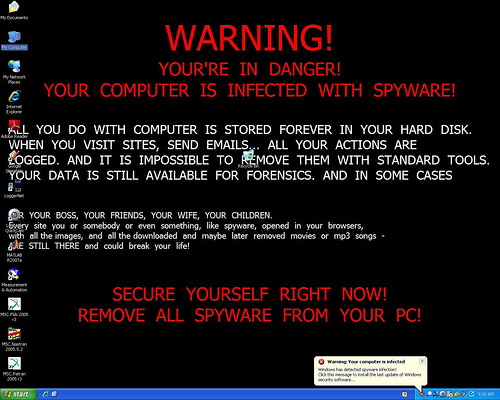
Unfortunately, virus and malware infections on work-owned computers aren’t always as obvious as this. That’s one reason companies have a legitimate need to keep tabs on what’s being shared and downloaded on their computers
Depending on how productive you’ve been at work lately, you might or might not feel as if your employer is doing a little electronic “peeking” over your digital shoulder. Maybe you feel as if you’re being watched A LOT or maybe none at all. Allow me to quash your doubts: you can rest assured, no matter how paranoid you might or might not be feeling; no matter how productive you have or haven’t been lately, your employer is probably watching – at least a little, but maybe a lot. That’s right. According to a study conducted by the American Management Association, three-fourths of the largest employers in the United States conduct regular, routine – and legal, it must be added – employee computer monitoring, keeping tabs on employee email, Internet usage and computer files being uploaded from or downloaded to company machines. While such digital eavesdropping may seem unfair or immoral, employers DO have legitimate reasons to monitor employee computers and mobile devices. Below are 7 things your boss wants to know about your computer; 7 reasons why your employer might be using keylogger software, spyware or other means to spy on employees’ computer usage.
We use cookies for website functionality and security (necessary cookies). They are always enabled. We also use cookies for website analytics and personalized ads. By clicking ‘Accept’, you consent to the use of cookies on this website. To get more information or withdraw consent please check our Privacy Policy.