new: Auto-cleanup of the database and screenshots. Allows to select how many days or months of data you want to keep. Older data will be removed automatically to save hard drive space and improve database performance
new: support of Windows Server 2012
fix: Dates filter panel disappeared in SoftActivity Reports sometimes when there is an invalid date found in the database
fix: file opearations recording is now off by default to improve performance
Just as desktop PCs, laptops have also to be monitored in order to eliminate risks of their misuse and Internet abuse at workplace. Nowadays, every office employee has his/her own laptop. Are you concerned how your employees are surfing the Internet through their laptops when you are not around? This is a common issue for all conscious employers and managers who can’t control every moment when their employees are online. Moreover, today many school and college administrators claim that students tend to play games, chat, check new notifications on their Facebook accounts and do various other non-study related activities during classes or lectures.Read More
Unlimited and unrestricted Internet access at home, school and work has many pros and some cons. As you will probably agree, we are getting more and more addicted to using the Internet for almost everything we do. Today we are getting any necessary information, communicate with other people irrespective of their geographical location, buy various products, order services, etc. just with a few mouse clicks. However, you should also know that the World Wide Web has made life easier for various cheaters looking for victims online.Read More
Most antivirus products do not detect any threats or issues in SoftActivity employee monitoring software. In fact, there is no viruses, spyware or malware in SoftActivity Monitor software, as long as the downloaded file is digitally signed by Deep Software Inc. All SoftActivity executable and .DLL files are digitally signed.
We recommend to check the file’s signature by opening the file’s Properties – Digital Signatures tab to ensure the file you are installing is an original and has not been tampered with.
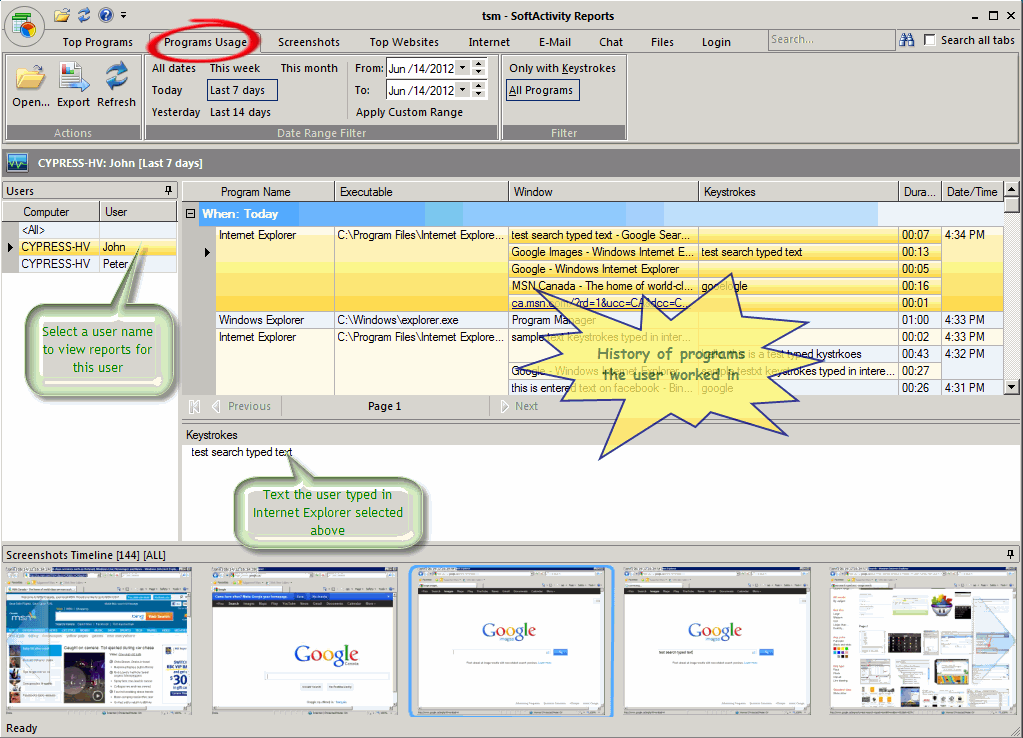
new: View screenshots in sync with reports in Central Logs Database [screenshot]:
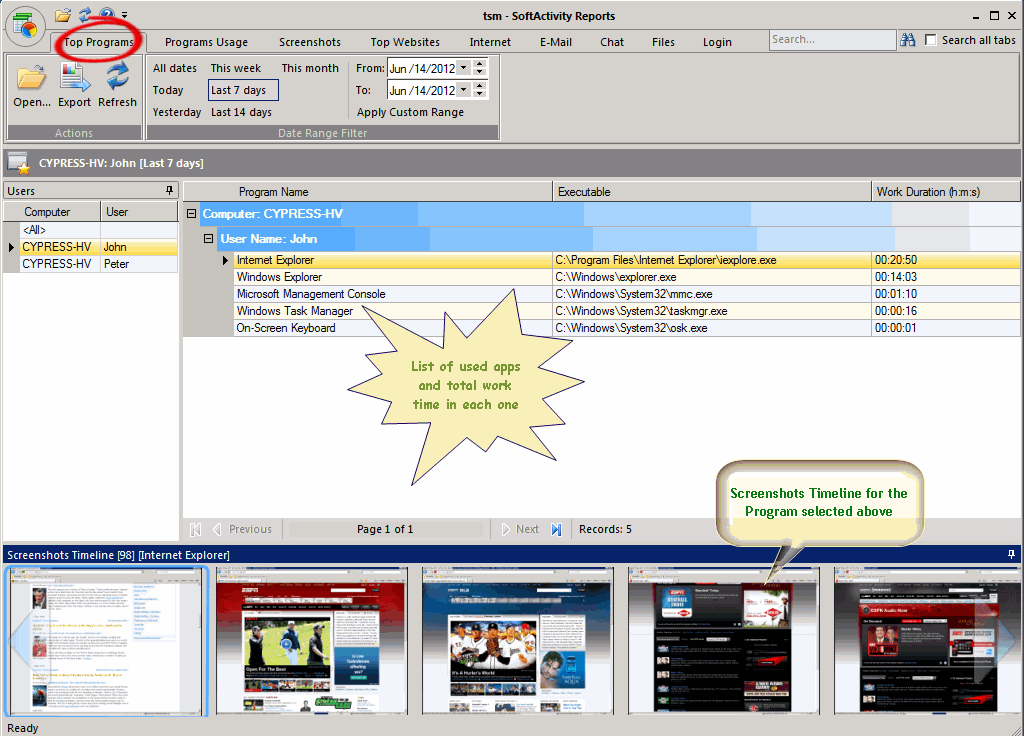
select a program and view all screenshots for this program in Top Programs report [screenshot]
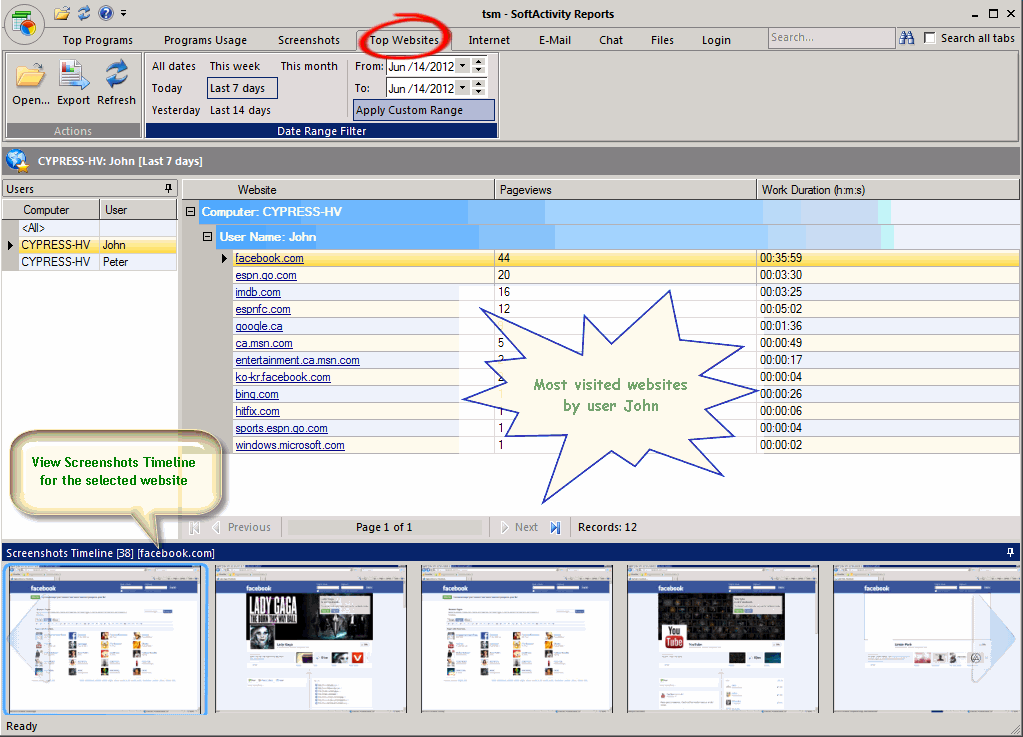
select a website and view a history of screenshots taken during visits of this website in Top Websites report [screenshot]
view screenshots at the bottom of the screen as you navigate through history of used programs, emails, chats, etc.
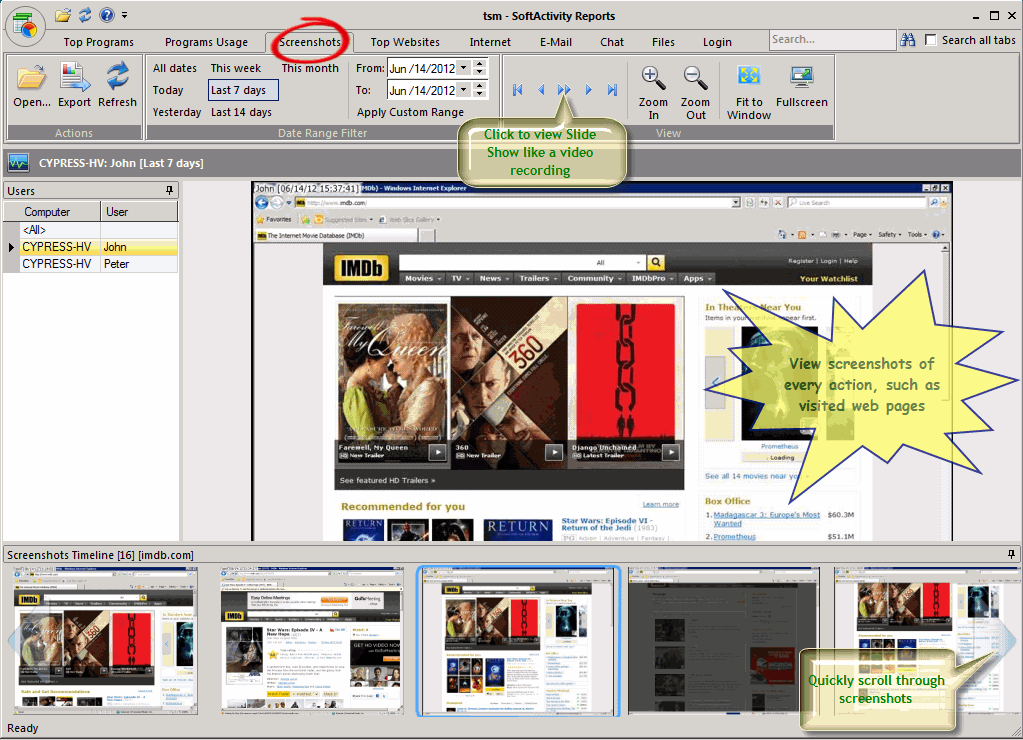
double click a screenshot thumbnail in the bottom panel to view it full size
zoom in/out screenshots, view as slide show [screenshot]
recommended setting now is to take screenshots from active window only instead of full desktop. It is now default
new: View History button added in every tab in the Monitoring window that opens Central Log Database for this computer and user
new: screenshots from remote computers are now downloaded together with logs. Get Agent Screenshots command removed. Click Get Agent Log instead
new: Options – Location tab: removed folders for screenshots and exports. Screenshots are now stored in the Central Log Database folder under SCR subfolder
new: Improved compatibility with antivirus products. Now it’s easy to exclude Agent folder from scans in your antivirus to avoid any positive detection
with future updates of your antivirus product
Fixes since version 6.5:
fix: database conversion error on some computers: “error in statement near s”
fix: Activity Monitor crashed on some computers when monitored PC’s IP address changes
fix: Adobe Reader hanged on some computers with Agent installed resulting in user unable to open PDF files
fix: compatibility issue with Microsoft Security Essentials antivirus caused extremely slow file downloads and copying
fix: rare crashes when displaying some HTML email messages
fix: on some monitored computers Administrator users could find recorded screenshots by searching for jpg files in Windows
improved: support of more than 65K rows for export to Excel 2007 or newer
fix: error message on computers with MS Outlook 2010 64-bit about no default email client
Technological change made almost any of modern businesses dependent on computer and Internet resources. However, some employees tend to abuse their computer use during working hours that results in overall decreased productivity and critical information leakage. That’s why, it’s highly important for business owners and managers to use LAN spy software solutions to monitor employee online activities and the whole computer usage.Read More
ESET NOD32 Antivirus may detect SoftActivity Monitor or TS Monitor on your computer as Potentially Unwanted Program(PUP) or Win32/Spy.ActivityMonitor.D or Win32/KeyLogger.ActivityMonitor.AG threat. In fact, there is no virus in SoftActivity software. It only does what is declared in its features on this website, i.e. records user activity on the computers owned by your company. Recording is done with the computer owner’s permission.
To prevent ESET NOD32 Antivirus from detecting this threat you will need to exclude SoftActivity destination folder and/or thread name from scans as described below.
We use cookies for website functionality and security (necessary cookies). They are always enabled. We also use cookies for website analytics and personalized ads. By clicking ‘Accept’, you consent to the use of cookies on this website. To get more information or withdraw consent please check our Privacy Policy.
 Just as desktop PCs, laptops have also to be monitored in order to eliminate risks of their misuse and Internet abuse at workplace. Nowadays, every office employee has his/her own laptop. Are you concerned how your employees are surfing the Internet through their laptops when you are not around? This is a common issue for all conscious employers and managers who can’t control every moment when their employees are online. Moreover, today many school and college administrators claim that students tend to play games, chat, check new notifications on their Facebook accounts and do various other non-study related activities during classes or lectures.